tencent cloud

Cloud Workload Protection Platform

Release Notes and Announcements
Release Notes
Announcements
Getting Started
Product Introduction
Overview
Advantages
Basic Concepts
Scenarios
Associated Products
Features in Different Editions
Purchase Guide
Purchase Security Protection Licenses
Purchasing Log Analysis Service
Quick Start
Operation Guide
Security Dashboard
Asset Overview
Server List
Asset Fingerprint
Vulnerability Management
Baseline Management
Malicious File Scan
Unusual Login
Password Cracking
Malicious Requests
High-risk Commands
Local Privilege Escalation
Reverse Shell
Java Webshell
Critical File Monitor
Network Attack
A Ransomware Defense
Log Analysis
License Management
Alarm Setting
Cloud Access Management
Hybrid Cloud Installation Guide
FAQs for Beginners
Cloud Workload Protection Description
Feature Description
Agent Process Description
A Security Baseline Detection List
Parsing of JSON Format Alarm Data
Log Field Data Parsing
Agent Installation Guide
Security Score Overview
Practical Tutorial
Auto Fix of Vulnerabilities
Malicious File Processing
Troubleshooting
Intrusions on Linux
Intrusions on Windows
Offline Agent on Linux
Offline Agent on Windows
An Abnormal Log-in Notification
API Documentation
History
Introduction
API Category
Asset Management APIs
Virus Scanning APIs
Abnormal Log-in APIs
Password Cracking APIs
Malicious Request APIs
High-Risk Command APIs
Local Privilege Escalation APIs
Reverse Shell APIs
Vulnerability Management APIs
New Baseline Management APIs
Baseline Management APIs
Advanced Defense APIs
Security Operation APIs
Expert Service APIs
Other APIs
Overview Statistics APIs
Settings Center APIs
Making API Requests
Intrusion Detection APIs
Data Types
Error Codes
FAQs
Agreements
Terms of Service
Service Level Agreement
Data Processing And Security Agreement
Contact Us
Glossary

Security Score Overview

PDF
Focus Mode
Font Size
Last updated: 2023-12-26 16:39:39
This topic describes how to calculate the security score for your assets.

Security Score

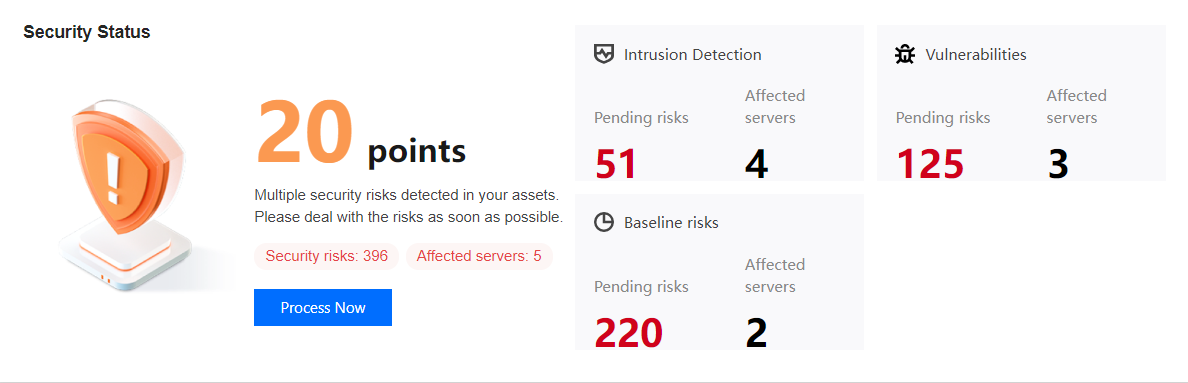
The highest security score is 100, and the lowest score is 20. The security level of a server is based on its security score, which is calculated by subtracting the points scored by the types, number, and threat level of security incidents from the total score of 100.


Scoring rules

Level
Security Incidents (by incident count)
Penalty per incident
Maximum total penalty
Critical
Trojan files, brute force attacks, and malicious requests
-40
-50
High
Critical vulnerabilities, high-risk vulnerabilities, critical baseline items, high-risk baseline items, unusual logins (high risk), local privilege escalation, and reverse shell
-10
-20
Medium
Medium-risk vulnerabilities and baseline items
-3
-10
Low
Low-risk vulnerabilities and baseline items
-2
-5
Other
Only CWPP Basic is implemented, or CWPP Agent is not installed
-1
-5


Security level

Level
Health check score
Text color
Description
Good
90-100
Green
The assets have a good security status. Regular inspection is recommended to maintain the good status.
Medium
60-89
Orange
Many security risks exist in the assets. It is recommended to handle the security incidents in a timely manner.
Bad
20-59
Red
Critical security risks exist in the assets. It is recommended to handle the security incidents as soon as possible.

Help and Support

Was this page helpful?

Help us improve! Rate your documentation experience in 5 mins.

Feedback