Latency Analysis (Command Word Analysis)
In addition to the analysis of big keys and hot keys, DBbrain also provides Tencent Cloud Distributed Cache command word analysis to help you better understand the current conditions of your database.
Viewing command word analysis
1. Log in to the DBbrain Console.
2. In the left sidebar, choose Performance Optimization.
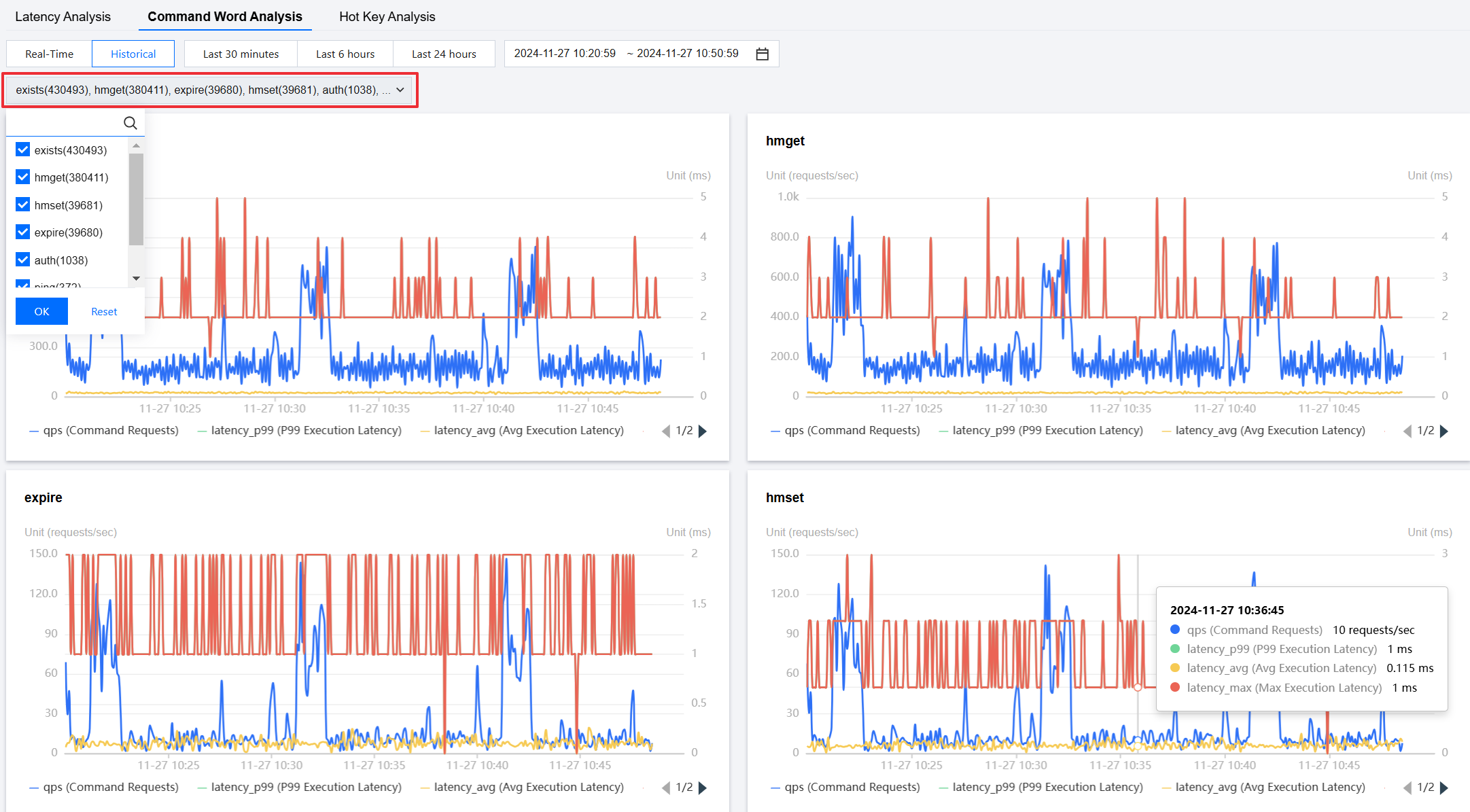
3. At the top of the page, select the corresponding database and instance ID, then select Latency Analysis > Command Word Analysis tab.

4. On the Command Word Analysis page, select a real-time or historical time range.
Real-time view: Displays the analysis results at each time point in real-time.
Historical view: Displays the analysis results in the last 30 minutes, last 6 hours, last 24 hours, or a custom time range.

5. Select a command type, click OK to view the command word analysis.
Help and Support
Was this page helpful?
You can also Contact sales or Submit a Ticket for help.
Help us improve! Rate your documentation experience in 5 mins.
Feedback