By default, you can download backup files of TencentDB for MySQL instances over public or private network. To limit the download, you can adjust backup download settings.
Note:
Backup download settings are supported in the following regions:
Guangzhou, Shanghai, Beijing, Shenzhen, Chengdu, Chongqing, Nanjing, Hong Kong (China), Beijing Finance, Shanghai Finance, Shenzhen Finance, Singapore, Silicon Valley, Frankfurt, Seoul, Bangkok, and Tokyo.
Setting backup download rules
1. Log in to the TencentDB for MySQL console, select Database Backup on the left sidebar, and select a region at the top.
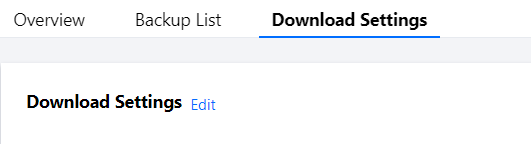
2. On the Download Settings tab, view the backup download settings and click Edit to modify them.
Note:
Download over public network is enabled by default and when it is enabled, download over private network is also allowed.
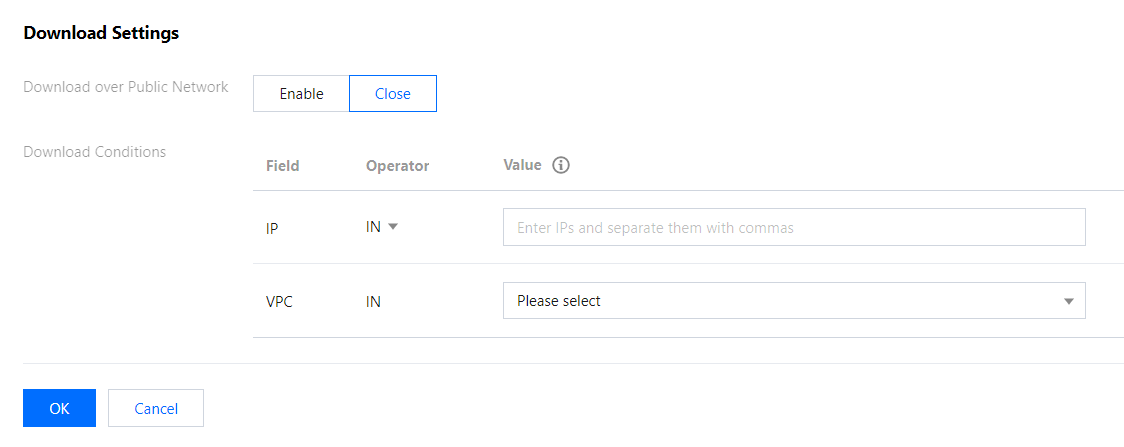
3. On the displayed page, set the download rules and click OK.
Download over public network:
Enabled: You cannot set any download rule.
Disabled: You can set the download rules for private network by allowing or blocking specific IPs and VPCs.
Set the download rules:
If you don't specify any value, the condition won't take effect.
You should separate the values of an IP condition with commas.
You can enter IPs or IP ranges as the values of an IP condition.
If no IP and VPC requirements are set, there will be no limit on download over private network.
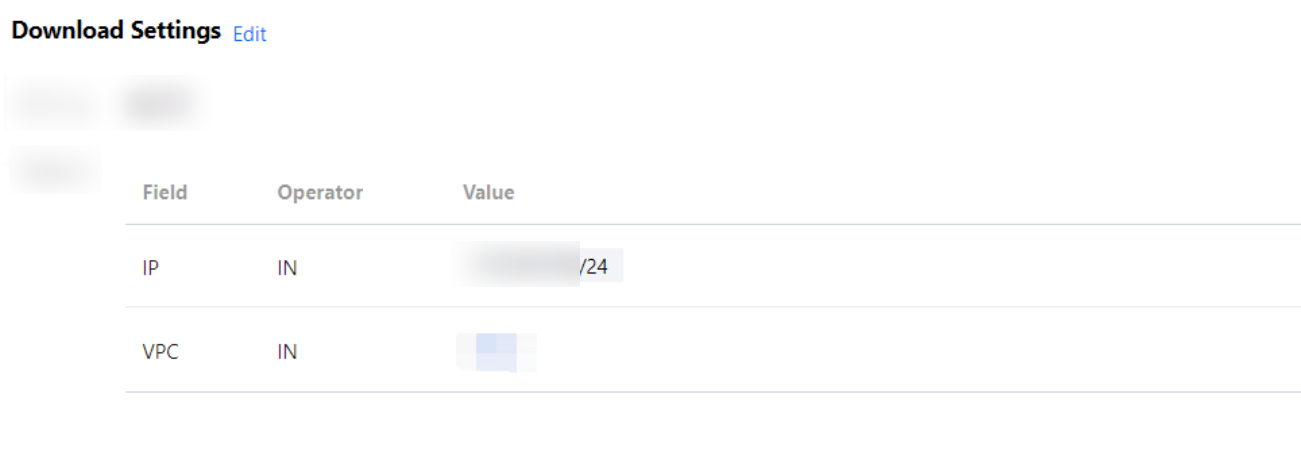
4. After the configuration is completed, return to the Download Settings tab to view the rules that take effect.
Authorizing sub-accounts to set backup download rules
By default, sub-accounts do not have the permission to set backup download rules for TencentDB for MySQL instances. Therefore, you need to create CAM policies to grant specific sub-accounts the permission.
Cloud Access Management (CAM) is a web-based Tencent Cloud service that helps you securely manage and control access permissions to your Tencent Cloud resources. Using CAM, you can create, manage, and terminate users (groups), and control the Tencent Cloud resources that can be used by the specified user through identity and policy management.
You can use CAM to bind a user or user group to a policy which allows or denies them access to specified resources to complete specified tasks. For more information on CAM policy elements, see Element Reference.
Authorizing sub-accounts
1. Log in to the CAM console with the root account, locate the target sub-user in the user list, and click Authorize.
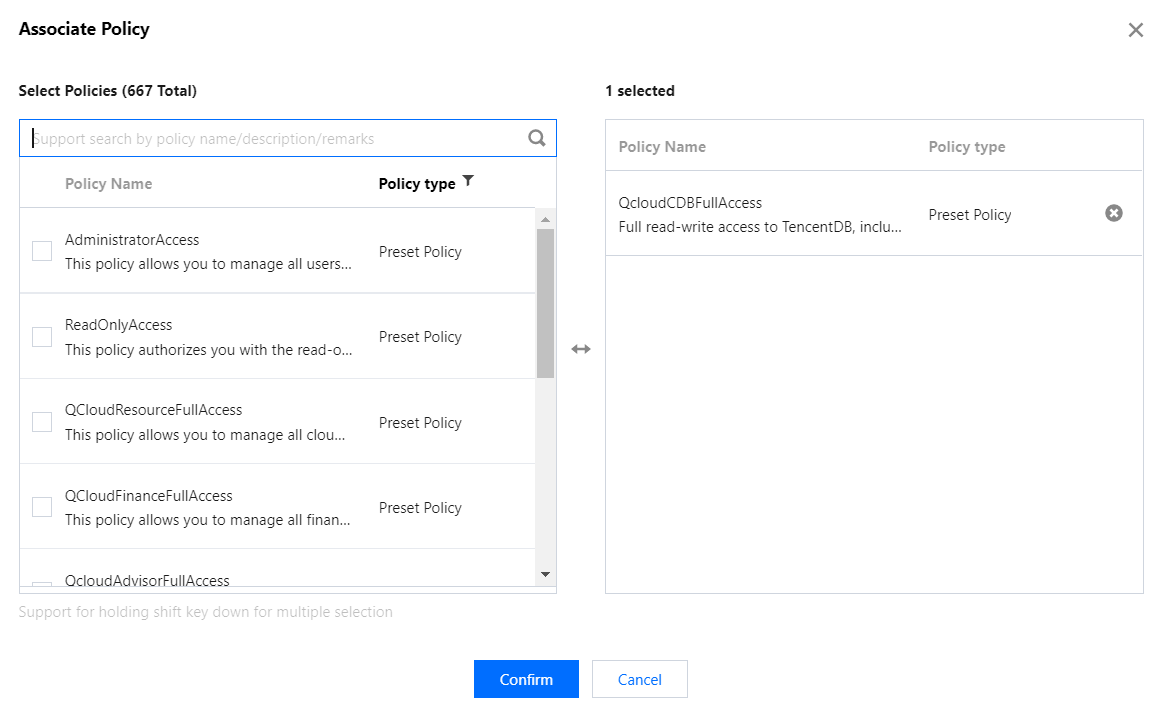
2. In the pop-up window, select the QcloudCDBFullAccess preset policy and click OK to complete the authorization.
Policy syntax
The following policy syntax is used to authorize a sub-account to set backup download rules for TencentDB for MySQL instances:
{
"version":"2.0",
"statement":
[
{
"effect":"effect",
"action":["action"],
"resource":["resource"]
}
]
}
version is required. Currently, only the value "2.0" is allowed.
statement element describes the details of one or more permissions. This element contains a permission or permission set of other elements such as effect, action, and resource. One policy has only one statement.
effect is required. It describes the result of a statement. The result can be "allow" or an "explicit deny".
action is required. It specifies whether to allow or deny the operation. The operation can be an API (prefixed with "cdb:"). which can be an API (prefixed with name) or a feature set (a set of specific APIs prefixed with permid).
resource is required. It describes the details of authorization.
API operations
In a CAM policy statement, you can specify any API operation from any service that supports CAM. For database audit, the API prefixed with name/cdb: should be used. To specify multiple operations in a single statement, separate them by comma:
"action":["name/cdb:action1","name/cdb:action2"]
You can also specify multiple operations by using a wildcard. For example, you can specify all operations beginning with "Describe" in the name as shown below:
"action":["name/cdb:Describe*"]
Resource path
Resource paths are generally in the following format:
qcs::service_type::account:resource
service_type: Describes the product abbreviation, such as cdb here.
account: Describes the root account of the resource owner, such as uin/326xxx46.
resource: Describes the detailed resource information of the specific service. Each TencentDB for MySQL instance (instanceId) is a resource.
Customizing CAM policy for setting MySQL backup download rules
1. Log in to the CAM console with the root account, select Policies on the left sidebar, and click Create Custom Policy.
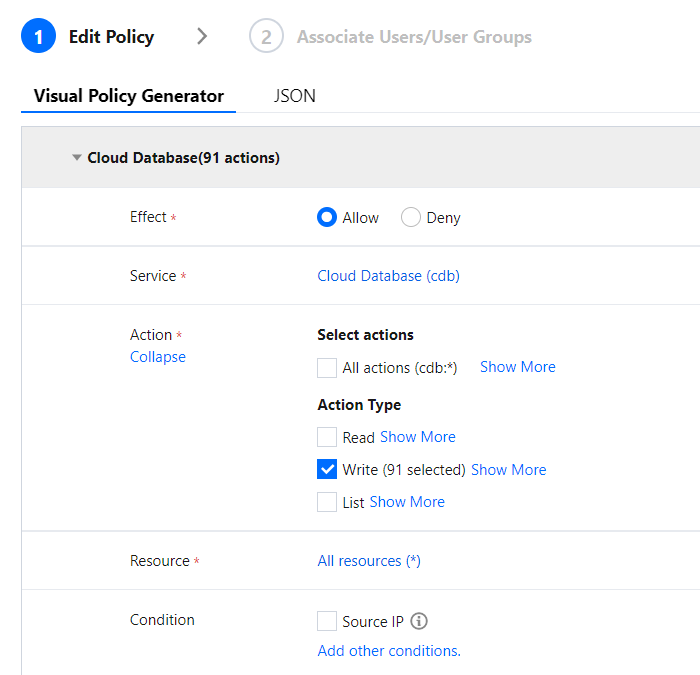
2. In the pop-up dialog box, select Create by Policy Generator.
3. On the Select Service and Action page, select configuration items, click Add Statement, and click Next.
Effect: Select Allow or Deny for the action.
Service: Select TencentDB for MySQL.
Action: Select all APIs of setting MySQL backup download rules. For more information, see the API documentation.
Resource: For more information, see Resource Description Method. You can enter * to indicate that the backup download rules of TencentDB for MySQL instances in the specified region can be set.
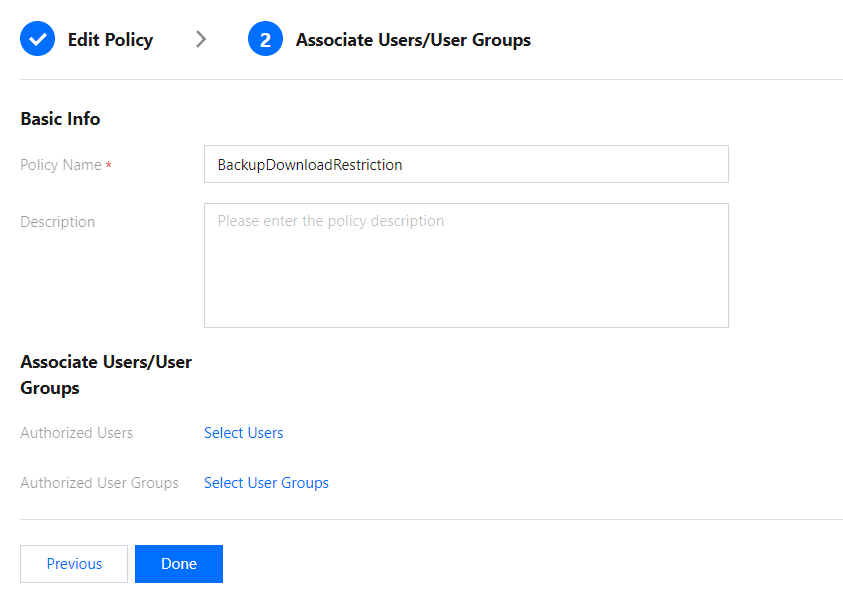
4. On the Edit Policy page, enter the Policy Name (such as BackupDownloadRestriction) as required and Description and click Done.
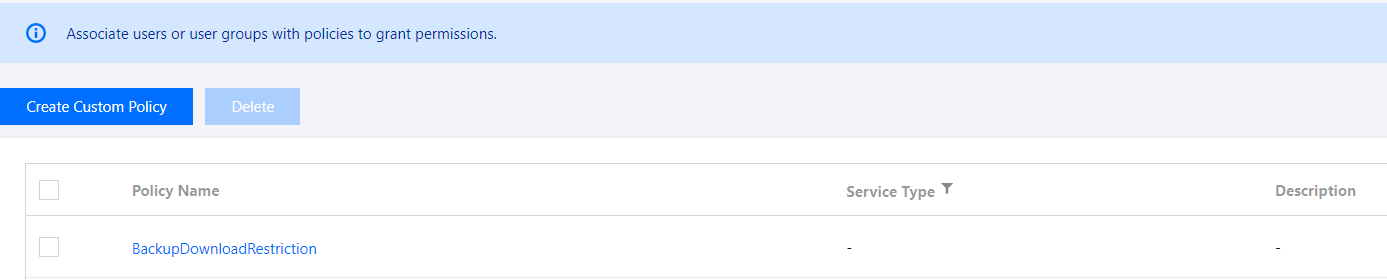
5. Return to the policy list and you can view the custom policy just created.