Overview
Quota management is a feature that enables you to view and manage quotas in the CDN console. The following quota types can be requested on a temporary or permanent basis: URL purge quota, directory purge quota, and URL prefetch quota.
Use Cases
Temporary quota is a quota that can be applied on a temporary basis and used within a validity period. When it expires, the quota type will end up as permanent.
Permanent quota is a quota that can be used for an indefinite period. As the permanent quota application takes a long time to process, we recommend requesting a temporary quota to meet your needs.
Operation Guide
Viewing quotas
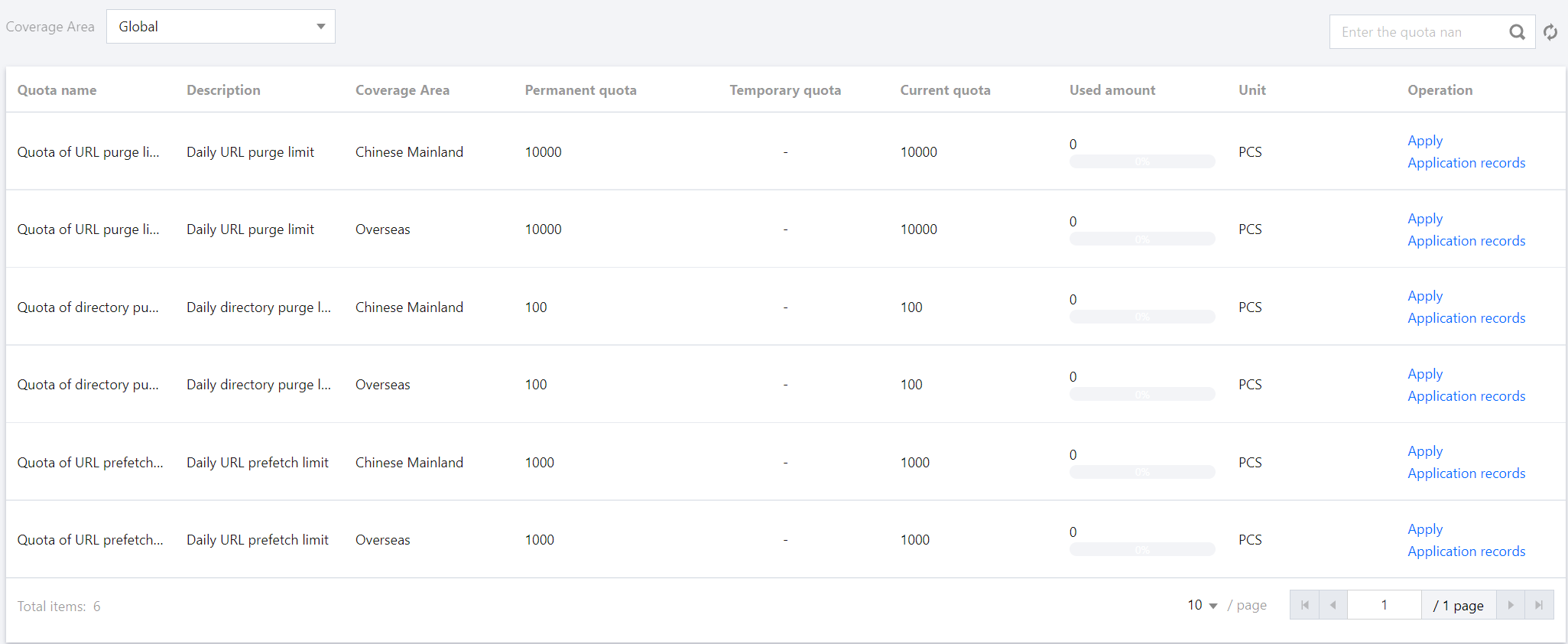
To view quotas, log in to the CDN console, and then select Quota Management > Quota Details on the left sidebar.
Note:
Current quota indicates the maximum limit. If you have more than one temporary quotas, the current quota will be the maximum of all your quotas.
The temporary quota takes effect between 00:00-24:00 (UTC+8). After it expires, the quota type will turn permanent.
URL purge quota, directory purge quota and URL prefetch quota all take effect on a daily basis and reset every day at 00:00 (UTC+8).
Quotas for regions in and outside the Chinese mainland are independent of each other and need to be applied separately.
Applying for quotas
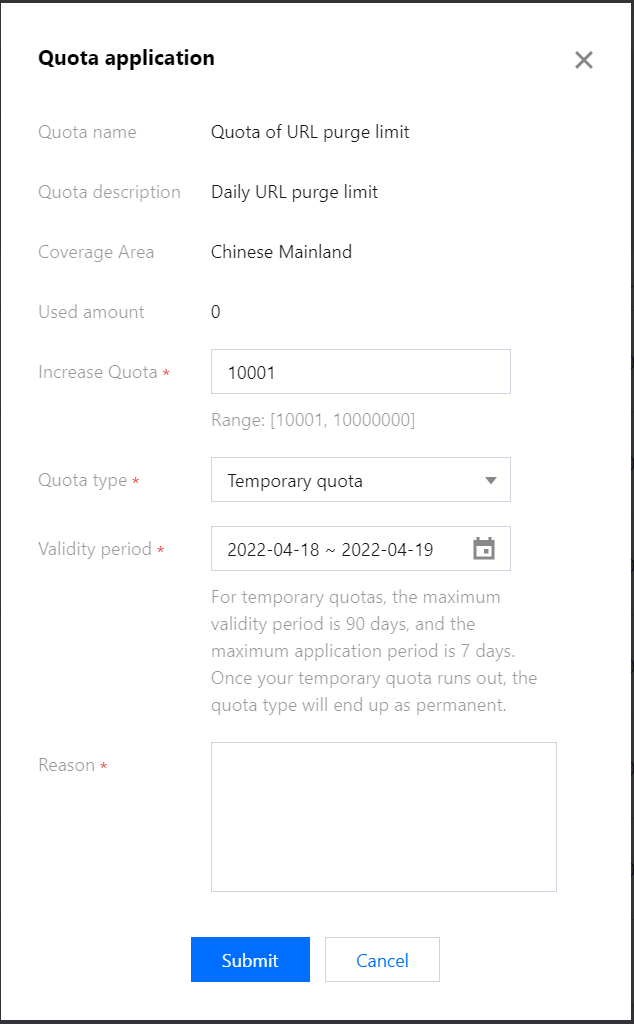
To apply for a quota, click Apply. Complete and submit the application form.
Note:
A temporary quota must be between a permanent quota +1 and 10000000.
For temporary quotas, the maximum validity period is 90 days, and the maximum application period is 7 days.
To request a quota successfully, you are encouraged to set an appropriate quota value and state the reason for your application.
Viewing application records
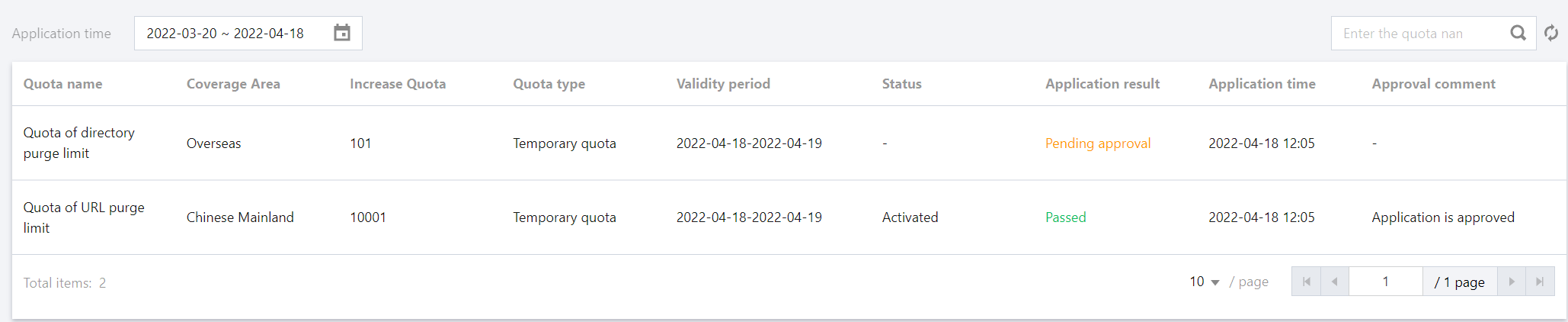
To view your application records, click Application records on the Quota Details page, or select Quota Management > Application Records on the left sidebar.
Note:
When the application result is Passed, your application is accepted. If you failed to apply for a permanent quota, you can change your quota limit and reason for application before submitting again, or request a temporary quota instead.
When a temporary quota expires, it is no longer valid, and the quota type will turn permanent, or stay temporary if you still have other valid temporary quotas.