tencent cloud

Business Intelligence

Relevant Agreements
Service Level Agreement
Kebijakan Privasi
Perjanjian Privasi dan Keamanan Data
DokumentasiBusiness Intelligence

Filter Integration

Mode fokus
Ukuran font
Terakhir diperbarui: 2025-09-19 15:24:40
Filter integration applies to multiple filters with each other. If there are two filters, such as "Province" and "City," when "Guangdong" is selected, the "City" filter can only select cities under Guangdong.

Edition support: Basic Edition and Professional Edition.
Prerequisite: Currently only support text filter integration.

This document introduces the following:
Create filter integration
Filter integration troubleshooting

Create Filter Integration

The following conditions must be met to implement filter integration:
1. Filter type is text filter
2. At least two text filters on the page
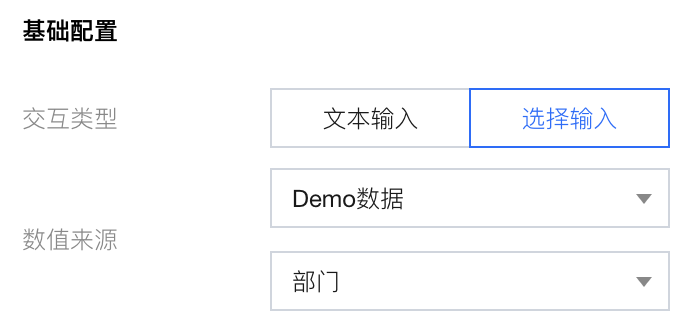
3. Filter interaction type must be "selection input"

If we want to select a department in the "Department" dropdown menu, then choose the employee's name under that department in the "Employee" dropdown (employees not in the selected department will not appear in the list), we can follow these operations:
1. Drag two text filters into the canvas and name them "Department" and "Employee"


2. Set the "Department" filter to "selection input" and select the corresponding data table and field.


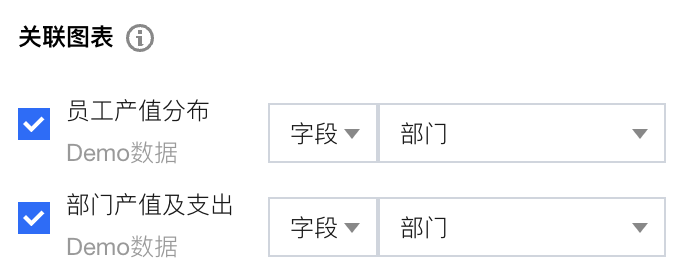
3. Set the associated chart


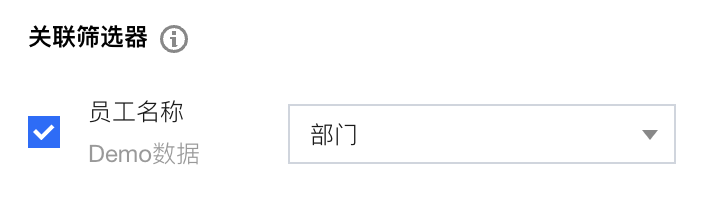
4. Set the associated filter to "Employee"
5. Set the linkage field of "Employee" to "Department" (numerical matching the "Department" field value of "Employee" with "Department").


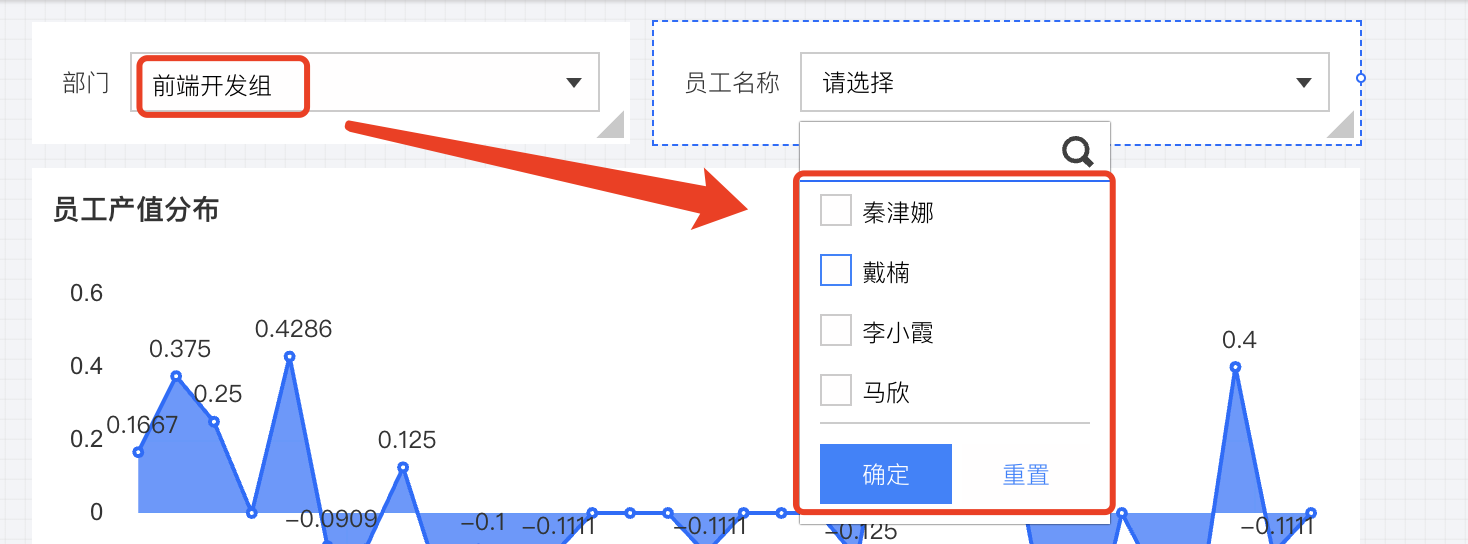
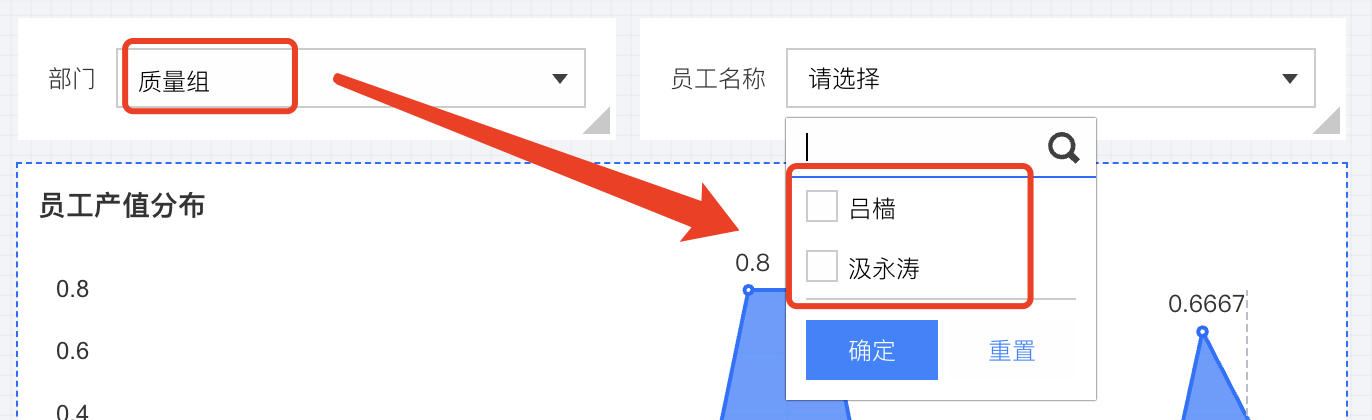
6. When users select a "Department" value, the "Employee" drop-down list values update synchronously, as shown in the before and after comparison below:


Filter Integration Troubleshooting

Filter integration may contain following problems, see troubleshoot and modify configuration:
1. Why does filter circular linkage occur?
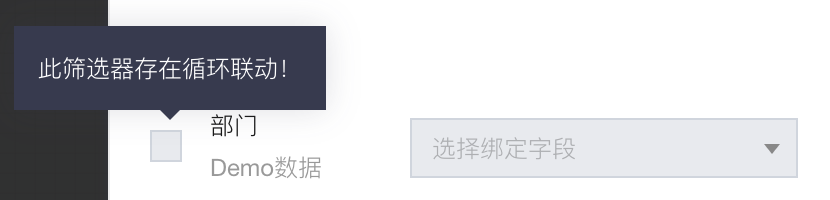
Circular linkage occurs when filter A triggers filter B, which in turn triggers filter A, forming a loop. The system does not allow circular linkage. If it occurs, a notification "Circular linkage exists" will appear.

The BI system will automatically block user settings for circular linkage and prompt the user that they cannot proceed.
The issue involves loops between 2 components as well as multiple components, such as A triggering B, B triggering C, and C triggering A.
2. Set up filter linkage, why does the filter default value fail?
If the default value of the "department" filter component is "Quality Testing" and the linked "employee" filter component has a default value of "Zhang San" (who is actually in the Product department), the default setting of the "employee" filter will not take effect in this scenario.
The reason is the "department" filter has a default value of "Quality Testing". During page loading, it automatically triggers the "employee" filter, resetting it to empty.
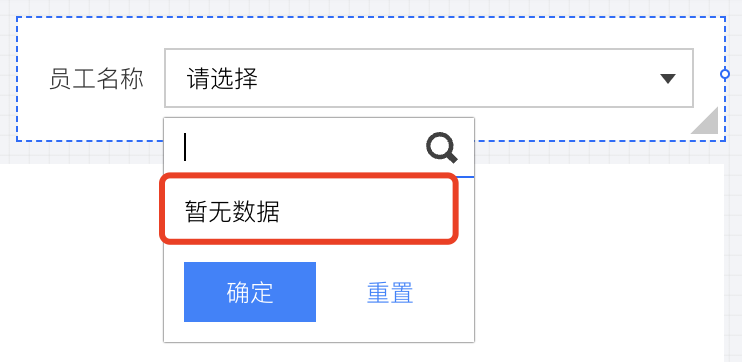
3. Why does the filter display "no data available"? For example, when conducting queries on employees, it shows no data available.

The issue occurs because the selected value in the "department" filter does not return any results in the "employee" filter, meaning the department has no employees. If this happens, confirm whether the "department" filter is correctly associated with the corresponding field in the "employee" filter. For example, if the "department" field value in the "department" filter is linked to the "level" field in the "employee" filter, it can cause no data that meets the criteria to be queried.


Bantuan dan Dukungan

Apakah halaman ini membantu?

masukan