tencent cloud

Business Intelligence

Product Introduction
Product Overview
Strengths
Product Features
Use Cases
Purchase Guide
Billing Instructions
Purchase Guide
Upgrade Instructions
Renewal Instructions
Quick Start
Data Access
Creating a VPC Data Source
Creating Cloud Data Sources
Creating Proprietary Data Sources
Data Table Creation and Data Processing
Introduction to Data Analysis Basics
Data Table Creation
Data Processing
Data Analysis
Analysis Settings
Interactive Analysis
Ad-Hoc Analysis
Data Visualization
Public Style Setting Instructions
Filter Components
Chart components
Rich Text Component
Other Components
Mobile Terminal Layout Editor
Theme Settings Introduction
Page Layout Introduction
Dashboard Directory Management
Collaboration and Application
Push Channel Management
Report Push
Sharing
Embedding
Self-Service Data Retrieval
Metric Alarms
Data Security
Parameter Construction
Platform Management
Account and Permission Management
Statistics and Analysis
System Settings
Resource Migration
Practical Tutorial
Collection of Optimization Practices
Performing Trend Analysis
Performing Proportion Analysis
Performing Data Analysis with Excel Files
Creating Tables
API Documentation
History
Introduction
API Category
Making API Requests
Project Management APIs
Role APIs
Database Table APIs
Report Embedding APIs
Page Management APIs
Data Types
Error Codes
FAQs
Relevant Agreements
Service Level Agreement
Privacy Policy
Data Privacy And Security Agreement
Contact Us

Self-Service Data Retrieval

PDF
Focus Mode
Font Size
Last updated: 2025-09-19 15:24:44
In the past, operators often needed to constantly request the latest detailed data from data managers, who had to run SQL queries repeatedly. This scenario involved repetitive requests and large data volumes. With self-service data retrieval, users can customize the length and segmentation of the detailed data, freeing data managers from repetitive tasks.

Use case: Large volumes of detailed data need to be retrieved.
Permission limits: Enterprise administrators or project administrators.
Component support: Tables and detailed tables.

Edition feature limits: This feature is only available to Professional Edition users.

Operation Instructions

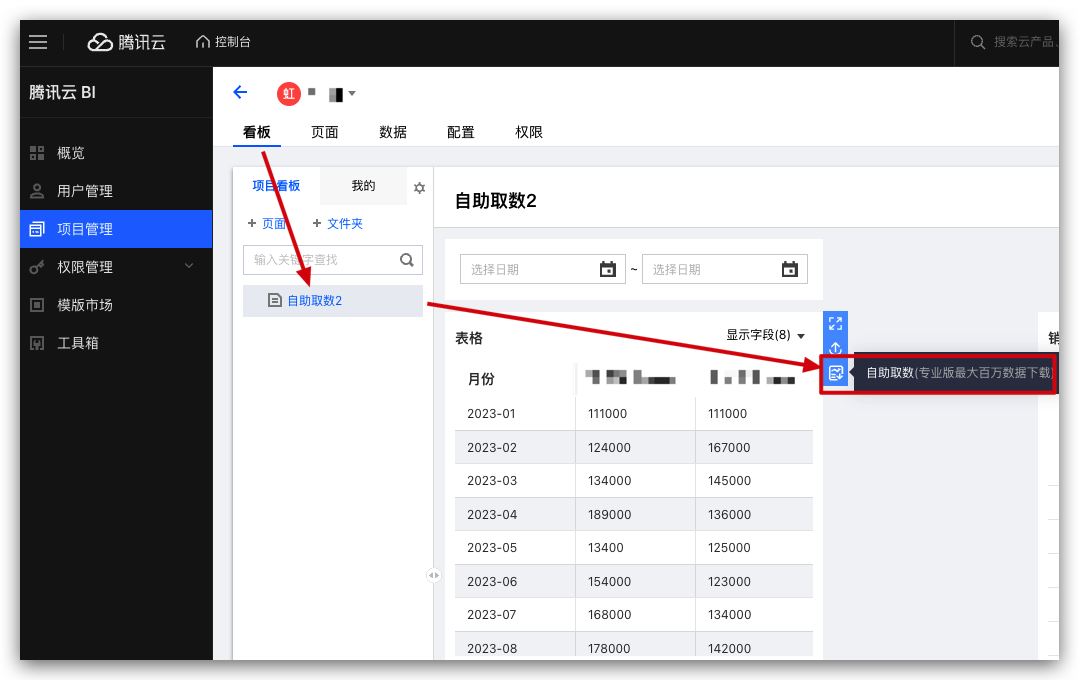
1. Go to the console > Project > Dashboard, click Self-service data retrieval.


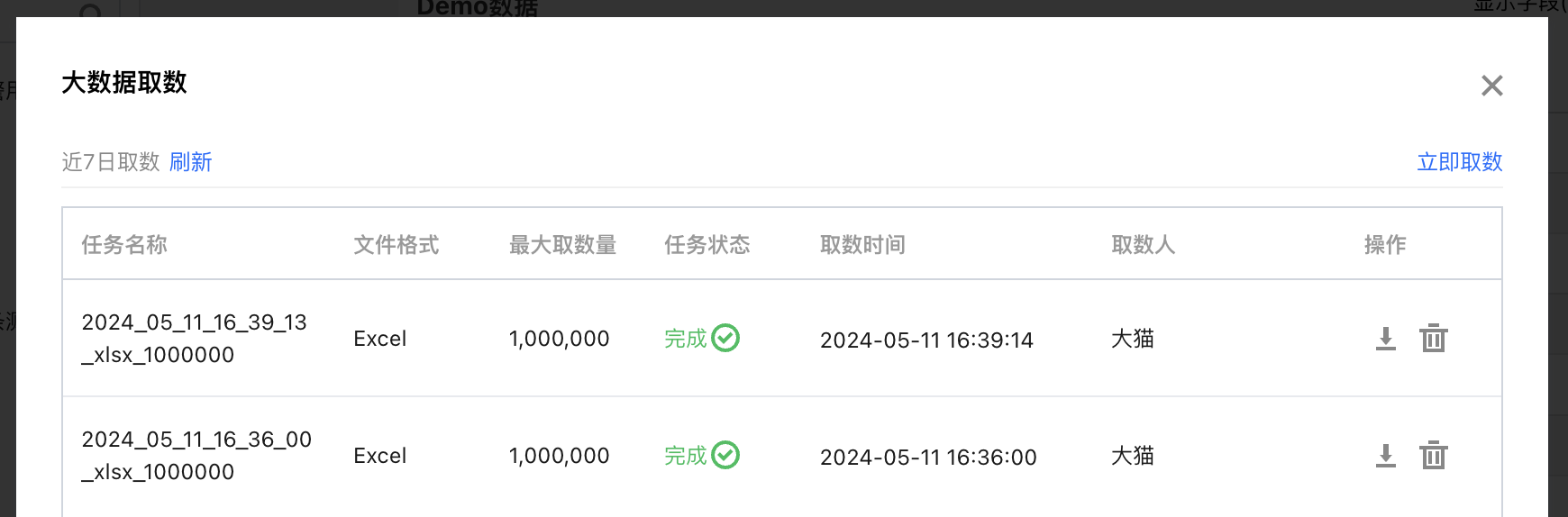
2. In the pop-up layer, you can query all data retrieval tasks from the past 7 days.


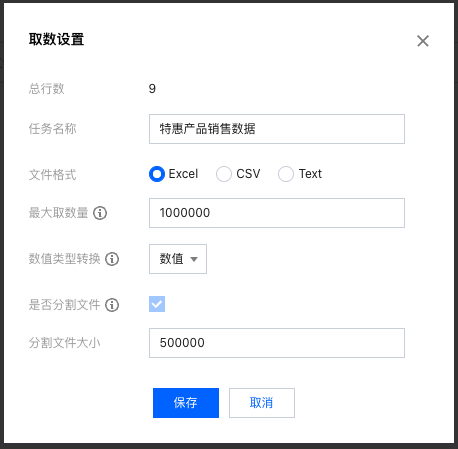
3. Click Retrieve Data Now to define a data retrieval task, and click Save to generate the task.
Total number of rows: The total number of data rows in the table.
Task name: Customize the task name as needed for easy differentiation. The downloaded file will also be named according to the task name.
File format: Choose one from Excel, CSV, or Text.
Maximum Rows to Retrieve: The default is 1 million rows, with a maximum limit of 5 million rows.
Data type conversion: Support conversion between numeric and text types.
Whether to split files: File splitting is supported for data retrieval. If the Excel file size exceeds 500,000 rows, the file needs to be split. Each file can support up to 500,000 rows.
Split file size: Set the number of rows for each split file.


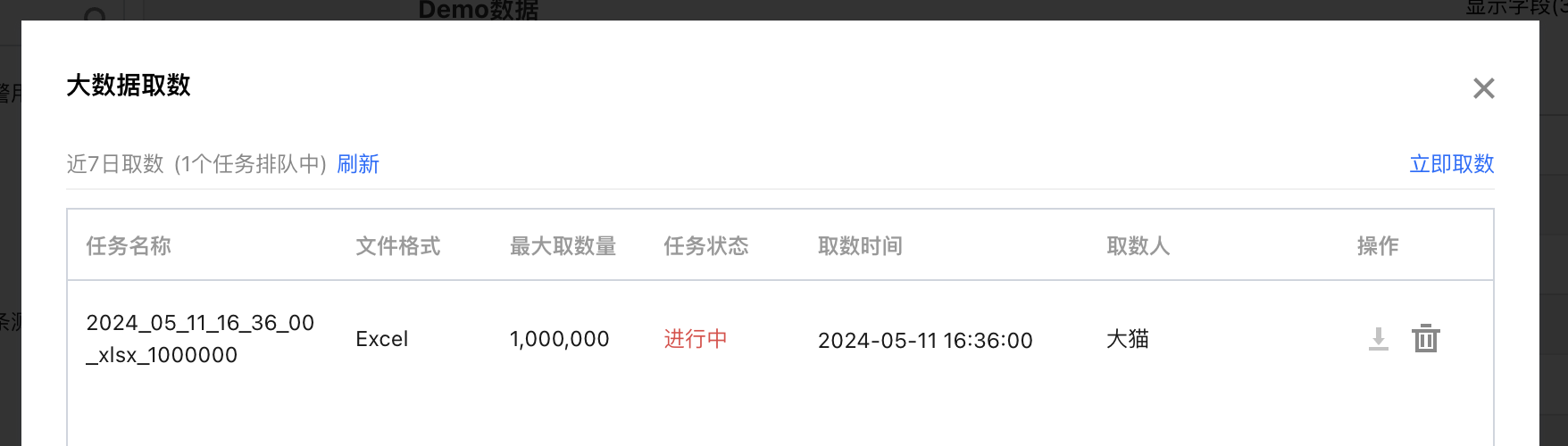
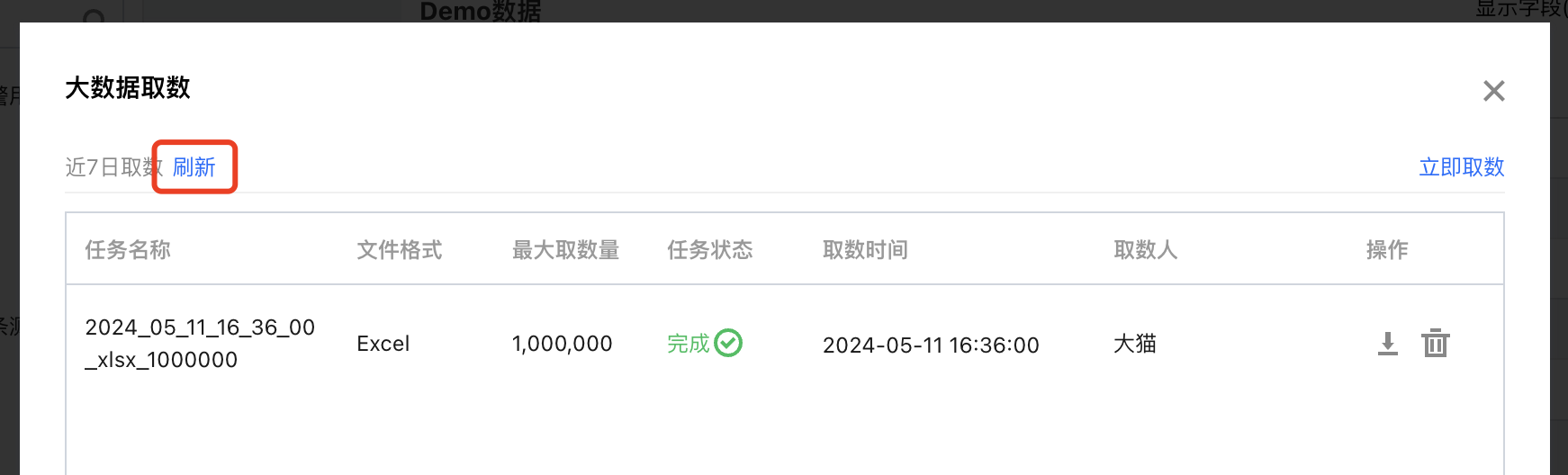
4. During data retrieval task execution, you can click Refresh to view the latest task status (the system will also automatically update the status when the task is completed).


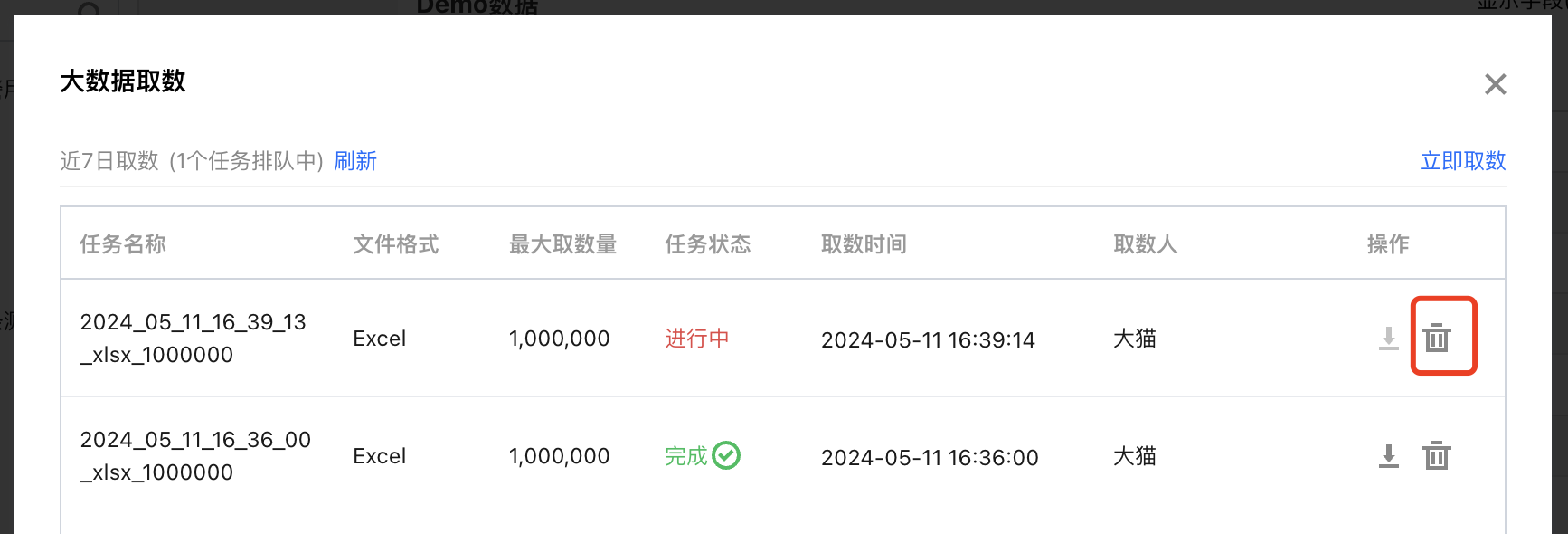
5. You can cancel a task in progress. Click the "Delete" icon, and the task will no longer execute.


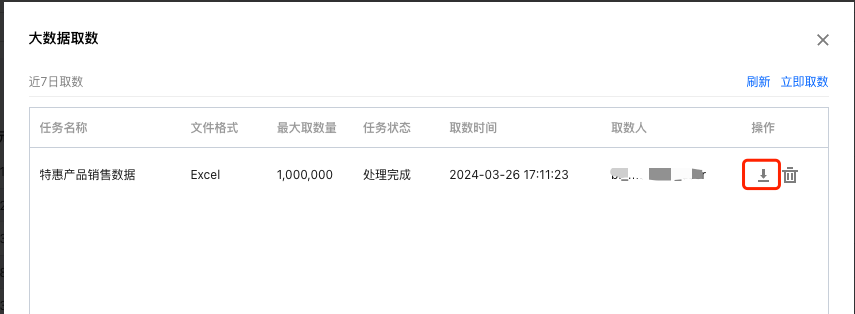
6. When the data retrieval task is completed, you can click the download icon to initiate the data package download.


Note:
Each Excel file supports up to 500,000 rows of data. If the data volume exceeds 500,000 rows, multiple Excel files will be generated (each with a maximum of 500,000 rows) and compressed into a ZIP archive.
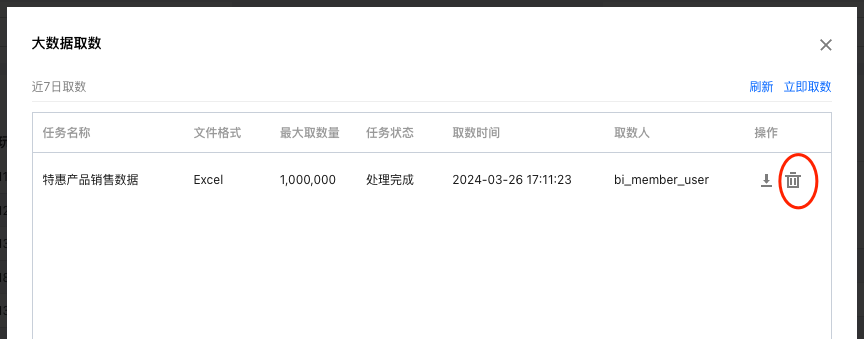
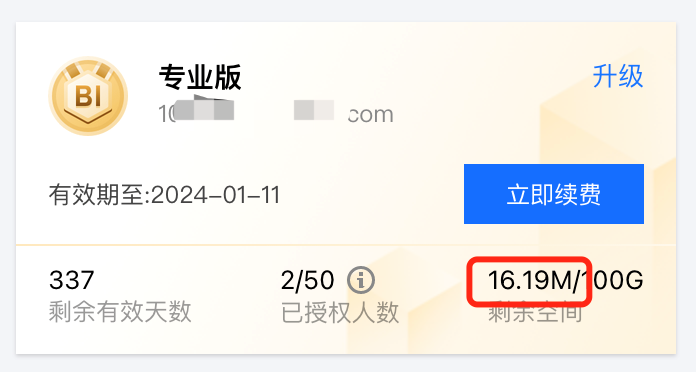
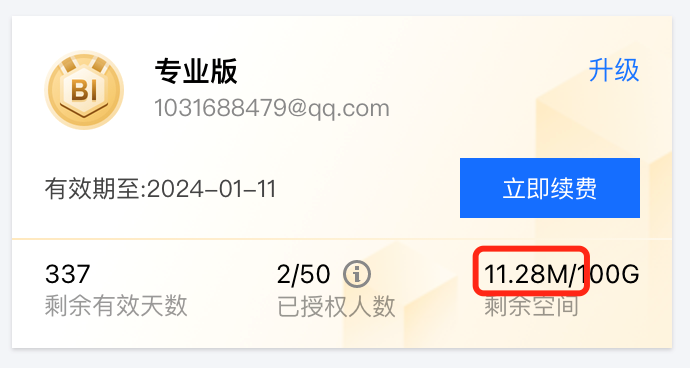
7. When the data retrieval task is completed, users can delete the task. Deleting task will remove the data files and free up the storage space.


Data space before task deletion:


Data space after task deletion:


Help and Support

Was this page helpful?

Help us improve! Rate your documentation experience in 5 mins.

Feedback