API Table Creation
Unduh
Mode fokus
Ukuran font
By using the API table creation method in Business Intelligence (BI), you can make an API call to select the returned data table and generate a BI data table.
Edition limitation of feature usage: This feature is only supported for Professional Edition users.
Operation Steps
1. Enter Data Preparation > Data Table > Create Data Table > API Table Creation.
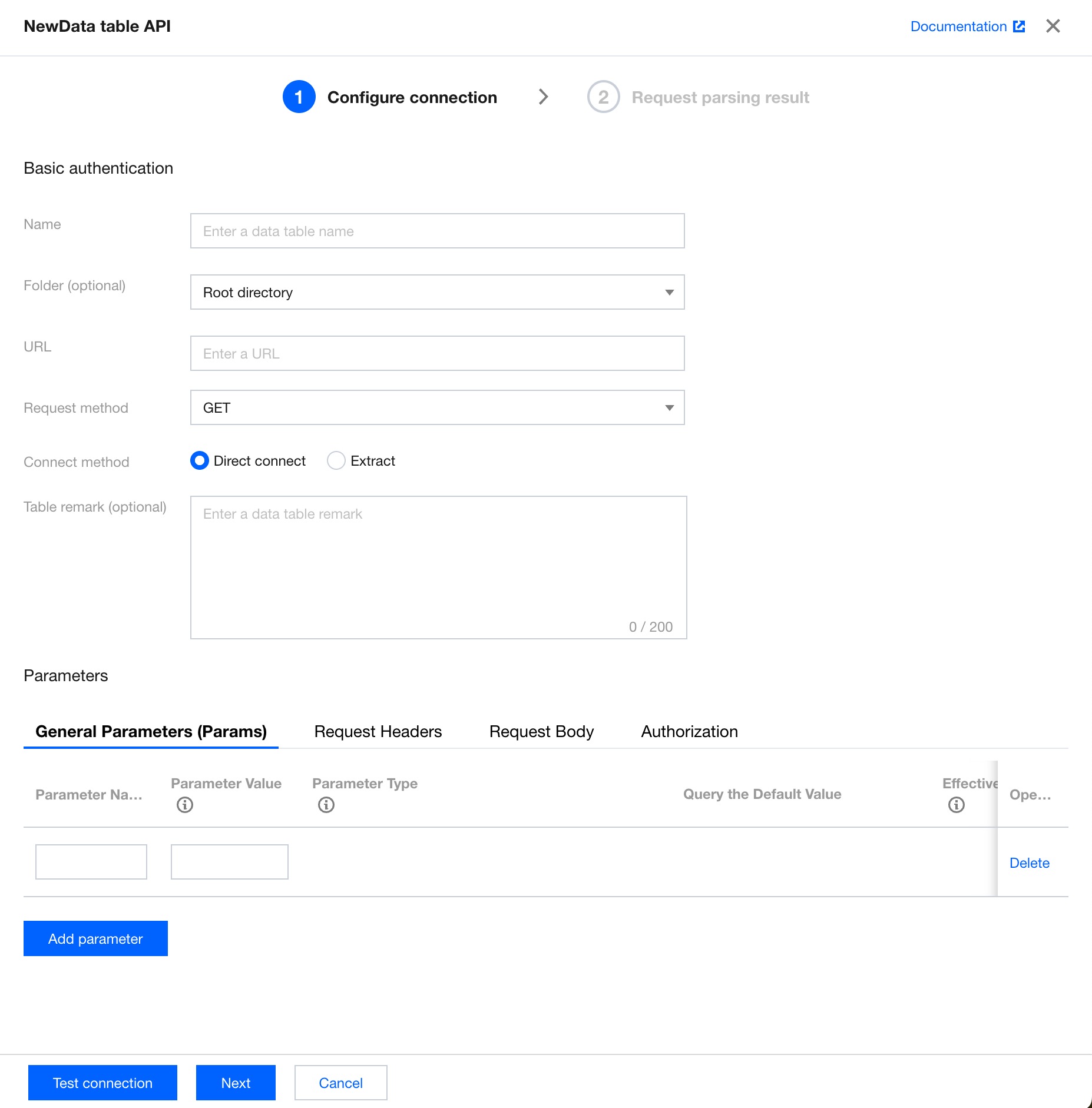
2. Configure API basic authentication and parameter settings information.
Basic authentication
Field Name | Field Description |
Display name | The display name of the API data source table in the data table list. |
Folder (optional) | The folder to which the API data source table belongs in the data list. |
URL address | The API address. |
Request method | The API request type. Two types are available, that is, 'GET' and 'POST'. |
Connection method | The connection method of the API data source table. Two connection methods are available, that is, "direct connection" and "extraction". Direct connection: Data is requested in real time via API for display and is not saved locally. Extraction: Data is extracted and saved locally, and can be updated at a specified frequency. |
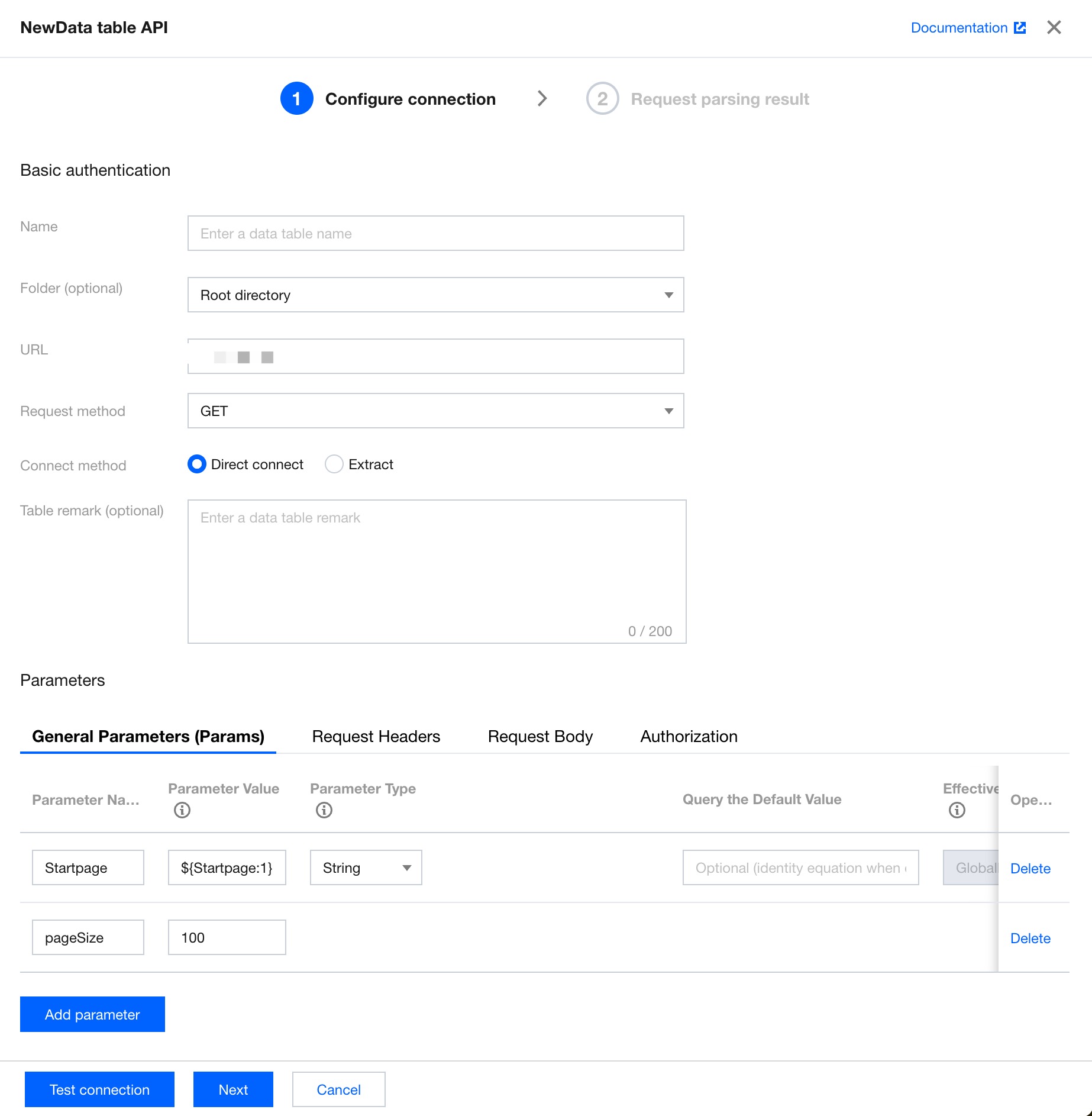
Parameter settings (optional)
Parameter Type | Field Description |
Params | The ordinary parameter following the request address. The format is url?key1=value1&key2=value2. In scenarios with a large data volume, the dynamic pagination parameter ${Startpage} is supported, and you can make requests through pagination. |
Headers | The request header parameter. |
Body | The request body. Only JSON format input is supported. |
Authorization | Authentication. Available options are 'no permission' and 'base permission'. |
Pagination parameters (see the sample content of Params in the table above)
Specific pagination parameter: ${Startpage} or ${Startpage:num}
${Startpage} represents the starting page number of the marked pagination parameter. The default value is 1.
${Startpage:num} represents the starting page number of the marked pagination parameter, and the starting page number is specified as num. For example, '${Startpage:2}' will retrieve data starting from Page 2.
The fixed parameter name for the number of rows per page is pageSize.
Note: A single page supports a maximum of 1000 rows of data. Up to 100 pages are supported.
3. Click Test Connection. Upon success, click Next.
4. Select the required field from the parsing result, then click Complete to create the table.
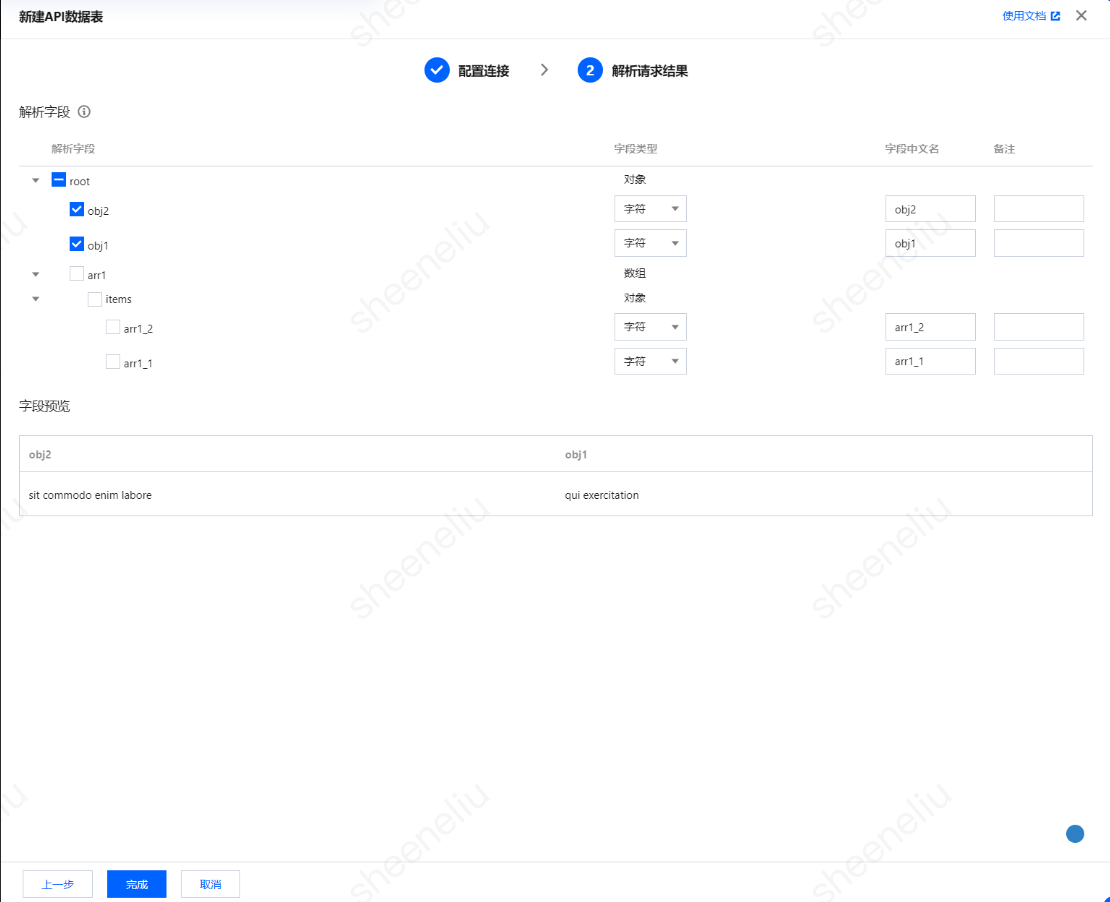
5. Upon completion of table creation, you can view the corresponding API data source table in the data source list.

Bantuan dan Dukungan
Apakah halaman ini membantu?
Anda juga dapat Menghubungi Penjualan atau Mengirimkan Tiket untuk meminta bantuan.
masukan