Currently, cloud data warehouses Doris, PostgreSQL, and ClickHouse need to be connected through Private Link.
Background
Private Link provides secure access through the Tencent Cloud private network, effectively avoiding potential risks caused by public network access and significantly enhancing data security. Currently, some data sources, such as the cloud data warehouse Doris, require this technology for connections. Based on the requirements of Private Link, you need to create a subnet in your Virtual Private Cloud (VPC) for Business Intelligence (BI) access. According to the requirements, the created subnet should have a mask of /20, providing 4,096 available IP addresses for host assignments.
This subnet is only used by BI for database connections. Other internal services cannot access your internal space, and BI can only access the instance address that you have authorized. Any external traffic from Tencent Cloud cannot access this network. Therefore, you can create this subnet with confidence. At the same time, you need to set the security group, route, and other settings to allow the IP range of the subnet to access the database instance address. Without these settings, BI will not be able to successfully connect to your instance and obtain data.
What to Do
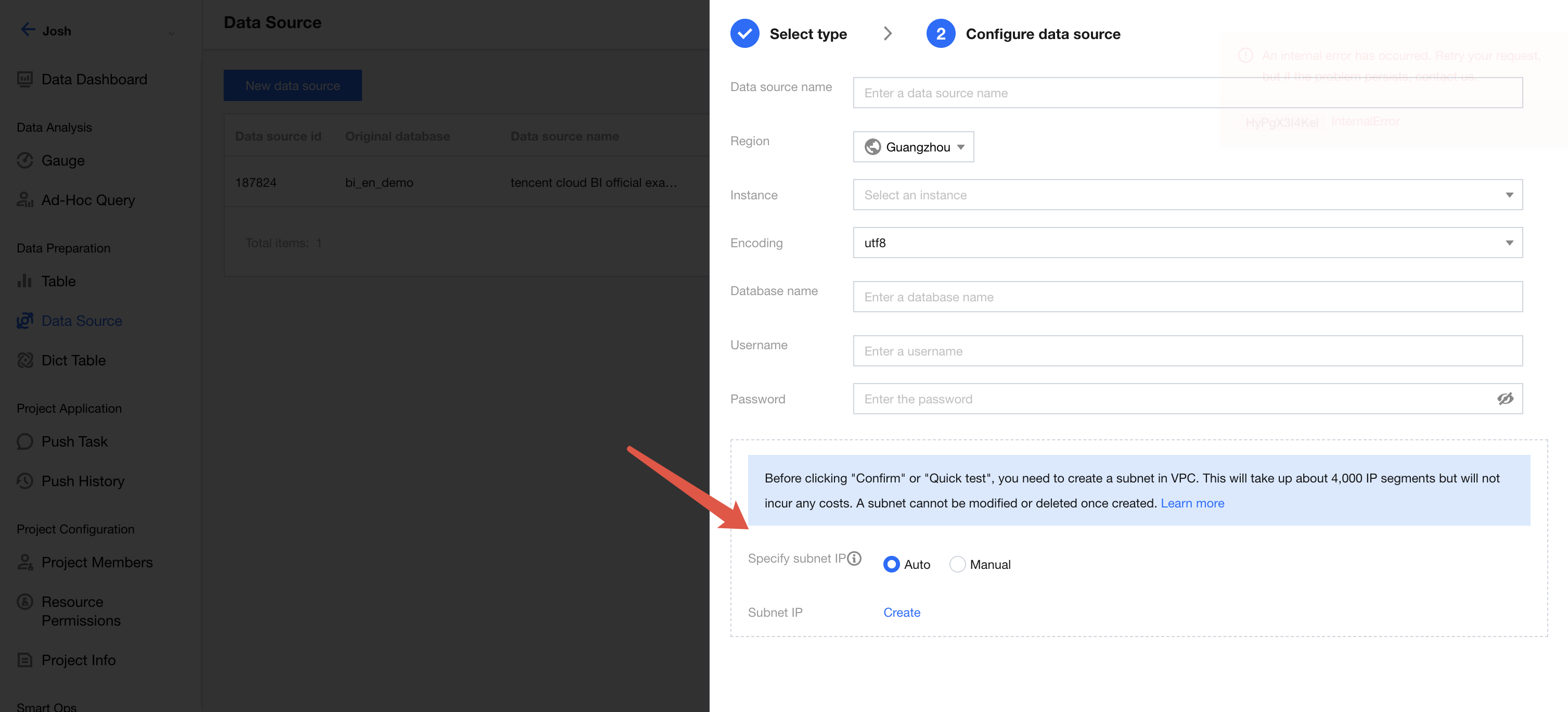
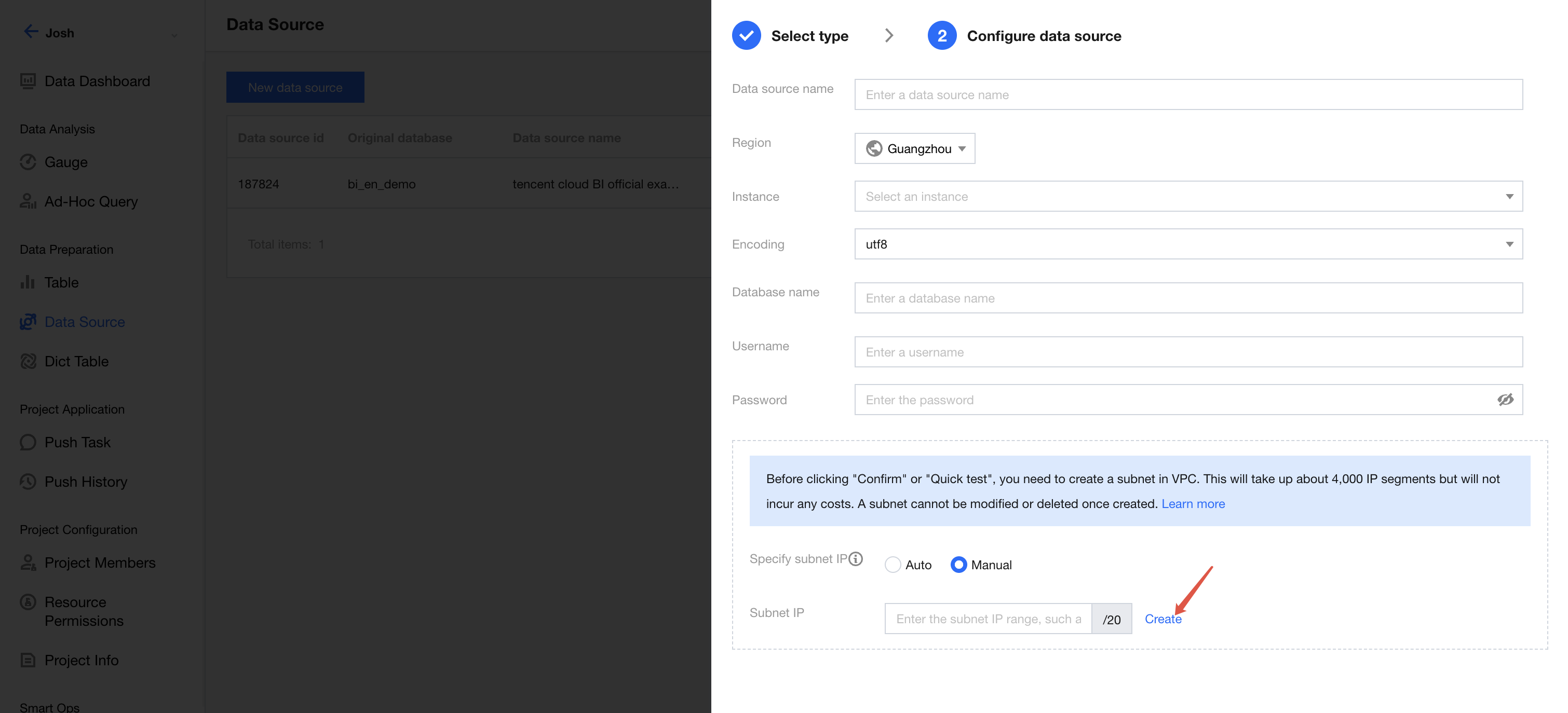
When connecting to a data source that requires Private Link, such as the cloud data warehouse Doris, a subnet information configuration area will appear in the pop-up window (as shown in the dashed box in the figure below) to establish a subnet. Only after the subnet is established can the corresponding data source be connected.
Currently, two subnet creation modes are supported, that is, "automatic" and "manual". In automatic mode, BI automatically identifies an available IP range that has a /20 mask and does not have repeated IP addresses within your VPC. This is suitable for customers with sufficient IP ranges. In manual mode, you need to manually enter the required IP range. This is suitable for customers with IP range plans. If "automatic" is selected, directly click Create. If "manual" is selected, enter the specified IP range in the input box, then click Create.
Only after the subnet is created can you click OK or One-click Test to establish the connection to the corresponding data source. If a subnet has been created for other instances in the VPC where the selected instance is located, the currently selected instance will automatically retrieve the created subnet information and no subnet creation is required.
To prevent the risk of link disconnection from accidental subnet editing or deletion, subnets cannot be directly deleted or edited once created. If deletion is needed, you can contact us to delete it.