Tencent Cloud Business Intelligence (BI) allows users to renew based on their business needs, extending the product usage period.
Renewal Scenarios
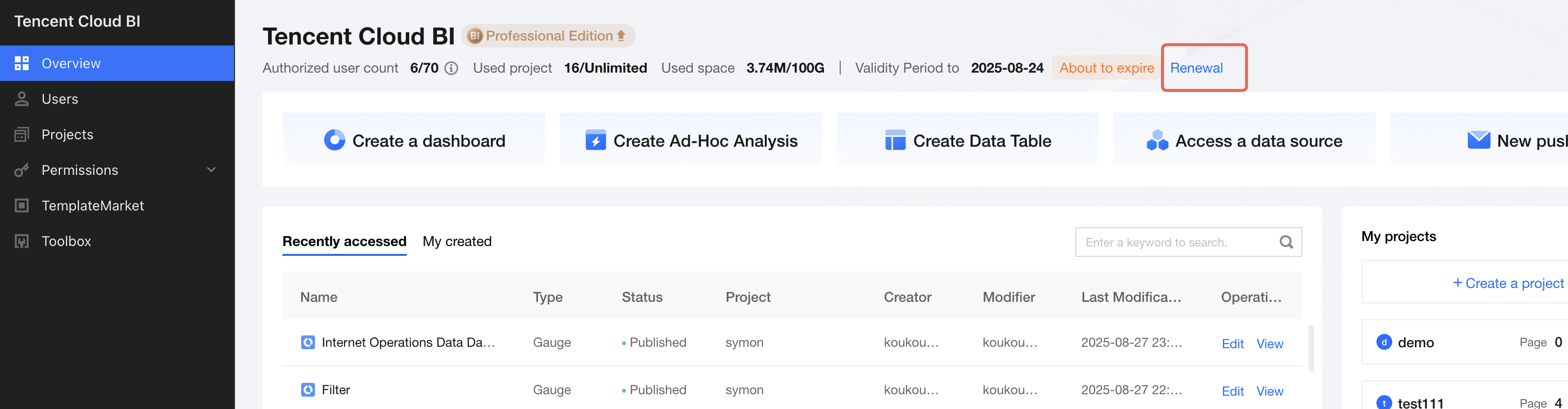
From 7 days before the product expires up to the expiration date, a prompt bar will appear at the top of the console to notify you to renew. After renewal, the validity period of the product will be extended.
After the product expires, it is no longer available. You can renew to restore normal usage.
Note
If the product expires for more than 30 days without renewal, your data (including report configuration information and data tables) will be deleted and cannot be recovered. If you want to retain your data, please renew the product on time.
Operating Procedure
1. Log in to the BI console, then click Renew Now in the edition information on the right (This is a permanent entry. You can also trigger the renewal process through the entries provided for products that are about to expire or have already expired).
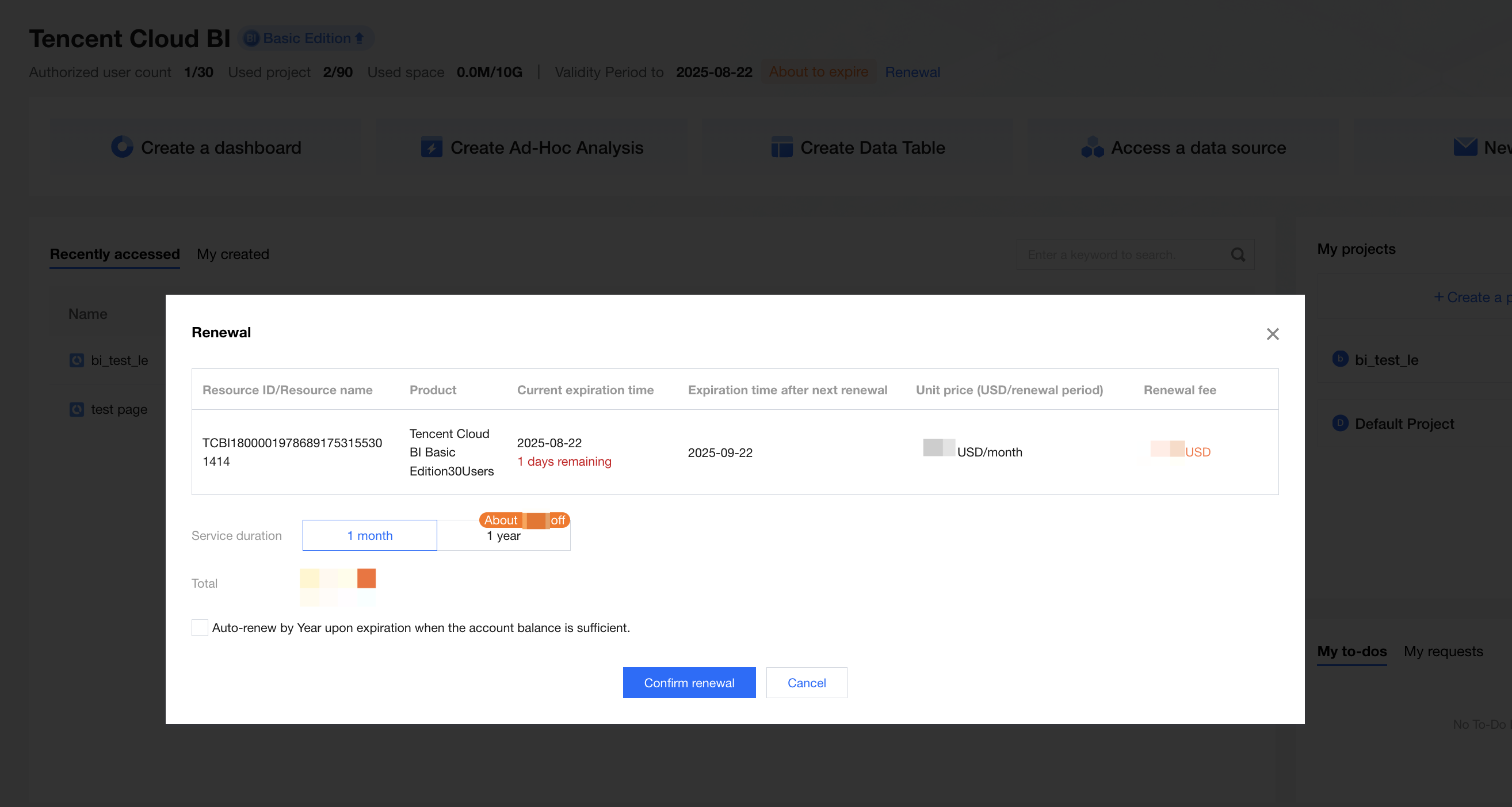
2. The current expiration time, new expiration time after renewal, and renewal cost will be displayed. Click Confirm Renewal to go to the order confirmation page.
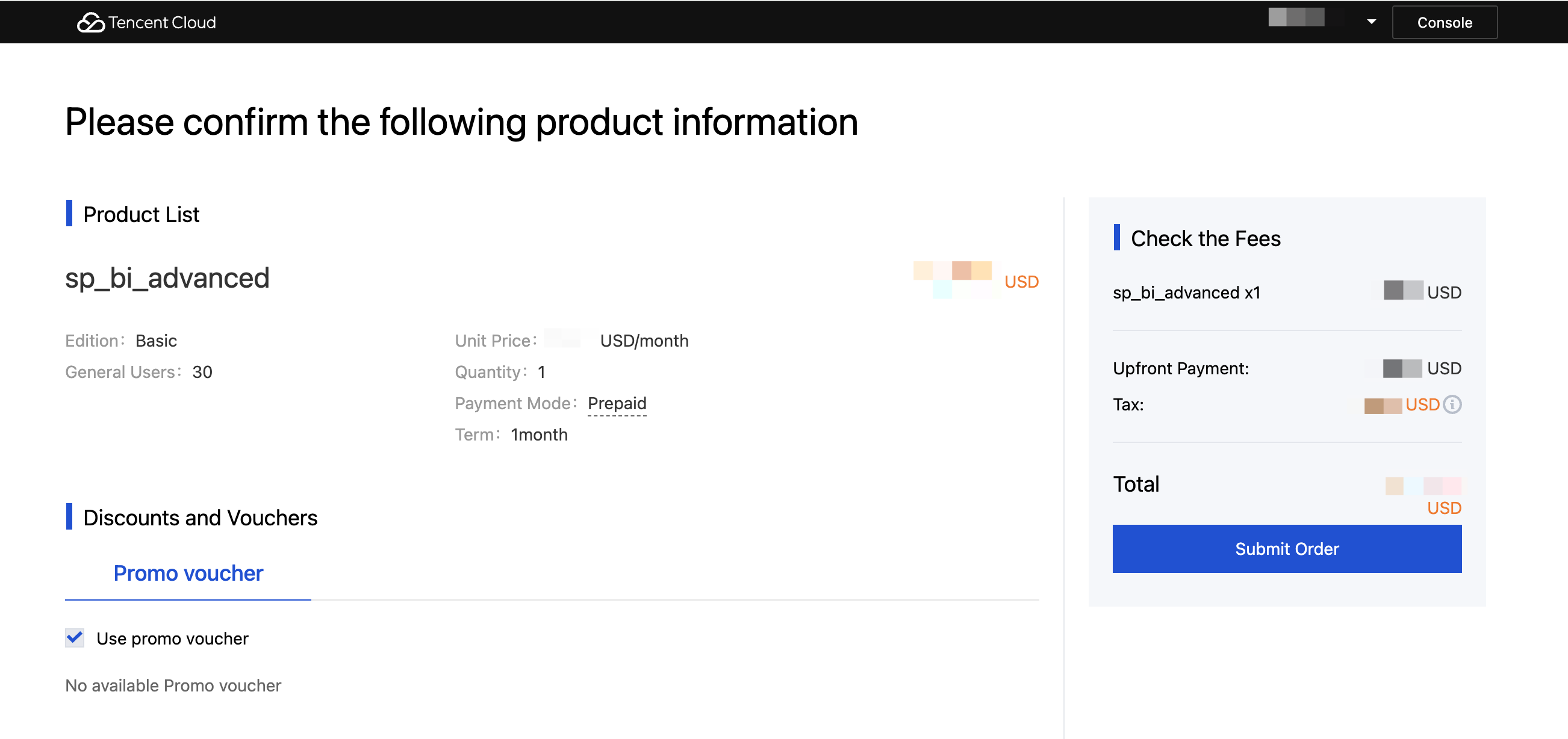
3. On the order confirmation page, you can further confirm your renewal content and cost, and choose whether to use the promo voucher in your account. After confirming that the information is correct, click Submit Order to make a payment.
4. After the successful payment, you will go to the following page. The renewal process is now completed. Click Enter Console to be redirected to the BI console and continue to use the product.
5. You can also renew the product through Renewal Management in the Billing Center by selecting "Business Intelligence (BI)" as the product category.