tencent cloud

Control Center

Kebijakan Control Center
Kebijakan Privasi
Perjanjian Pemrosesan dan Keamanan Data
DokumentasiControl Center

Adding Baselines

Mode fokus
Ukuran font
Terakhir diperbarui: 2025-08-19 17:32:35

Overview

This document describes how to add baselines.

Directions

1. Log in to the Tencent Cloud console and go to the Control Center > Baselines page.
2. Click Add baseline.


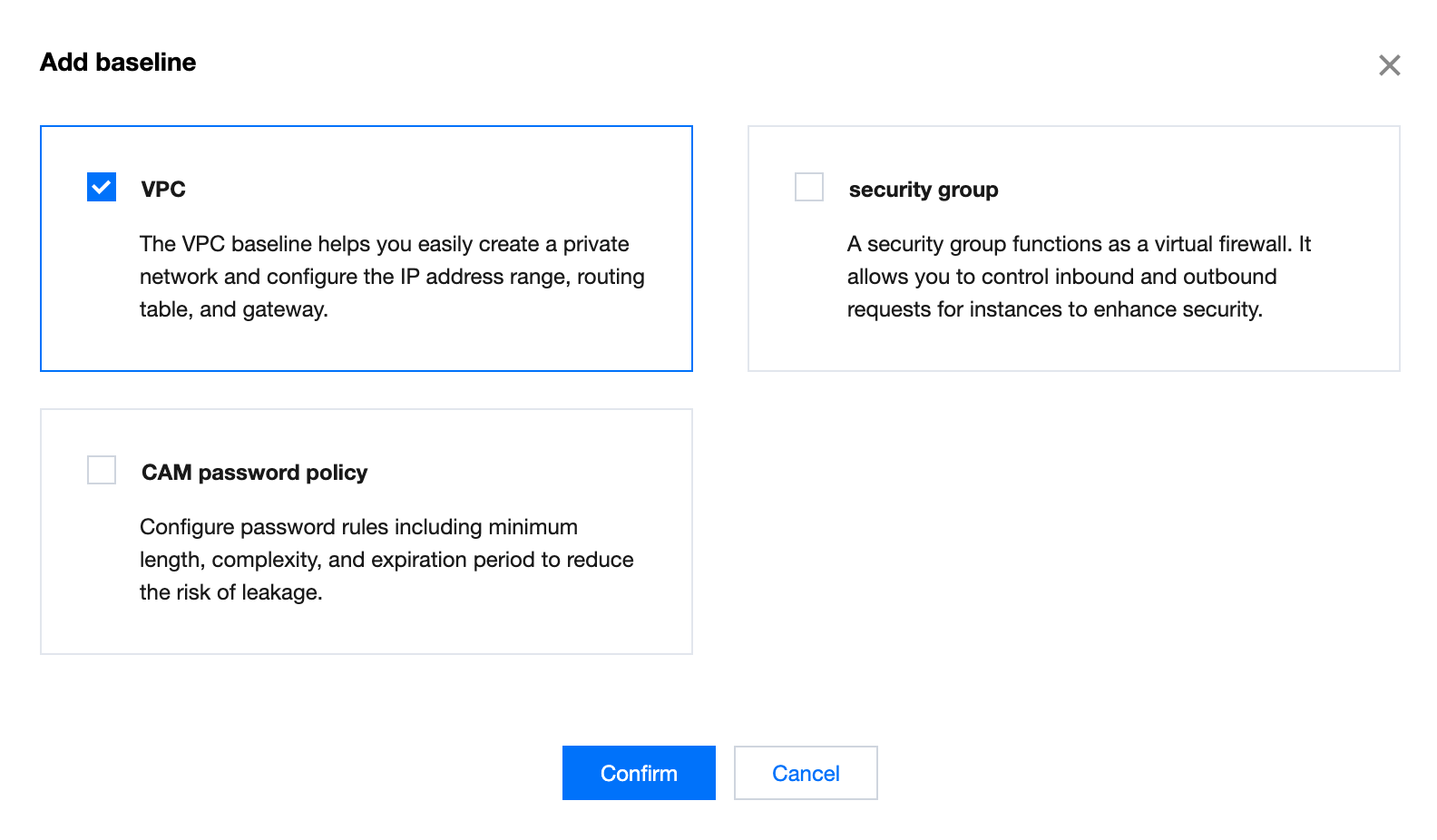
3. Select the baselines you want to add, such as contacts and message subscriptions. Click Confirm to add the selected baselines.


4. The added baselines appear in the Baselines list. Click Configure to set a specific baseline before you can use it.
For information about how to configure the contact baseline, see Configuring a Contact Baseline.
For information about how to configure the CAM password policy baseline, see Configuring a CAM Password Policy Baseline.
For information about how to configure shared image, see Shared image.
For information about how to configure preset tags, see Preset tags.
For information about how to configure VPC baseline, see VPC.
For information about how to configure security group baseline, see Security Group.
For information about how to configure CAM user security settings baseline, see CAM User Security Settings.
Note
For baselines with dependencies, the system will automatically select and add the dependencies along with the baselines.
When deleting a baseline with dependencies, you must delete the dependencies first. For example, if a message subscription baseline depends on a contact baseline, you must delete the message subscription baseline before deleting the contact baseline.

Bantuan dan Dukungan

Apakah halaman ini membantu?

masukan