Password Policy Management
Baixar
Modo Foco
Tamanho da Fonte
Overview
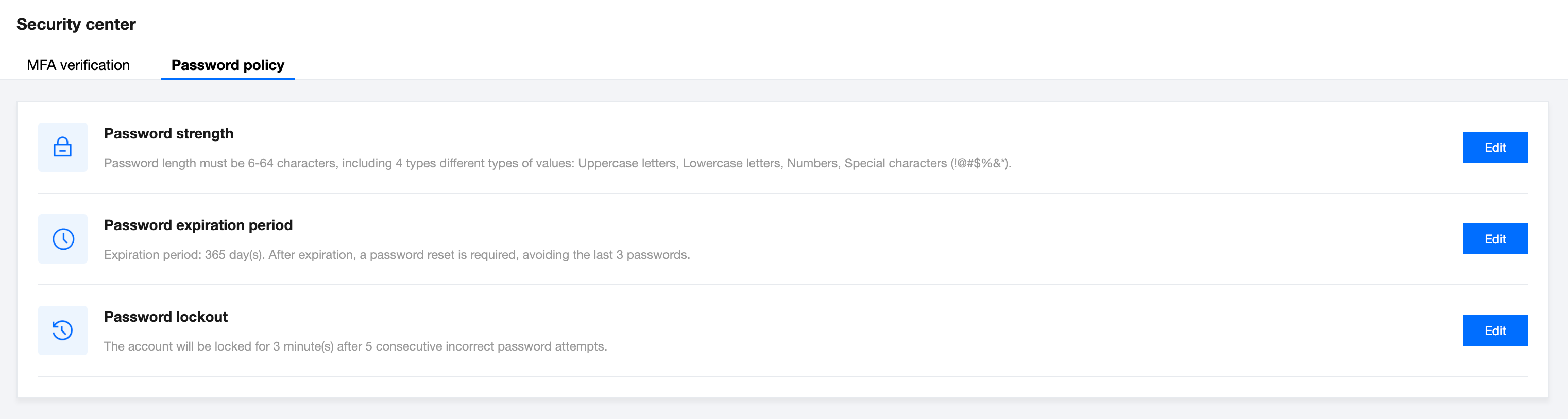
To enhance system security, super admins and platform admins can configure password rules that apply to all TCMPP members in Platform management - Security center - Password policy. The rules include requirements for password strength, password expiration period, and password lockout.
How to operate
Password strength
When "Password strength" verification is enabled, the system will check the password during the user's next login. If it doesn't meet the requirements, the user must change it to continue using TCMPP.
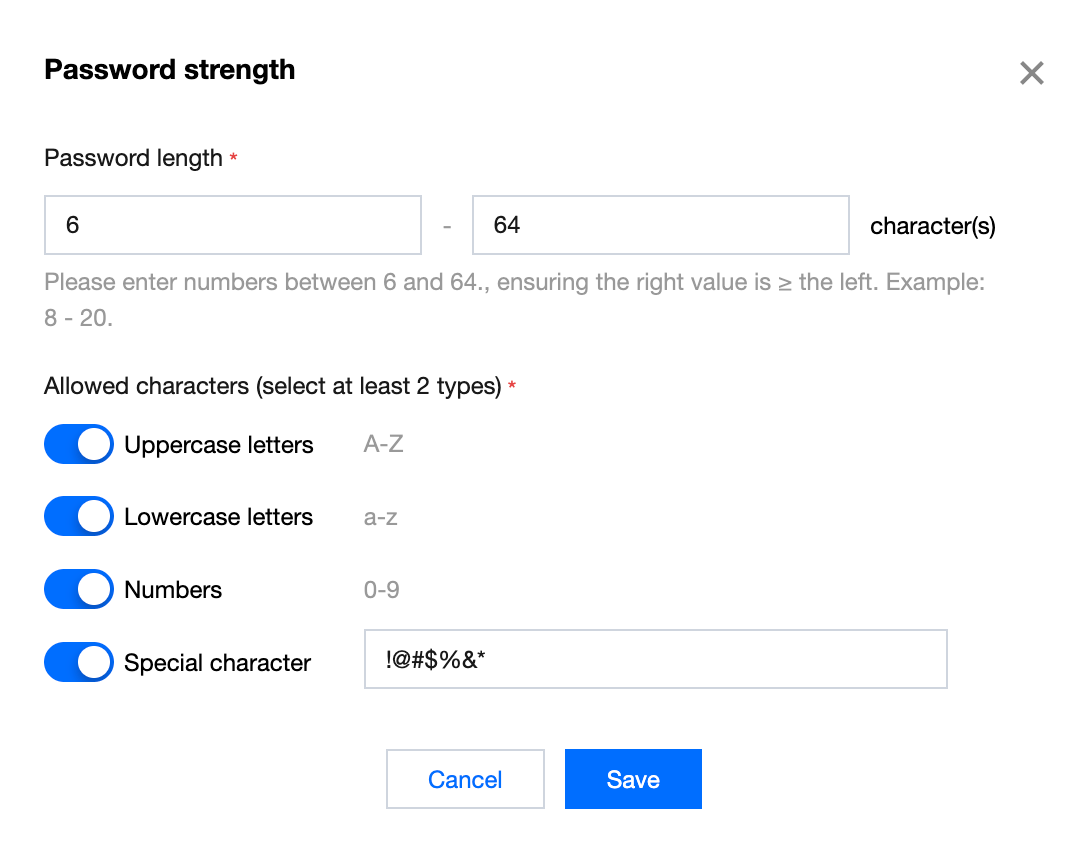
Password strength includes password length and character types.
Password length
Enter numbers between 6 and 64, ensuring the right value is ≥ the left. Example: 8 - 20.
Character types
At least two of the following four character types must be selected for password strength:
1. Uppercase letters A-Z
2. Lowercase letters a-z
3. Numbers 0-9
4. Special characters: Only printable ASCII characters are supported, and multiple characters can be entered directly without separators.
Password expiration period
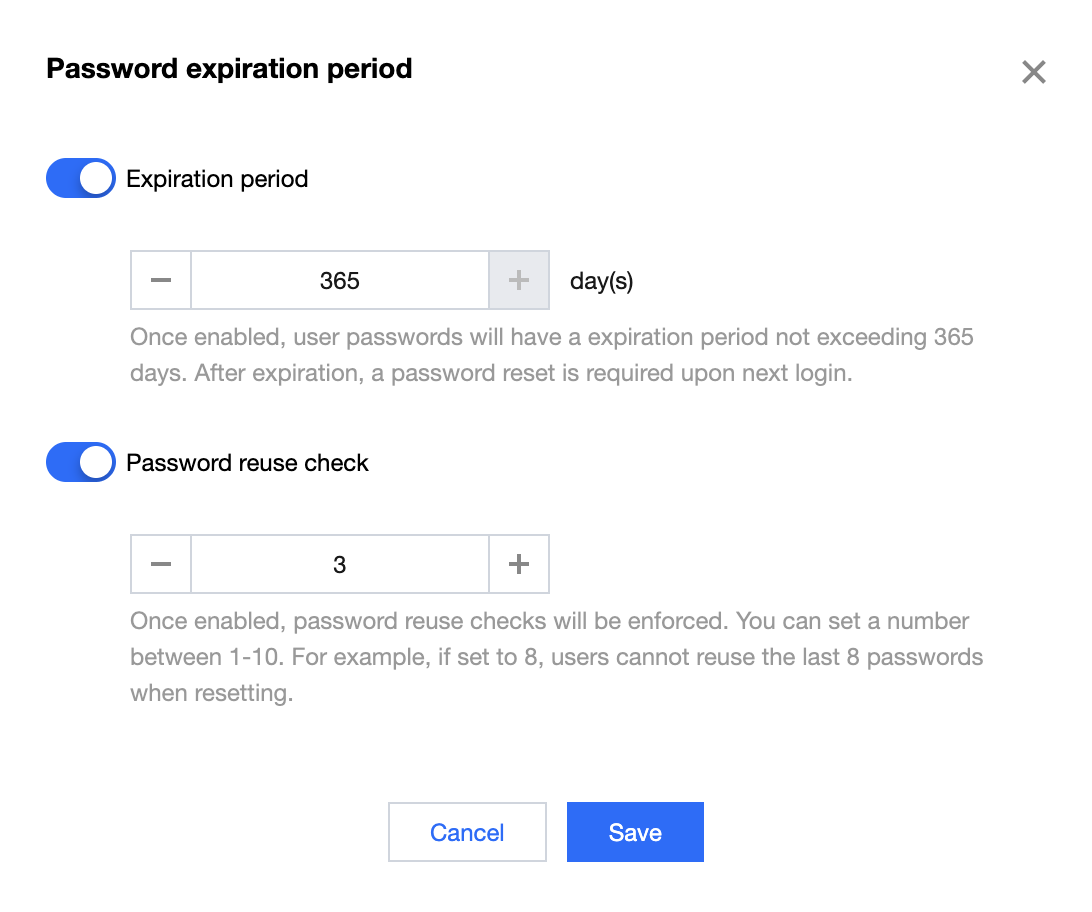
Password expiration period is the maximum interval between two password changes for each user. After a user changes their password, the expiration date will be updated based on the validity period. When enabled, users must change their password before it expires. The password expiration period can be customized in two ways:
Expiration period
Once enabled, passwords will have a limited validity period that not exceeds 365 days. After expiration, users must reset their password upon next login.
Password reuse check
When enabled, the system will check for password reuse. You can set a number between 1 and 10; for example, if set to 8, users will not be allowed to use any of their last 8 passwords when resetting their password.
Note:
The validity period for the account password begins when the switch is turned on.
Password lockout
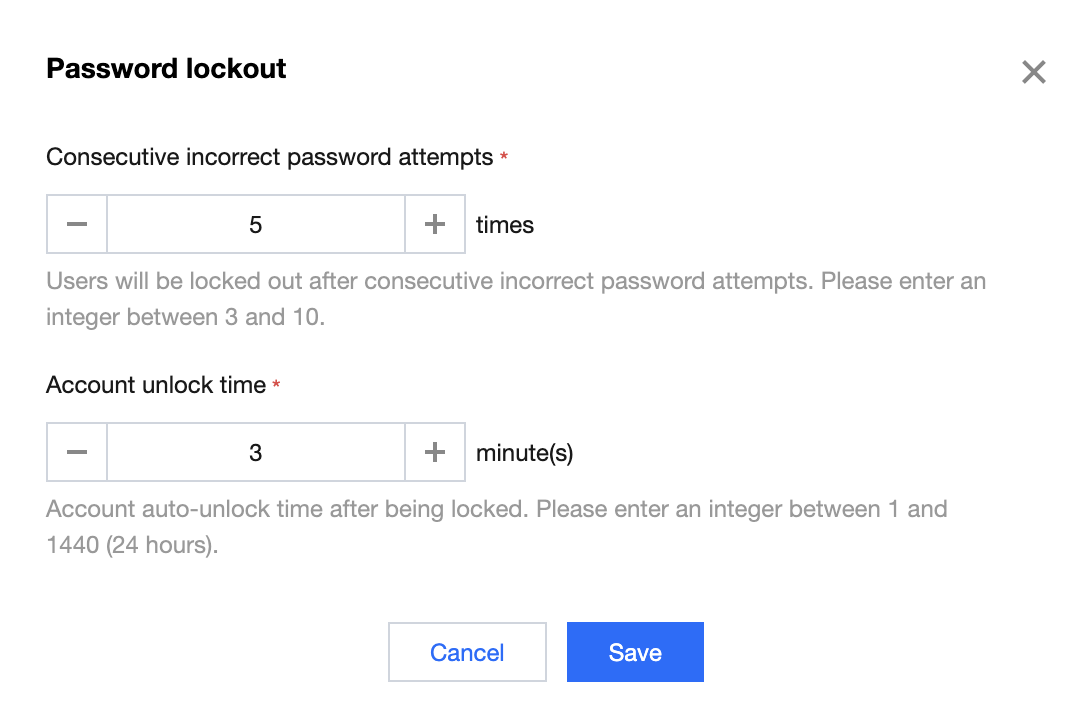
To prevent brute-force password attacks, you can enable password retry constraints. If a user enters the wrong password five times in a row within any time frame, their account will be locked for 30 minutes. After the 30-minute lockout period, the user can attempt to log in again. If a user forgets their password, they can contact a super admin or platform admin to reset it. You can customize the password error lockout rules in the following two ways:
Consecutive incorrect password attempts
The account will be locked after a specified number of consecutive incorrect password attempts. Please enter an integer between 3 and 10. Unit: times.
Account unlock time
This is the automatic unlock time after the account is locked. Please enter an integer between 1 and 1440 (24 hours). Unit: minute(s).
Ajuda e Suporte
Esta página foi útil?
Você também pode entrar em contato com a Equipe de vendas ou Enviar um tíquete em caso de ajuda.
comentários