Approval Management
Download
Mode fokus
Ukuran font
Feature description
The superapp administrator or review staff can approve the version release requests submitted by mini programs and mini games. The released mini programs and mini games can be viewed and managed in the Available list.
Roles and permissions
Capability | Role | Super admin | Platform admin | Superapp administrator | Review staff |
Pending list | Read-only | Read-only | ✓ | ✓ |
Pending list-approve | - | - | ✓ | ✓ |
Approved list | Read-only | Read-only | ✓ | ✓ |
Approval details | Read-only | Read-only | ✓ | ✓ |
Available list | Read-only | Read-only | ✓ | ✓ |
Available list-remove | Read-only | Read-only | ✓ | ✓ |
Available list-download QR code | ✓ | ✓ | ✓ | ✓ |
Available list-enable ads | Read-only | Read-only | ✓ | - |
Super admin/Platform admin: Has permissions for Approval management module, with access to Pending list, Approved list, Approval details. They have read-only permissions for removing mini programs/games, disabling/enabling ads, and downloading mini program/game QR codes. They cannot approve mini programs/games, remove mini programs/games, or disable/enable ads.
Superapp administrator: Has all permissions of Approval management module.
Review staff: Has all permissions for Approval management module but cannot disable/enable ads.
Feature modules and directions
Pending
The pending list displays submitted version release requests for mini programs or mini games.

Click Approve in the Operation column to check the submitted version release request and decide whether to approve or reject the request.
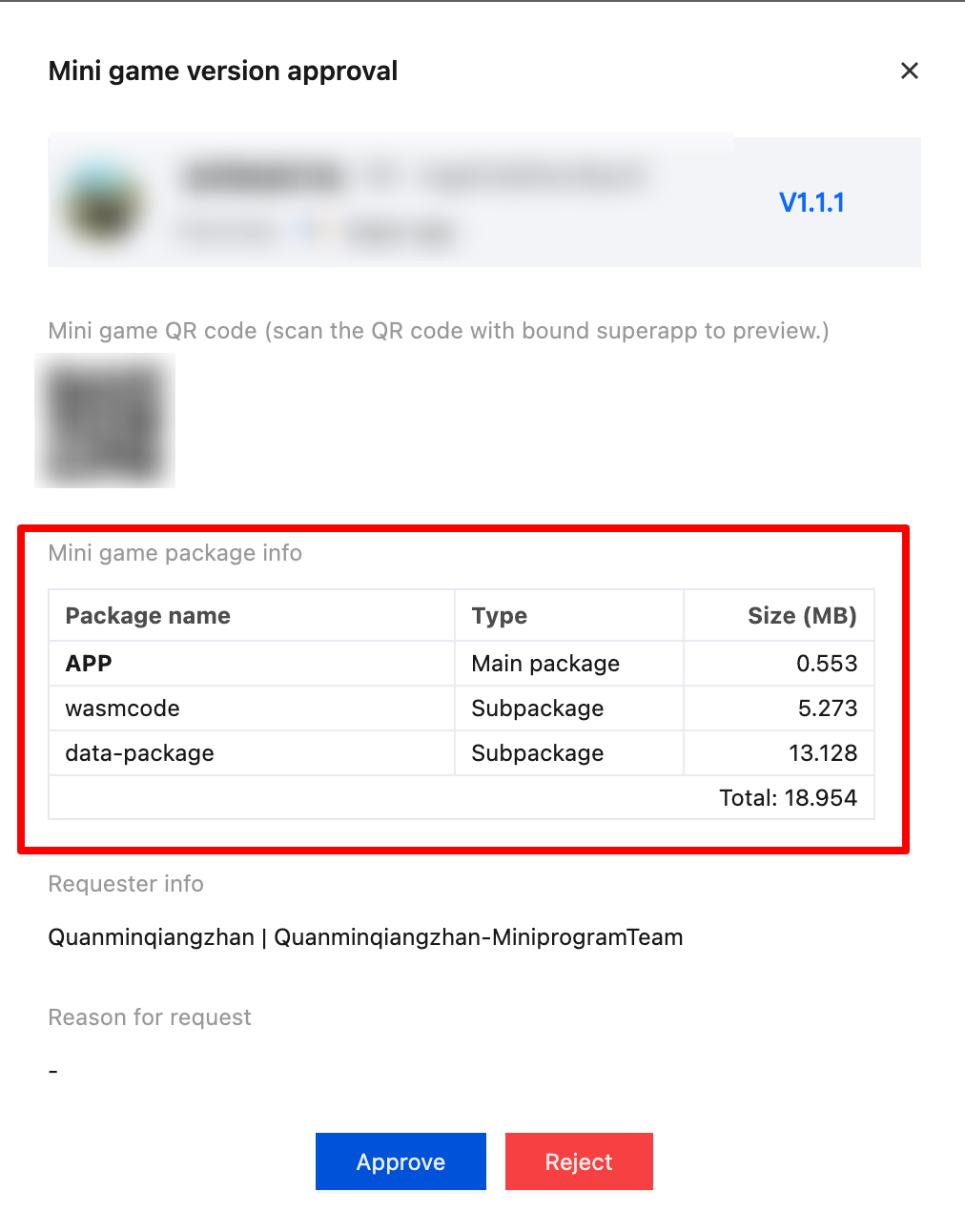
In the approval pop-up window, you can use your superapp to scan the QR code to open the mini program or mini game for real-device testing. The package size of the mini program or mini game can be viewed below.
Note:
The package size mentioned here refers to the compressed file size, the uncompressed resources will be slightly larger than the compressed file.
Approved
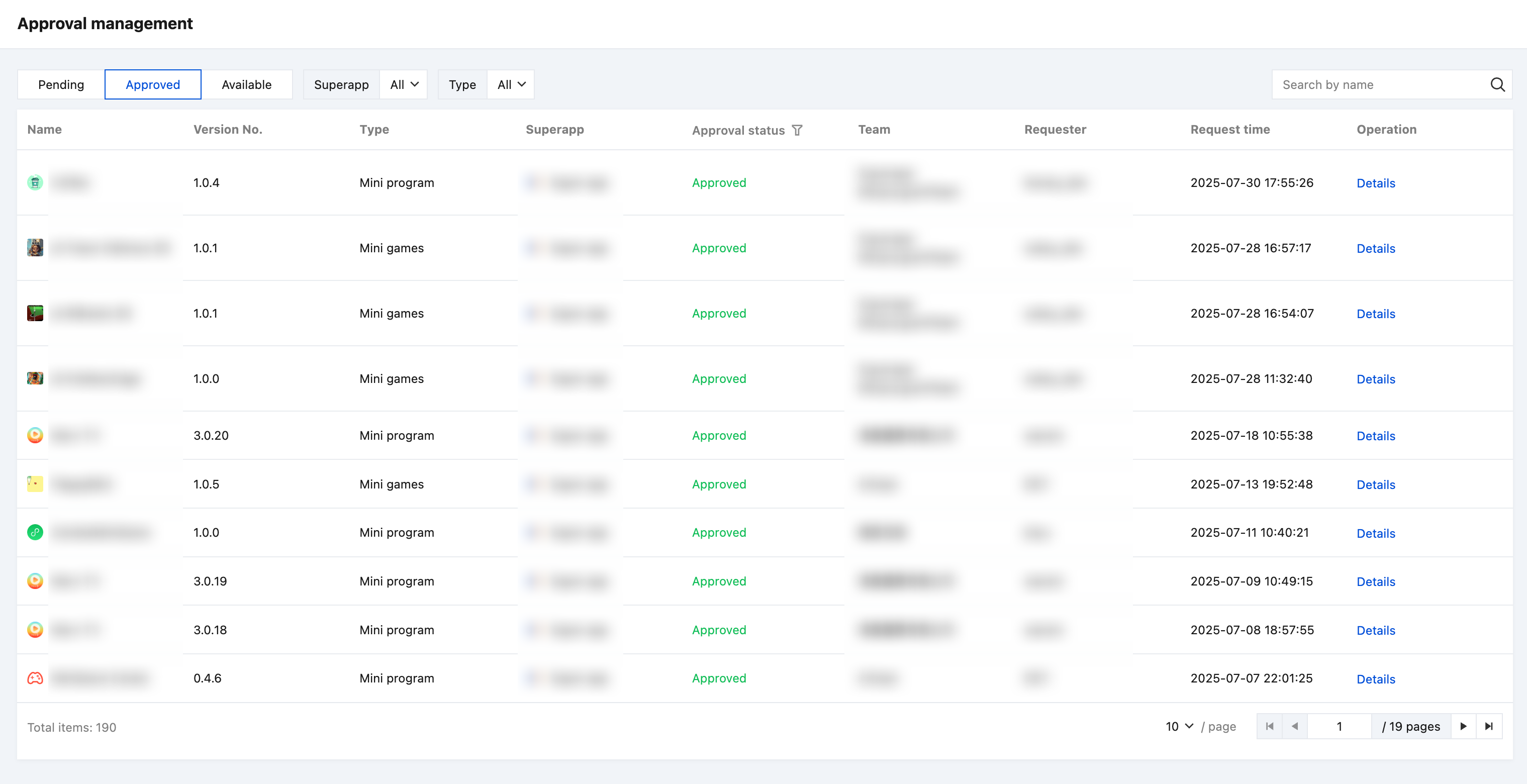
The approved and rejected versions of the mini programs and mini games can be found in the Approved list.
Available
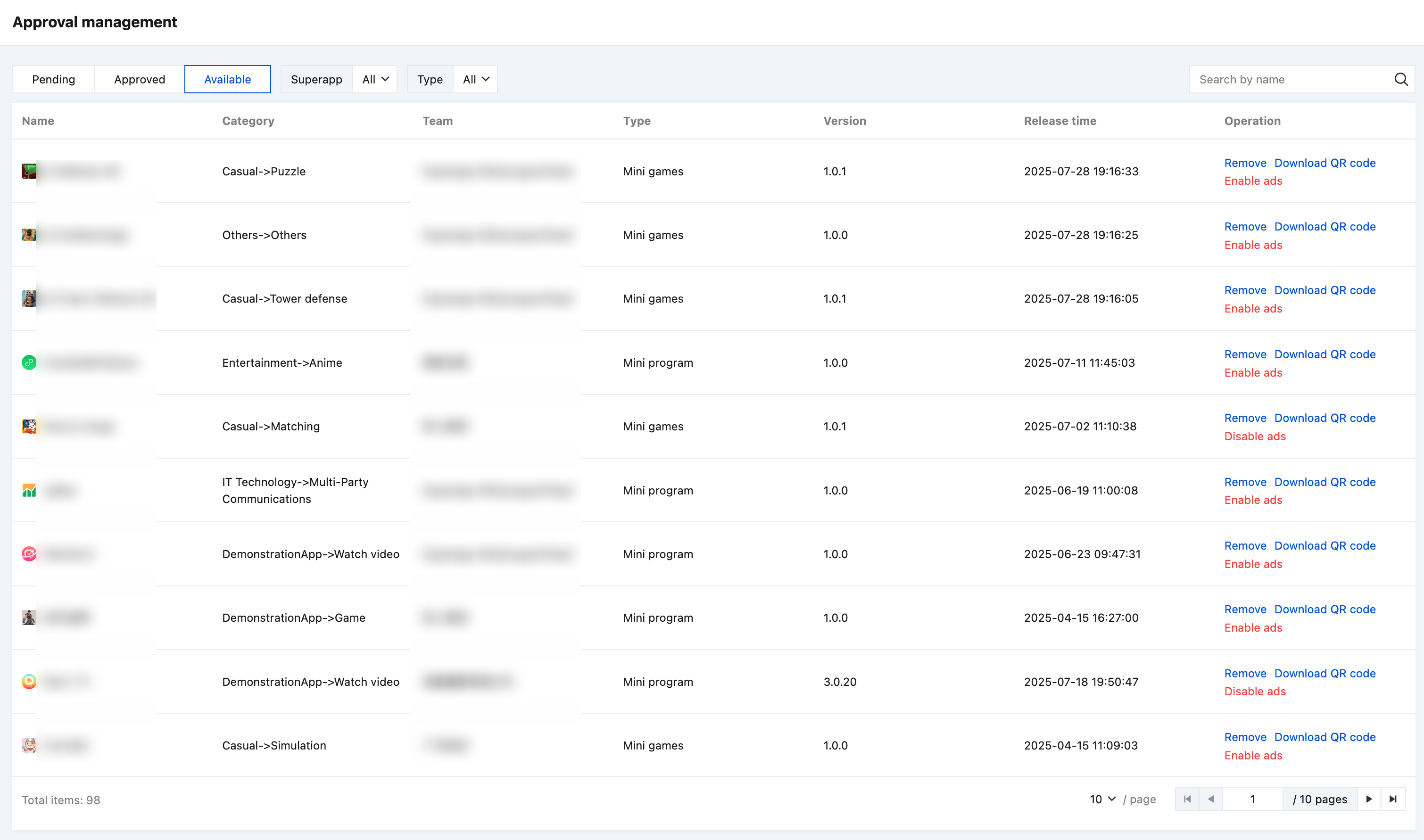
The mini programs and mini games that have been released in the superapp can be found in the Available list. The superapp administrator or review staff can remove any released mini program or mini game, download the QR code, and disable the ad feature (if the ad feature was enabled).
Remove
If a released mini program or mini game violates the superapp's operational specifications or exhibit malicious behaviors that affect the superapp user experience, the superapp administrator or review staff can remove it from the superapp.
Download QR code
After the mini program is released, a QR code for the online version is generated. You can go to the Available list, and click Download QR code for distribution and promotion through various online or offline channels, allowing more users to scan and experience the mini program.
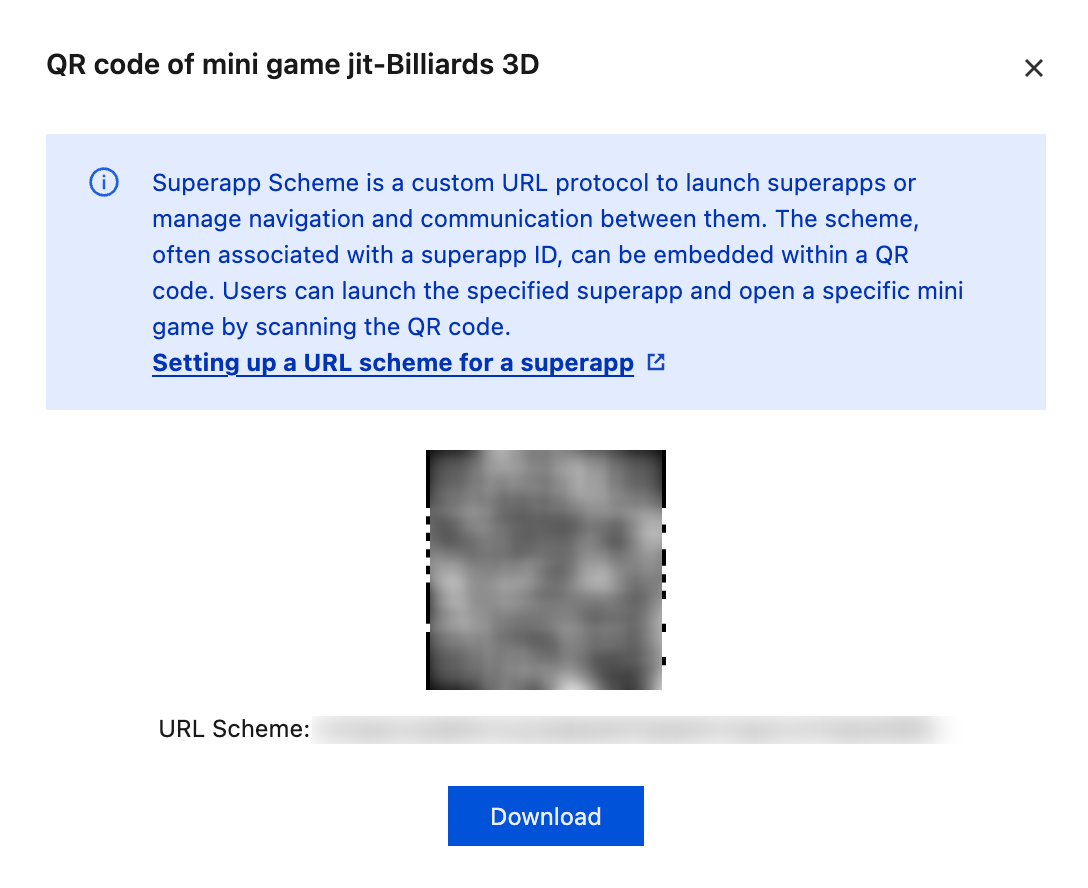
Click Download QR code, and click Download in the pop-up to save the mini program QR code to your computer.
Note:
You can use your phone's built-in QR code scanner to scan the code. Superapp developers need to configure the Scheme in the project during the development phase.
For configuring the superapp scheme, refer to the documentation below:
Disable ad feature
For released mini programs or mini games that have integrated the ad feature, if superapp detects abnormal advertising data such as malicious ad clicks that harm the user experience, the superapp administrator or review staff can disable the ad feature.
Bantuan dan Dukungan
Apakah halaman ini membantu?
Anda juga dapat Menghubungi Penjualan atau Mengirimkan Tiket untuk meminta bantuan.
masukan