tencent cloud

Tencent Cloud Super App as a Service

Release Notes and Announcements
Announcement: Tencent Cloud Mini Program Platform Renamed to Tencent Cloud Super App as a Service on January 2, 2025
Console Updates
Android SDK Updates
iOS SDK Updates
Flutter SDK Updates
IDE Updates
Base Library Updates
Product Introduction
Overview
Strengths
Use Cases
Purchase Guide
Billing Overview
Pay-As-You-Go Billing
Renewal Guide
Service Suspension Instructions
Getting Started
Plan Management
Overview
Console Account Management
Storage Configuration
Acceleration Configuration
Branding Configurations
Platform Features
Console Login
Users and Permission System
Mini Program Management
Mini Game Management
Superapp Management
Commercialization
Platform Management
User Management
Team Management
Operations Management
Security Center
Code Integration Guide
Getting Demo and SDK
Android
iOS
Flutter
Superapp Server
GUID Generation Rules
Mini Program Development Guide
Mini Program Introduction and Development Environment
Mini Program Code Composition
Guide
Framework
Components
API
Server Backend
JS SDK
Base Library
IDE Operation Instructions
Mini Game Development Guide
Guide
API
Server Backend
Practice Tutorial
Mini Program Login Practical Tutorial
Mini Program Subscription Message Practical Tutorial
Payment Practical Tutorial
Ad Integration Practical Tutorial
Mini Game Subscription Message Practical Tutorial
API Documentation
History
Introduction
API Category
Making API Requests
Operation Management APIs
User Management APIs
Team Management APIs
Sensitive API-Related APIs
Role Management APIs
Platform Management APIs
Other Console APIs
Mini Program or Mini Game APIs
Management-Sensitive APIs
Global Domain Management APIs
Superapp APIs
Data Types
Agreements
Service Level Agreement
Data Processing and Security Agreement
SDK Privacy Policy Module
SDK Data Processing and Security Agreement Module

JSON Configuration

PDF
Focus Mode
Font Size
Last updated: 2024-11-21 18:28:34
JSON is a data format, not a programming language. For mini programs, JSON plays the role of static configuration.

Example

Let's start by looking at an example. Please find the app.json file in the root directory and open it in the code editor. And the app.json file code for this document is as follows:
{
"pages":[
"pages/index/index",
"pages/logs/logs"
],
"window":{
"backgroundTextStyle":"light",
"navigationBarBackgroundColor": "#fff",
"navigationBarTitleText": "WeChat",
"navigationBarTextStyle":"black"
}
}
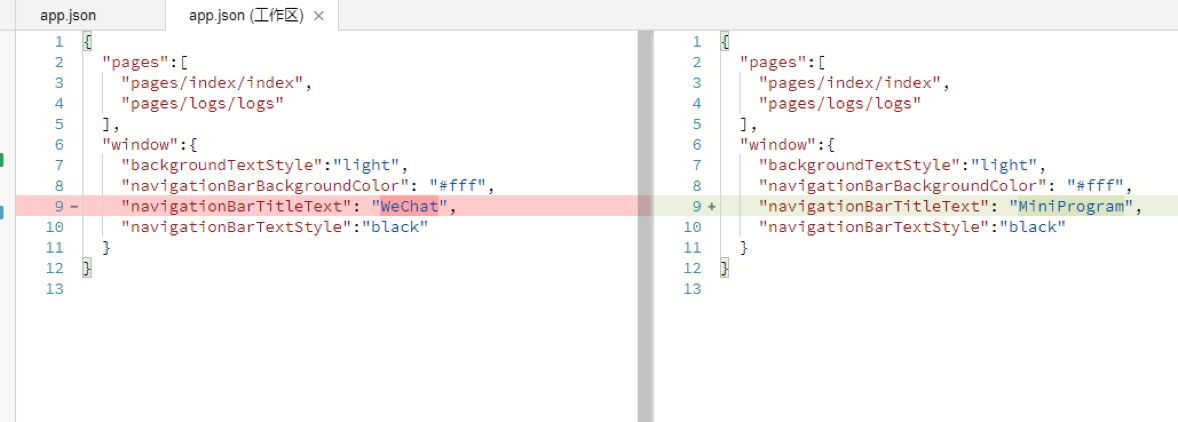
Change the value of "navigationBarTitleText" in line 9 from WeChat to MiniProgram.

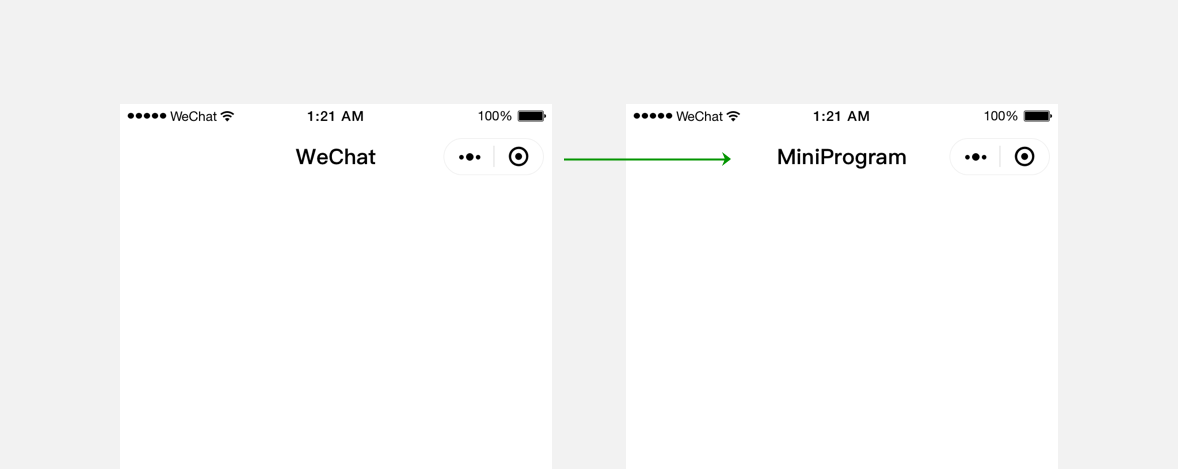
Save the file and upon automatic IDE refresh, you can see that the title at the top of emulator has changed from WeChat to MiniProgram.

JSON files are used for static configuration in mini program development and determine some mini program performance before it runs. Please note that the mini program cannot dynamically update the JSON configuration file during the running process in order to make corresponding changes.

JSON syntax

Compared with XML file, JSON file is a lightweight data exchange format, as it usually doesn't require specialized tools for reading or modifying.
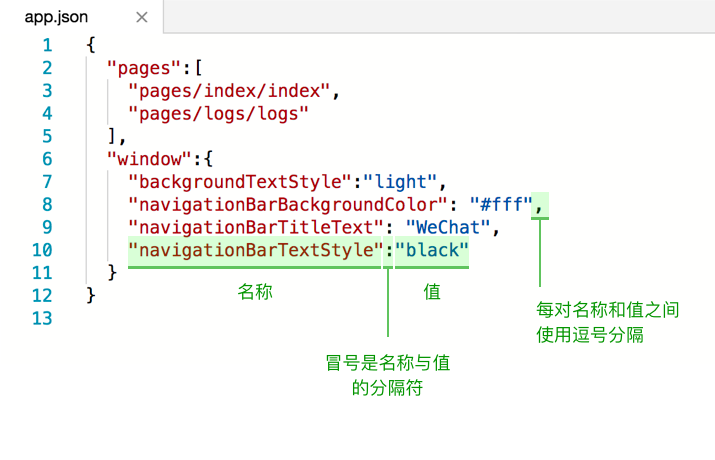
JSON file code is wrapped in curly brackets {} and the data is in a key-value format.

It looks like JavaScript's object expression, but it's different.
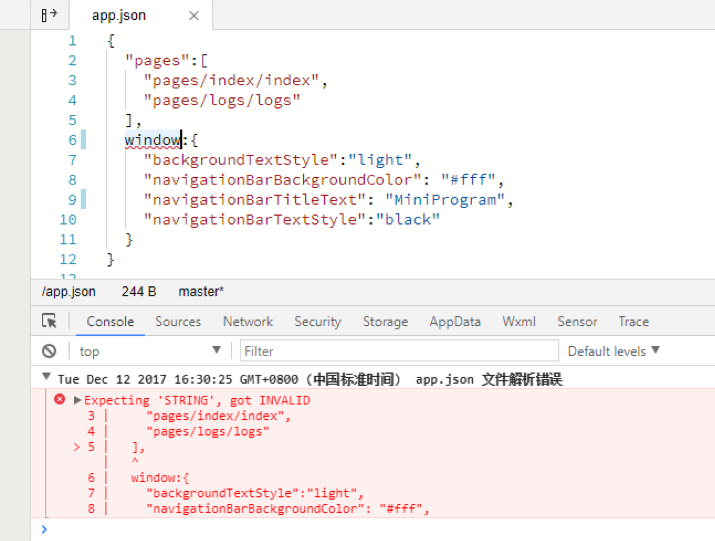
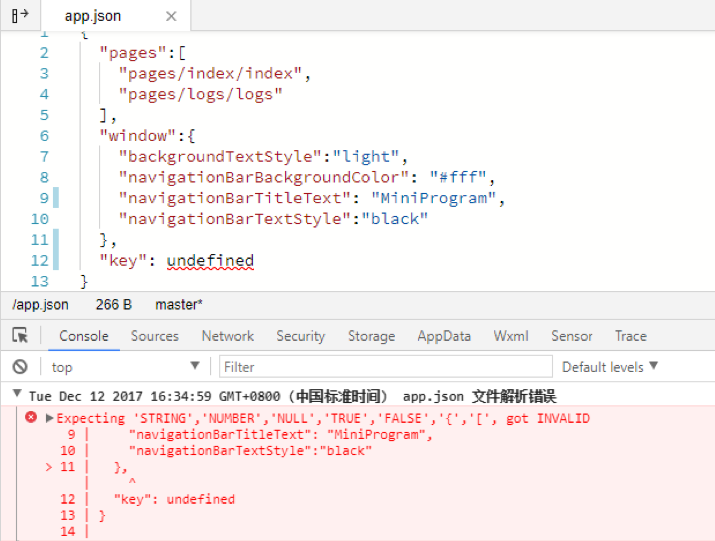
The keys in JSON file must be double-quoted strings. Common mistakes include forgetting to enclose the keys in double quotes or mistakenly enclose them in single quotes.

The value of the key-value pairs in JSON file can be any of the following types:
1. Number, including floating-point numbers and integers.
2. String that enclosed in double quotes.
3. Boolean, true or false.
4. Array that enclosed in square brackets [].
5. Object that enclosed in curly brackets {}.
6. Null.
Other value types will trigger an error, for example, in JavaScript.

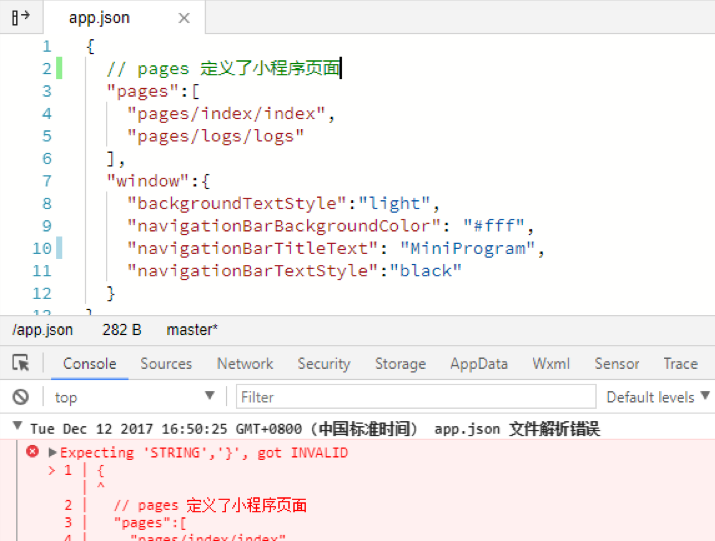
Note that no comments are allowed in JSON data, otherwise, an error will occur.


Help and Support

Was this page helpful?

Help us improve! Rate your documentation experience in 5 mins.

Feedback