tencent cloud

Anti-DDoS

Product Policy
Kebijakan Privasi
Perjanjian Pemrosesan dan Keamanan Data
Dokumentasi Anti-DDoS

Regional Blocking

Mode fokus
Ukuran font
Terakhir diperbarui: 2024-07-01 11:33:59
Anti-DDoS Advanced allows you to block website access requests from source IP addresses in specific geographic locations with just one click. You can block all website access requests from whatever regions or countries you need.
Note:
After you configure regional blocking, attack traffic targeting the specified countries/regions will still be recorded but will not be allowed to your real server.

Directions

1. Log in to the new Anti-DDoS console, and click CC Protection on the left sidebar.
2. Select a domain name from the left list.

3. In the Regional blocking section, click Set.
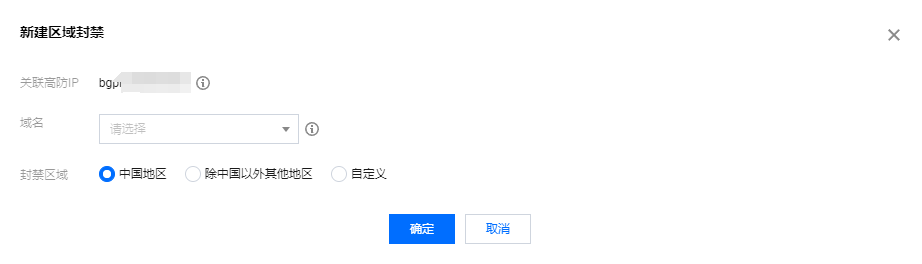
4. On the pop-up page, click Create, select an instance, protocol, domain name, and region, and click OK.

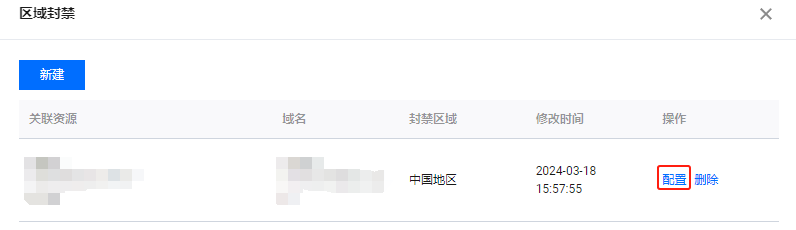
5. After the rule is created, it is added to the list. To modify the rule, click Configure in the Operation column on the right.


Bantuan dan Dukungan

Apakah halaman ini membantu?

masukan