tencent cloud

Tencent Cloud AI Digital Human

Product Overview
Overview
Product Features
Product Advantage
Purchase Guide
Pricing Guide
Purchase Guide
Process for Purchasing with Vouchers
Refund Instructions
Introduction of Avatar
Introduction to Image Categories
Basic Image Library
Guide on Avatar and Voice Clone
Digital Human Platform Operation Guide
Accessing Platform
Avatar Production and Asset Management
Digital Human Conversation Interaction Application and Management
Broadcast Digital Human Video Generation and Management
Operations Management and Analysis
Server API Integration
Digital Human API Access Mode Overview
Avatar aPaas API Calling Methods
Avatar Image Customization and Voice Clone API Documentation
Video Generation Service API Documentation
Interactive Digital Human Service API Documentation
Personal Asset Management API Documentation
Client SDK Integration
Overall Introduction
3D Client-Side Rendering SDK Integration
2D Client-Side Rendering SDK Integration
Digital Human SSML Markup Language Specification
Related Agreement
Privacy Policy
DSA (Data Sharing Agreement)
FAQs

Process for Purchasing with Vouchers

PDF
フォーカスモード
フォントサイズ
最終更新日: 2024-09-30 17:16:18
Note:
Provide your UIN to the sales personnel who will apply for a voucher for you.
After the voucher is applied for, you can view and use it on the Digital Human Platform.
The specific operation process is as follows:

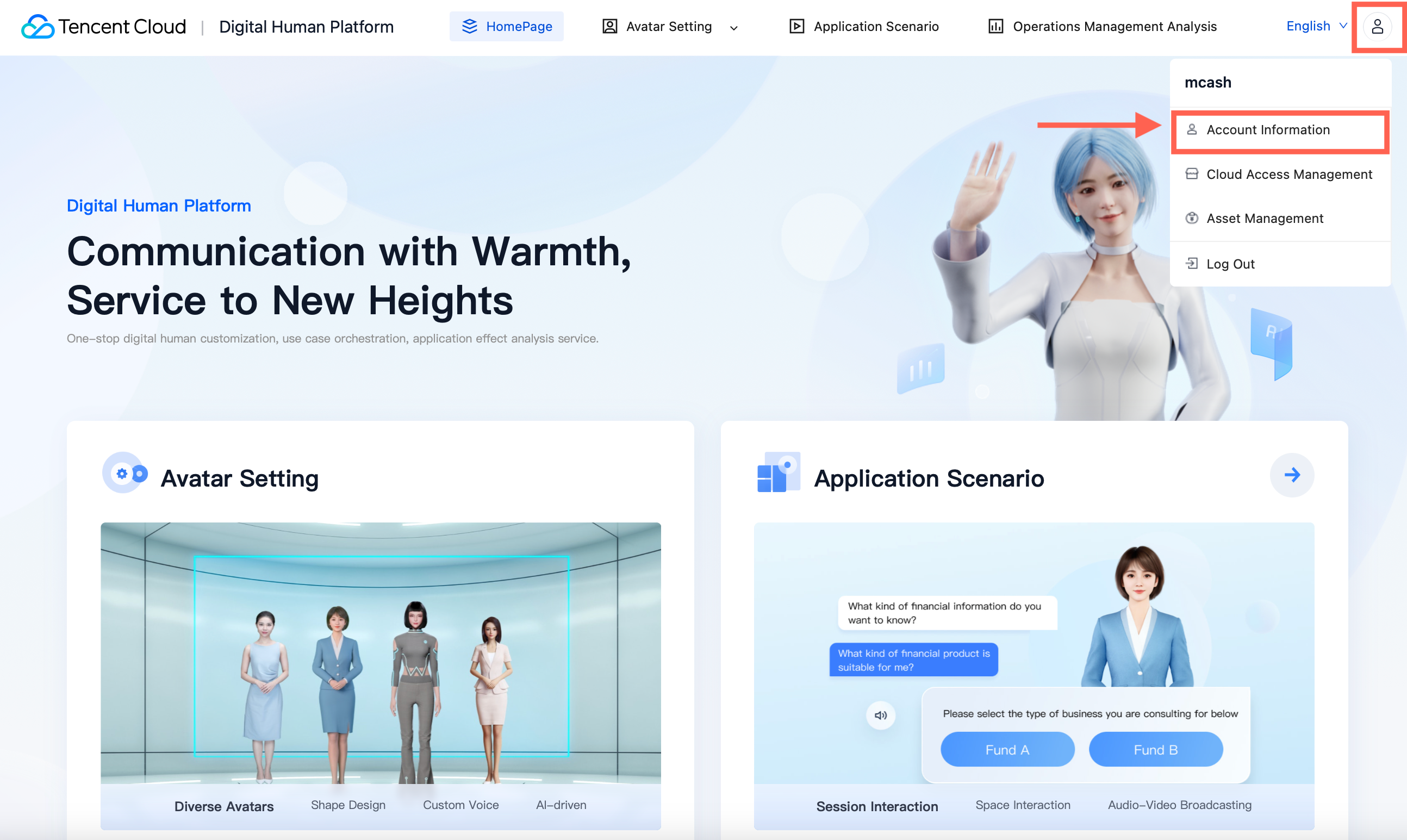
1. Log in to Tencent Cloud and click >My Account > Account Information in the upper right corner.


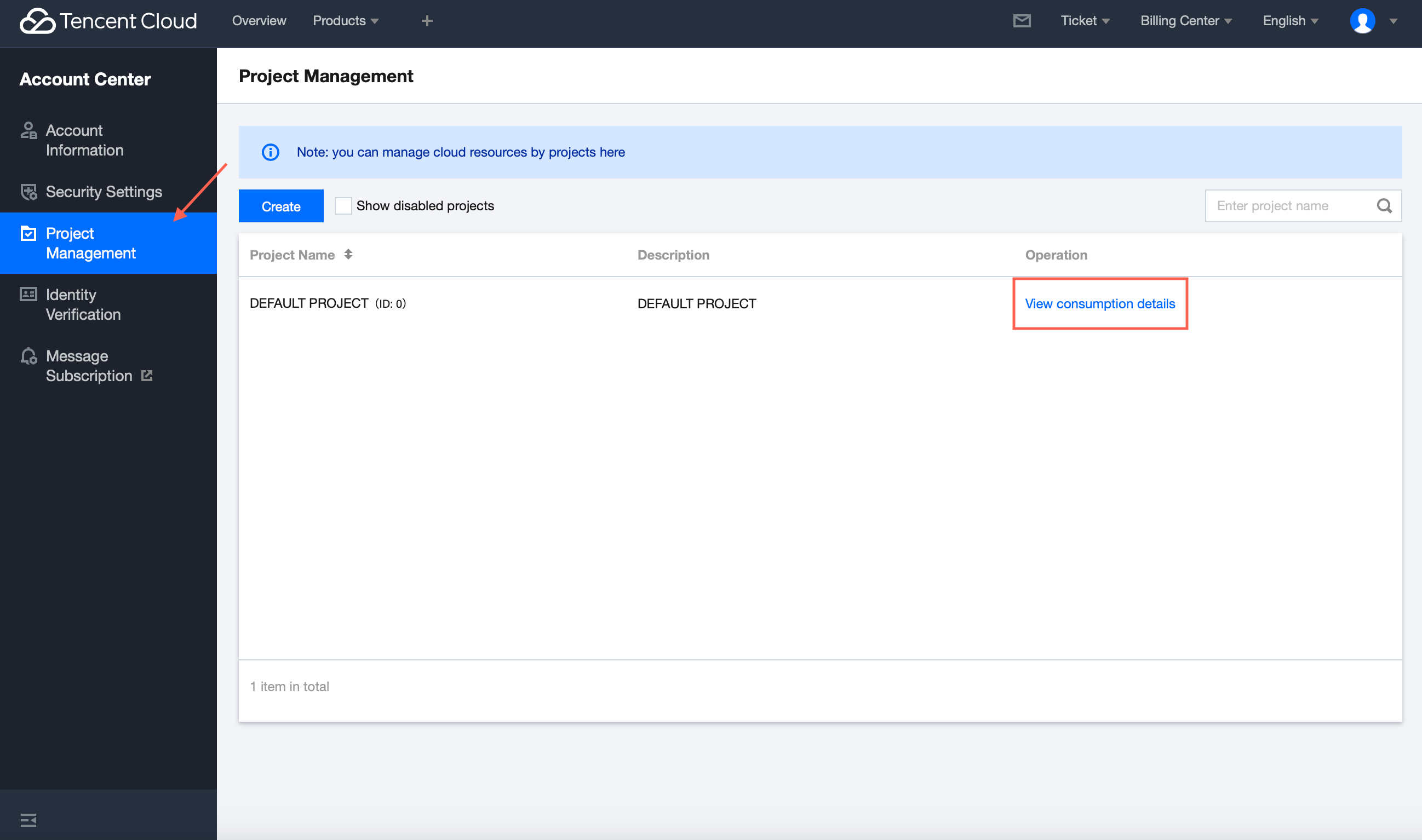
2. In the left sidebar, choose Project Management and click "View consumption details" on the right side of the interface.

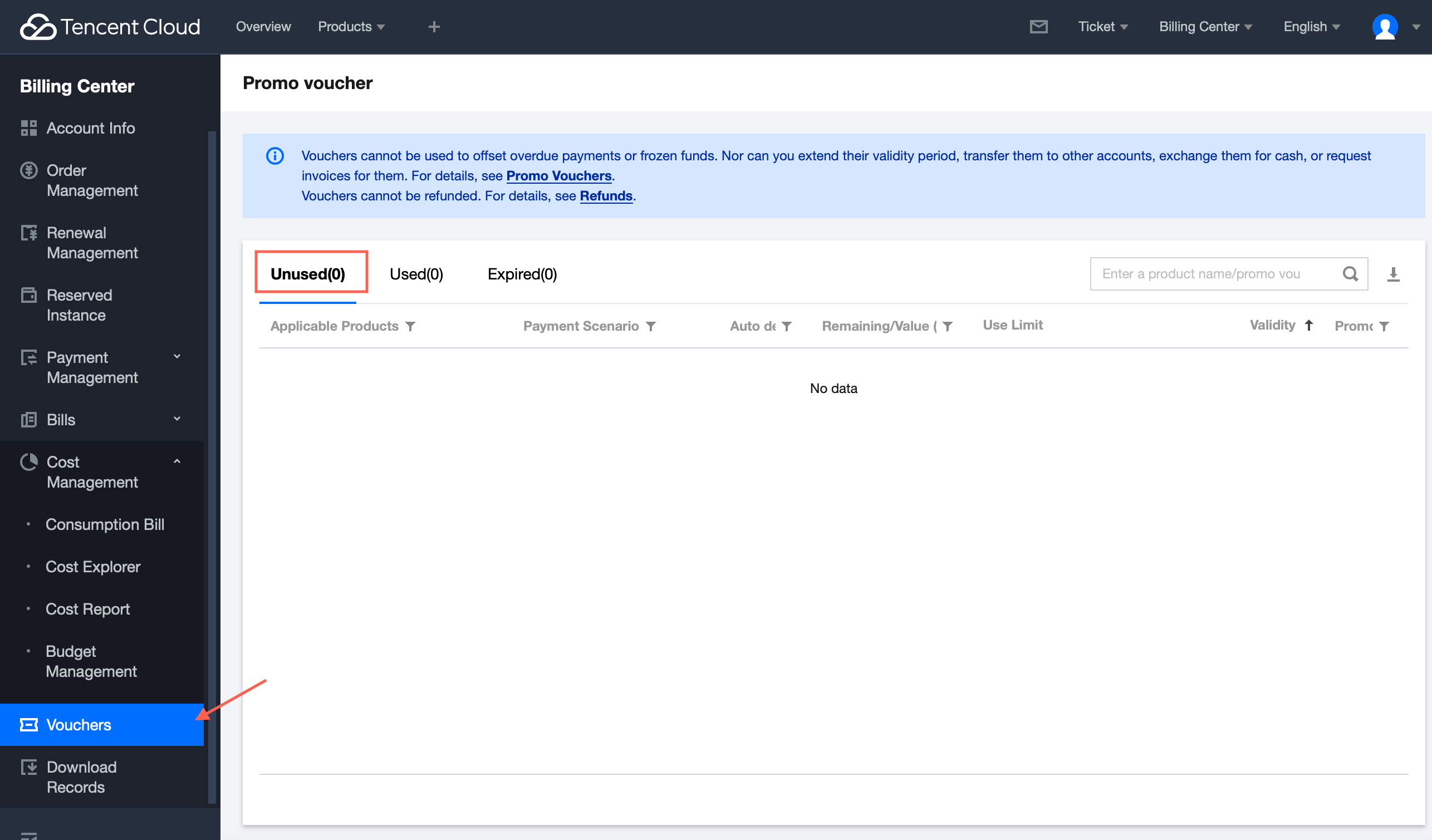
3. In the left sidebar, choose Vouchers to view voucher details.
If there are unused vouchers in your account, you can click Unused here.


ヘルプとサポート

この記事はお役に立ちましたか?

フィードバック