tencent cloud

Tencent Cloud Firewall

Kebijakan CFW
Kebijakan Privasi
Perjanjian Pemrosesan dan Keamanan Data
DokumentasiTencent Cloud Firewall

Configuration Traffic Collection Scope

Mode fokus
Ukuran font
Terakhir diperbarui: 2025-12-19 15:53:24

Feature Overview

When user-defined scopes of traffic collection are supported, traffic from specified assets can be ingested into the Network Detection and Response analysis. When enabling the Network Detection and Response service for asset instances on the Network Detection and Response switch page, users can create and configure rules for collection scope. After the configuration is completed, enabling the service initiates bypass mirroring of specified asset traffic for Network Detection and Response analysis.

Operation Steps

1. Log in to the CFW console, and in the left sidebar, click Network Detection and Response.
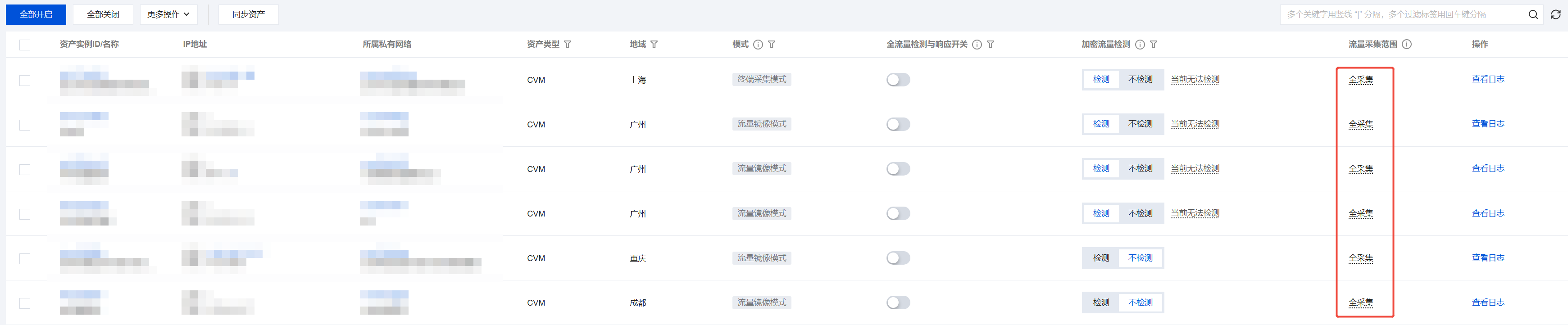
2. On the Network Detection and Response page, view whether assets have applied rules for collection scope.
CVM
When no traffic collection scope is configured, all outbound/inbound mirrored traffic is collected by default.
When traffic collection scopes are configured, traffic matching follows the priority order starting from 1, meaning policies at the top of the list are matched first while those at the bottom are matched last. If no policy is matched, traffic is not collected by default.

Container cluster
After a Network Detection and Response switch is enabled, all traffic from this node will be routed through the firewall for file parsing and restoration, with traffic logs being logged.
After a Network Detection and Response switch is disabled, all traffic from this node will not pass through the firewall, nor undergo file parsing and restoration, and traffic logs will no longer be recorded.

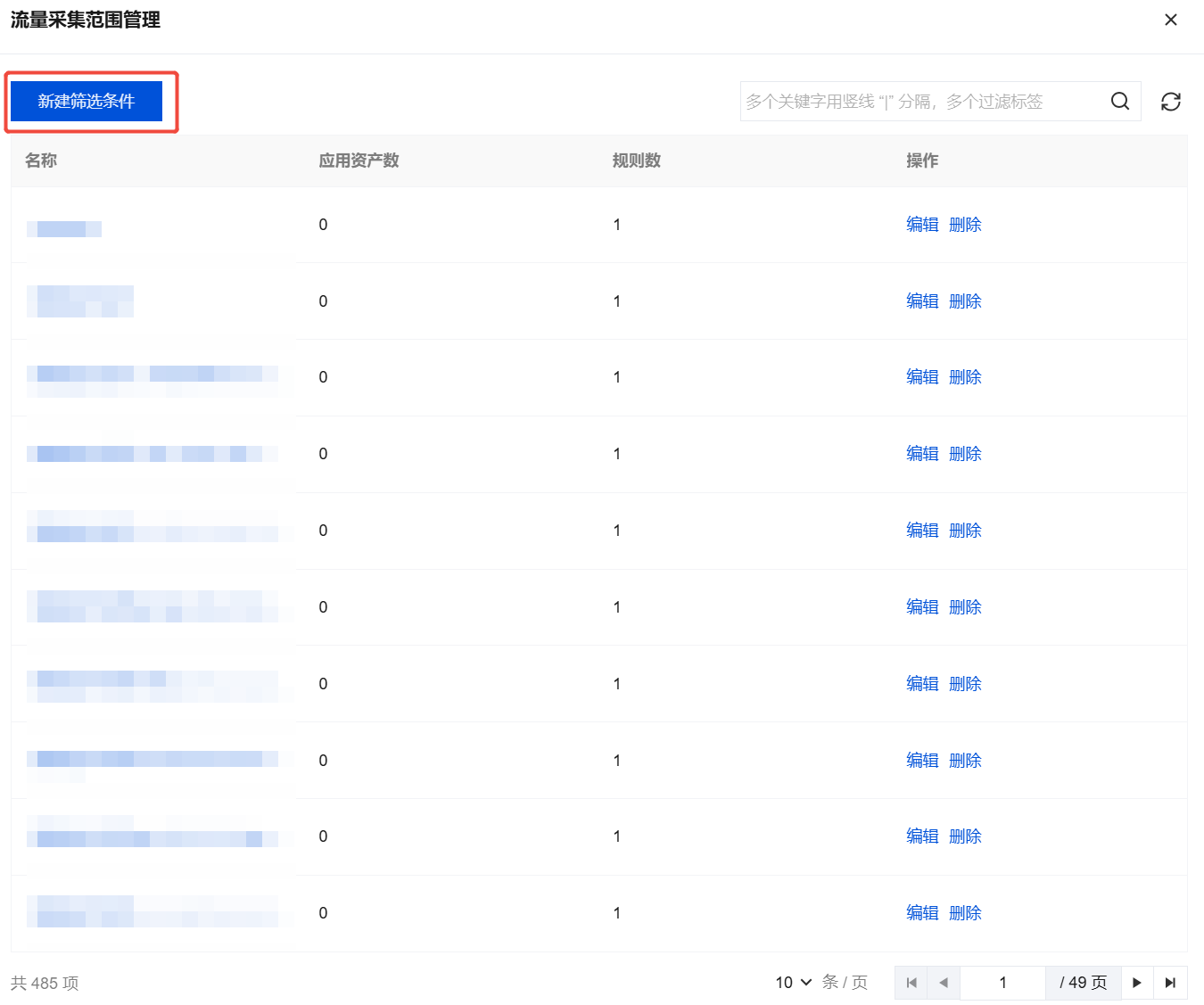
3. On the Network Detection and Response page, click Configure Traffic Collection Scope to view existing filter conditions.

4. On the Manage Traffic Collection Scope page, click New Filter Conditions.

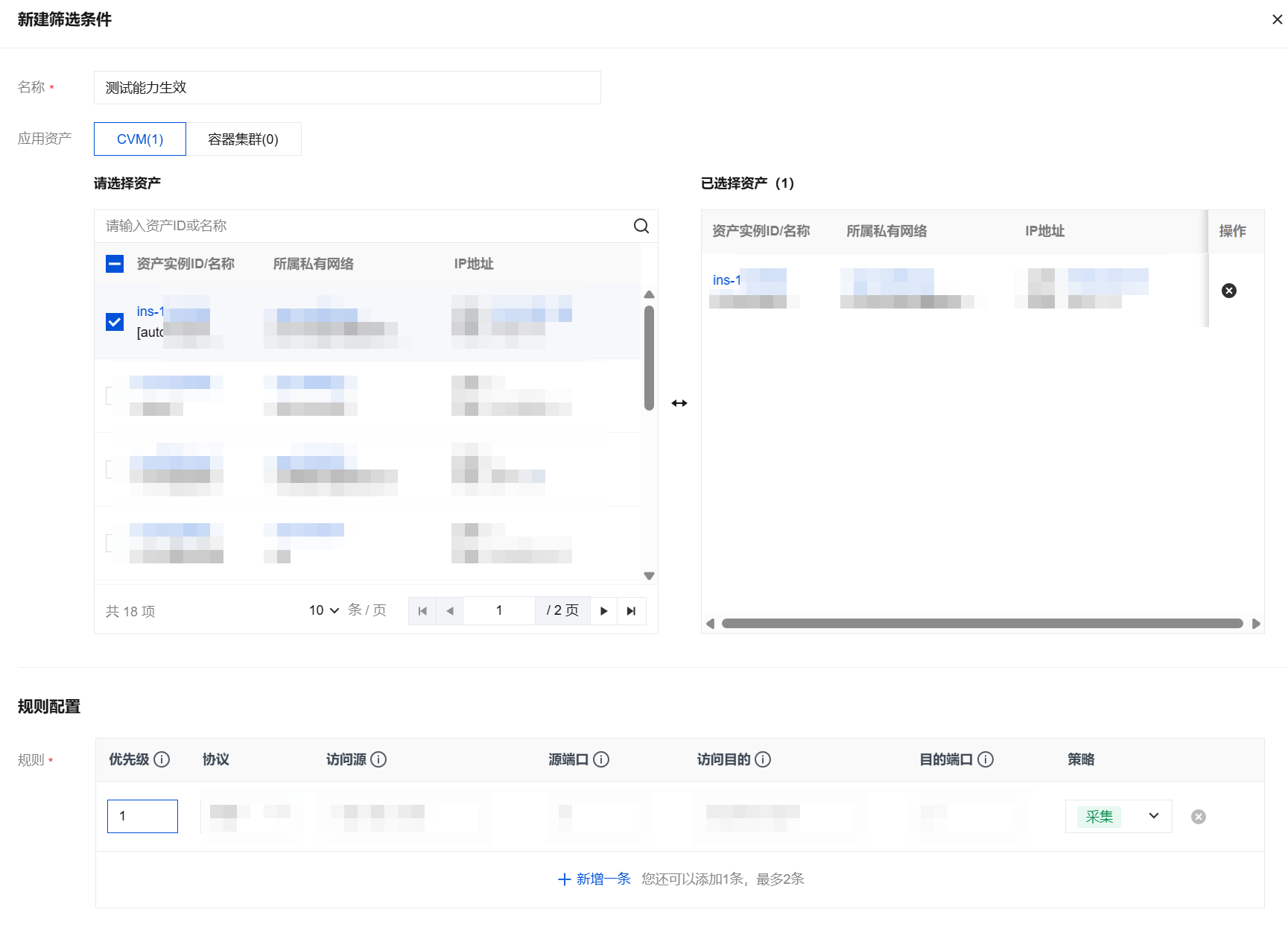
5. In Edit Filter Conditions, configure rules for the scope of traffic collection.

Parameter Name
Parameter Description
Basic information
Name
Rule name.
Application Assets
Supports container clusters and CVM.
Rule Configuration
Priority
The smaller the number, the higher the priority (matched first), and when a match is made, the collection policy is executed.
Protocol
Supports TCP, UDP, and ICMP protocols.
Access source
Use a slash to separate the IP address and mask, such as 10.0.0.0/16.
Source Port
Range of source ports: 0-65535.
Supports a single port value, such as 22.
Supports port ranges, such as 80-88.
Access Destination
Separate the IP address and mask with a slash, such as 10.0.0.0/16.
Destination port
Range of destination ports: 0-65535.
Supports a single port value, such as 22.
Supports port ranges, such as 80-88.
Policy
collect: Traffic that hits the five-tuple rule is fed into theNetwork Detection and Response analysis.
6. Click OK to view the applied collection rules in the asset list.


Bantuan dan Dukungan

Apakah halaman ini membantu?

masukan