After basic protection is enabled, the north-south traffic on public IP addresses can be monitored based on intrusion defense rules.
Directions
1. Log in to the Cloud Firewall console and click Intrusion Protection System in the left navigation pane.
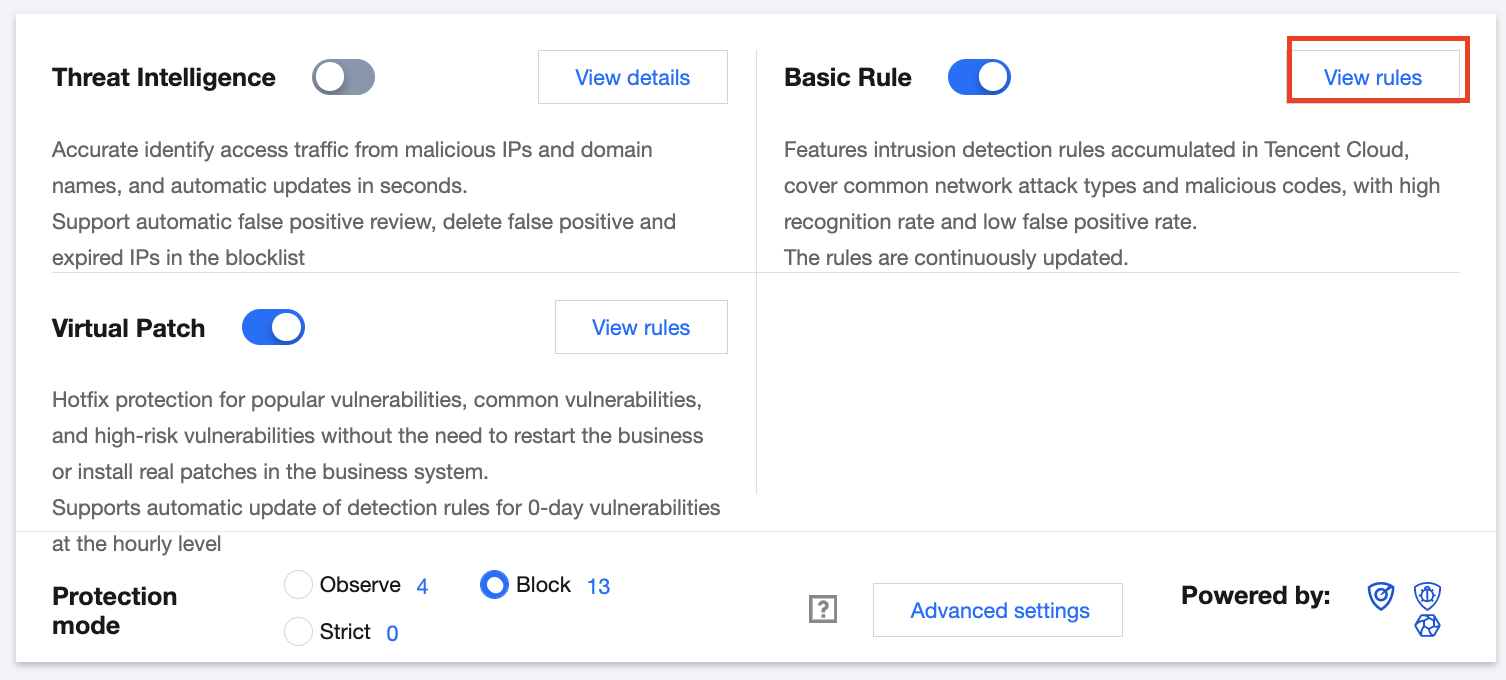
2. On the Intrusion protection system page, click View rules in the Basic protection module.
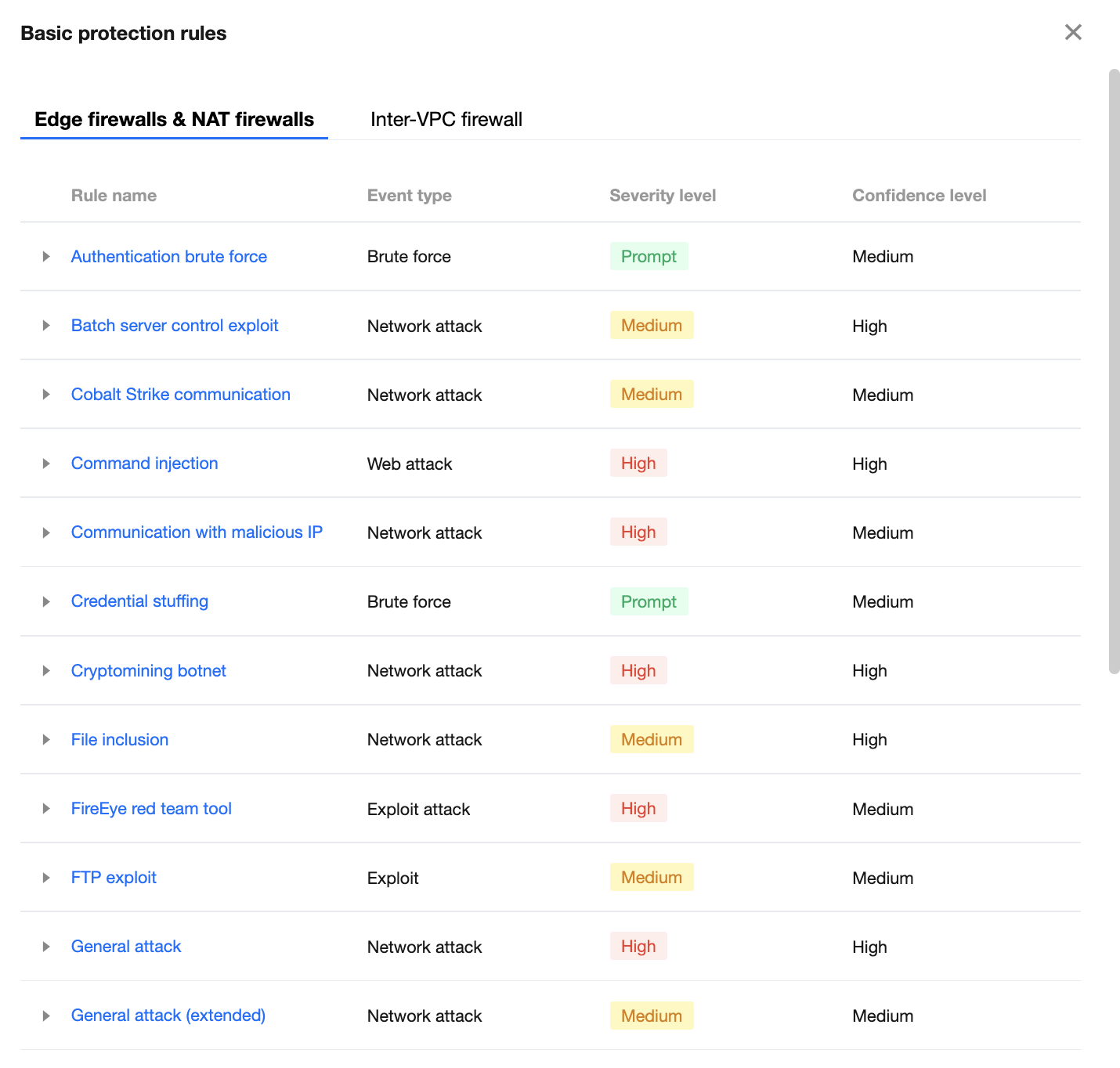
3. In the Basic protection rules window displayed, you can view the description of any rule.
4. After viewing the rules, click
in the Basic protection module to enable this feature.
Note
When basic protection is disabled, the basic protection rules no longer take effect.
Only when basic protection and edge firewall are both enabled for a public IP address, CFW monitors the north-south traffic on this IP address based on intrusion defense rules.
In the Block mode, malicious behaviors that hit high-confidence rules are automatically blocked, and security event alerts are generated when other rules are hit.