tencent cloud

Captcha

Release Notes and Announcements
Release Notes
Product Announcement
Product Introduction
Overview
Advantages
Scenarios
Purchase Guide
Integration Guide
Client Integration
Server Integration
Integration with WAF Service Provider
JS Migration Guide
Operation Guide
Captcha Management
Captcha Statistics
API Documentation
History
Introduction
API Category
Making API Requests
Server APIs
Error Codes
Business Disaster Recovery Scheme
Business Disaster Recovery Scheme (Web and App)
FAQs
Billing
Feature
Integration
Agreements
Service Level Agreement
Privacy Policy
Data Processing And Security Agreement
Contact Us
Glossary

Captcha Statistics

PDF
Focus Mode
Font Size
Last updated: 2025-07-10 18:06:39
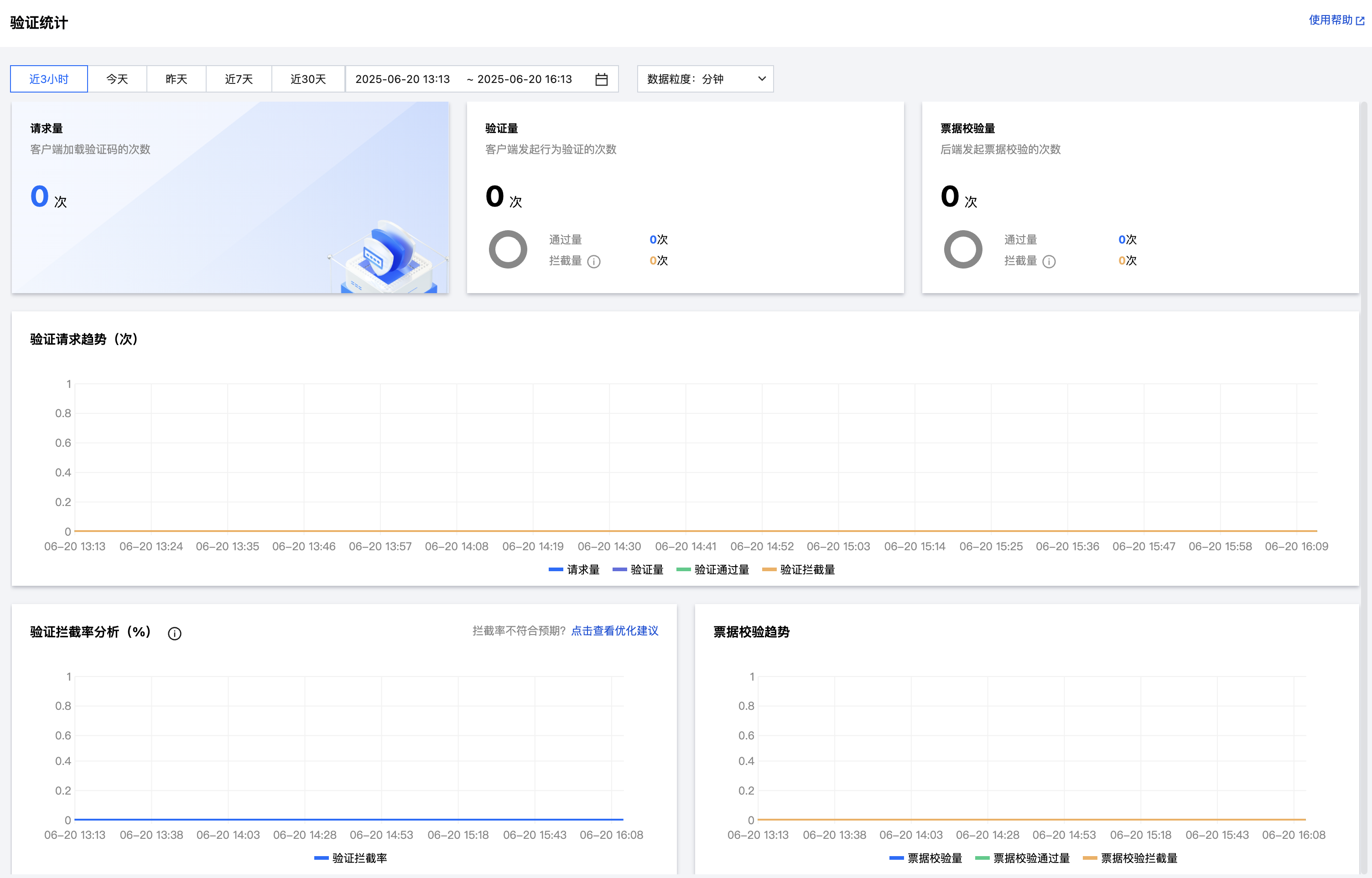
1. Log in to the Captcha console, and select View Statistics in the left sidebar.
2. On the View statistics page, you can view all verification statistics.

Metric Description:​
Metric Name
Description
Total CAPTCHA loads
Number of times the captcha was loaded by the client.
Verification requests
Number of times verification was initiated after the user answered the captcha challenge.
Passed verification requests
Number of times verification was passed.
Blocked verification requests
Number of times verification was blocked (failed).
Blocking rate
Rate of verification blocks (failures).
Incorrect answers
Rate of verification blocks due to incorrect answers.
Blocked insecure requests
Rate of verification blocks due to security policy enforcement.
Requests to verify tickets
Number of times ticket validation was initiated by the server.
Passed ticket verification requests
Number of times ticket validation was passed.
Blocked ticket verification requests
Number of times ticket validation was blocked (failed).

Help and Support

Was this page helpful?

Help us improve! Rate your documentation experience in 5 mins.

Feedback