tencent cloud

Data Lake Compute

Release Notes
Product Introduction
Overview
Strengths
Use Cases
Purchase Guide
Billing Overview
Refund
Payment Overdue
Configuration Adjustment Fees
Getting Started
Complete Process for New User Activation
DLC Data Import Guide
Quick Start with Data Analytics in Data Lake Compute
Quick Start with Permission Management in Data Lake Compute
Quick Start with Partition Table
Enabling Data Optimization
Cross-Source Analysis of EMR Hive Data
Standard Engine Configuration Guide
Configuring Data Access Policy
Operation Guide
Console Operation Introduction
Development Guide
Runtime Environment
SparkJar Job Development Guide
PySpark Job Development Guide
Query Performance Optimization Guide
UDF Function Development Guide
System Restraints
Client Access
JDBC Access
TDLC Command Line Interface Tool Access
Third-party Software Linkage
Python Access
Practical Tutorial
Accessing DLC Data with Power BI
Table Creation Practice
Using Apache Airflow to Schedule DLC Engine to Submit Tasks
Direct Query of DLC Internal Storage with StarRocks
Spark cost optimization practice
DATA + AI
Using DLC to Analyze CLS Logs
Using Role SSO to Access DLC
Resource-Level Authentication Guide
Implementing Tencent Cloud TCHouse-D Read and Write Operations in DLC
DLC Native Table
SQL Statement
SuperSQL Statement
Overview of Standard Spark Statement
Overview of Standard Presto Statement
Reserved Words
API Documentation
History
Introduction
API Category
Making API Requests
Data Table APIs
Task APIs
Metadata APIs
Service Configuration APIs
Permission Management APIs
Database APIs
Data Source Connection APIs
Data Optimization APIs
Data Engine APIs
Resource Group for the Standard Engine APIs
Data Types
Error Codes
General Reference
Error Codes
Quotas and limits
Operation Guide on Connecting Third-Party Software to DLC
FAQs
FAQs on Permissions
FAQs on Engines
FAQs on Features
FAQs on Spark Jobs
DLC Policy
Privacy Policy
Data Privacy And Security Agreement
Service Level Agreement
Contact Us

Connecting CBoard to DLC

PDF
フォーカスモード
フォントサイズ
最終更新日: 2024-09-18 18:05:56
DLC supports integration with CBoard for visualized analysis. This document will guide you through connecting CBoard to DLC for visualized data analysis.

Driver Management

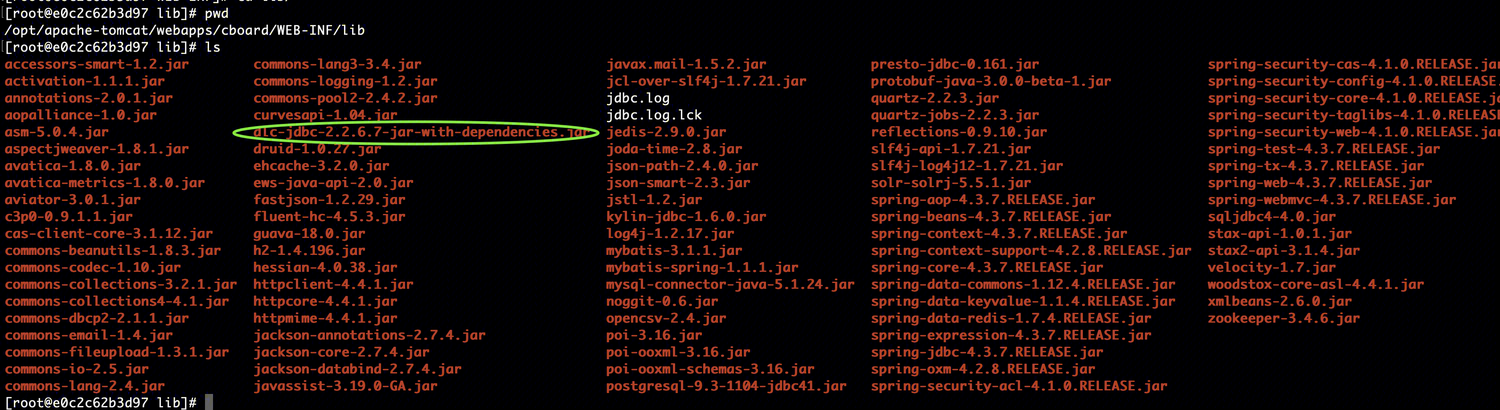
Add the DLC JDBC driver to the CBoard startup directory cboard/WEB-INF/lib.


Starting the Tomcat Service

Run the following command apache-tomcat/bin/startup.sh.


Data Source Management

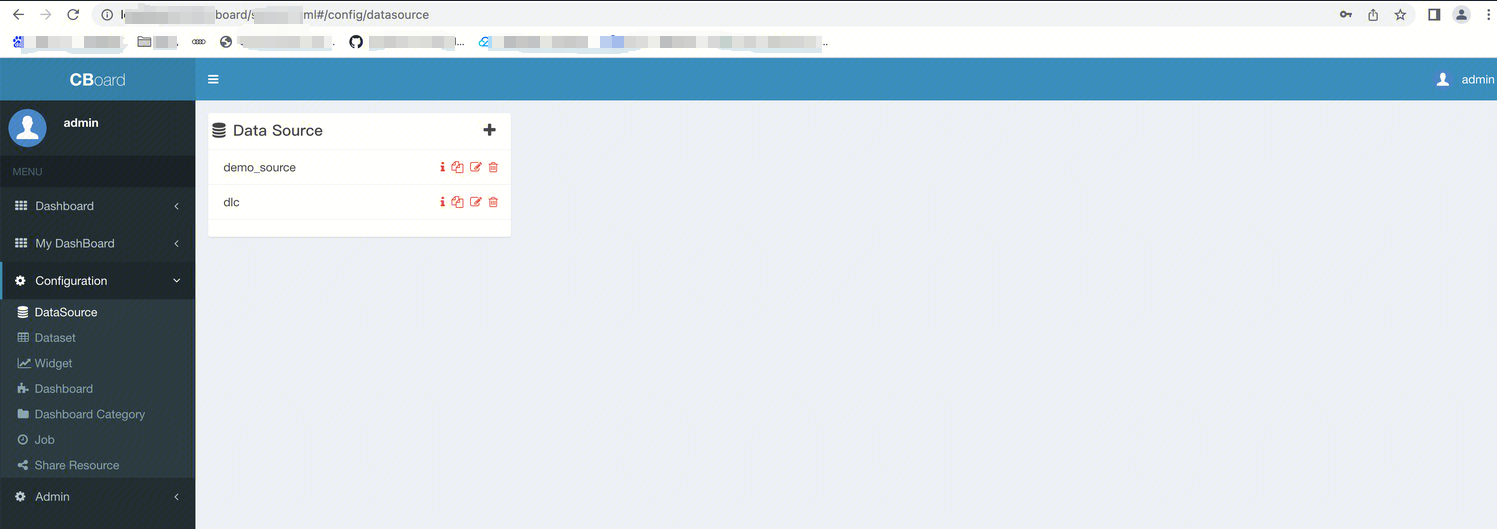
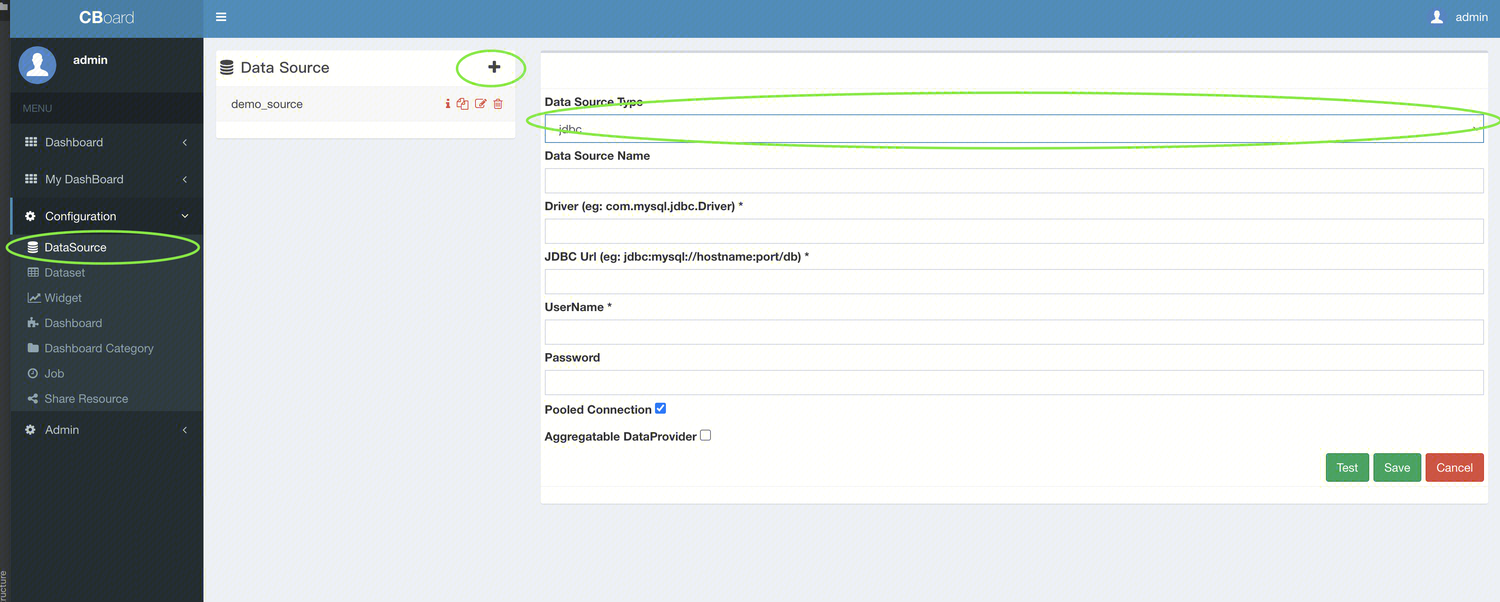
In CBoard, go to the configuration section, and add the DLC connection under datasource management.
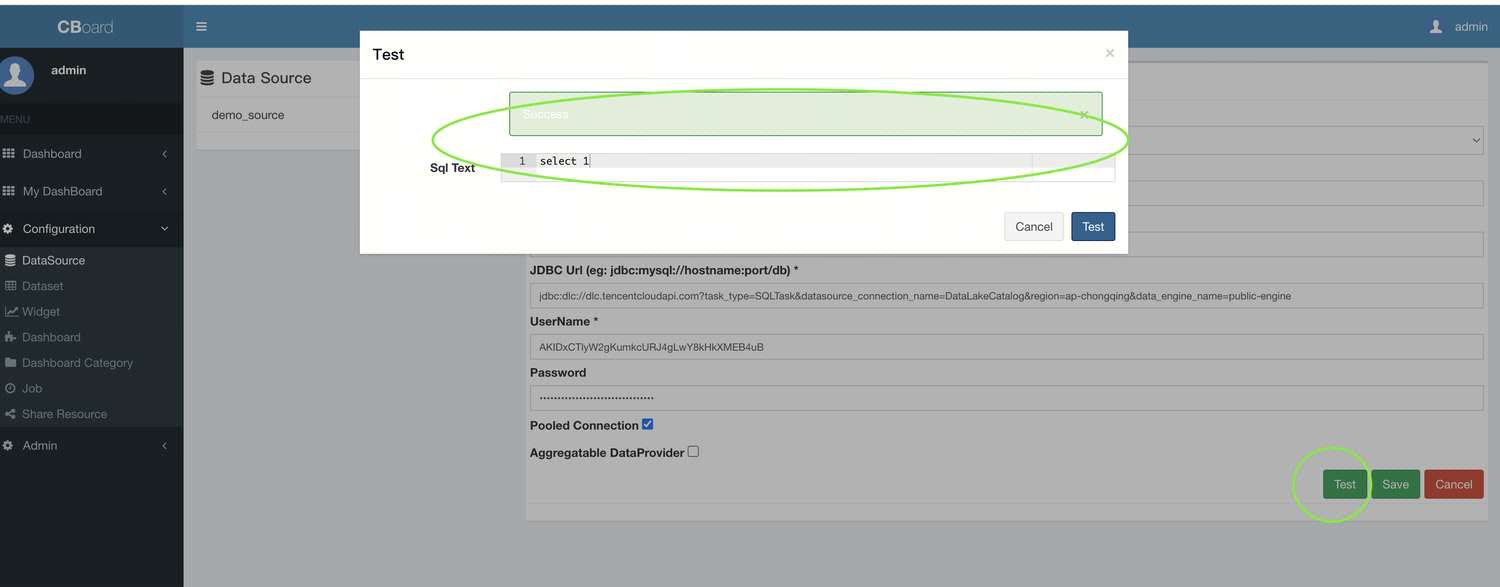
Datasource type: Select jdbc.
Driver: Enter com.tencent.cloud.dlc.jdbc.DlcDriver.
JDBC URL: Use the JDBC connection string jdbc:dlc://dlc.tencentcloudapi.com?task_type=SQLTask&datasource_connection_name=DataLakeCatalog&region=ap-chongqing&data_engine_name=public-engine
UserName:secret_id
Password:secret_key


Connection Test

Click the Test button below. A pop-up dialog will appear, and enter select 1 in the SQL Text field to test the connection. If Success prompt appears, it means the data source connection is successful. Return to save the data source.

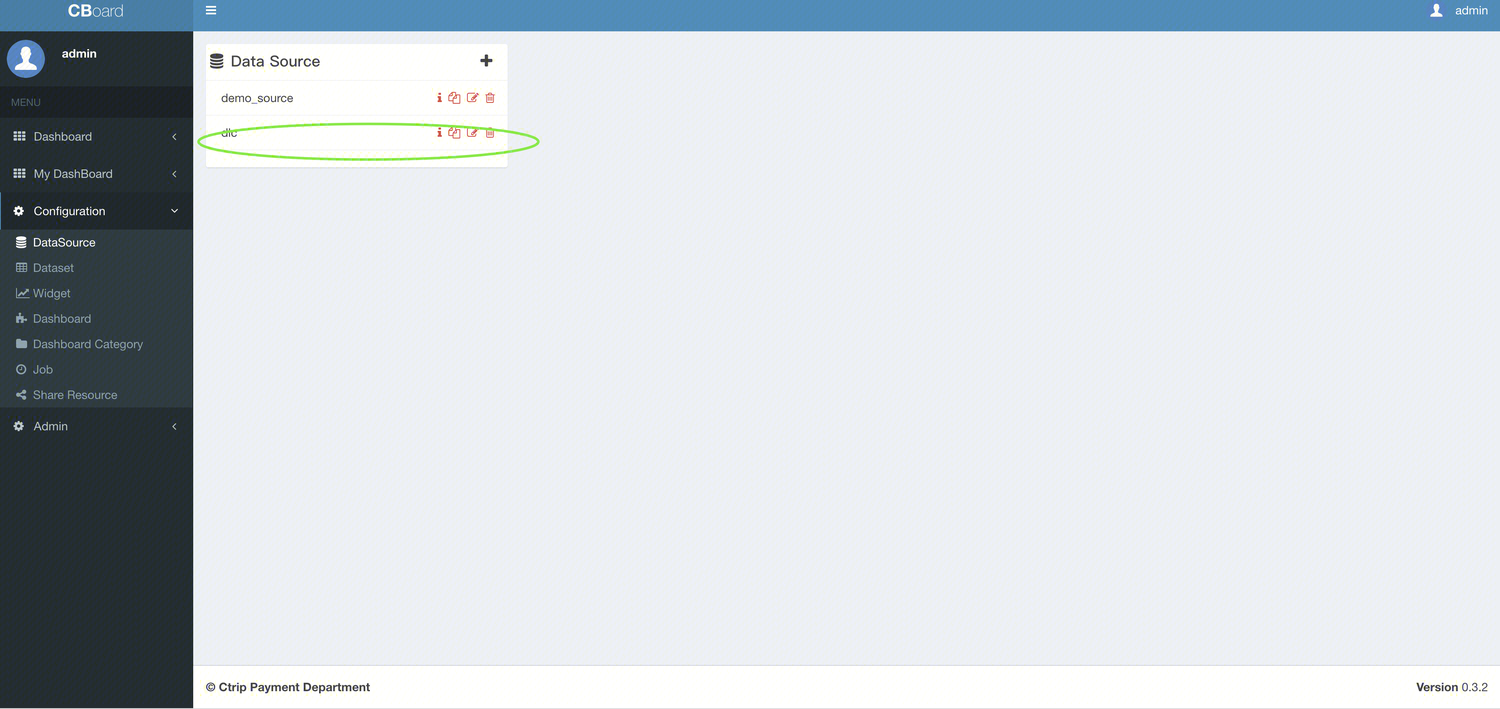
Once it is saved successfully, the DLC data source will appear in the list of available data sources.


Dataset Management

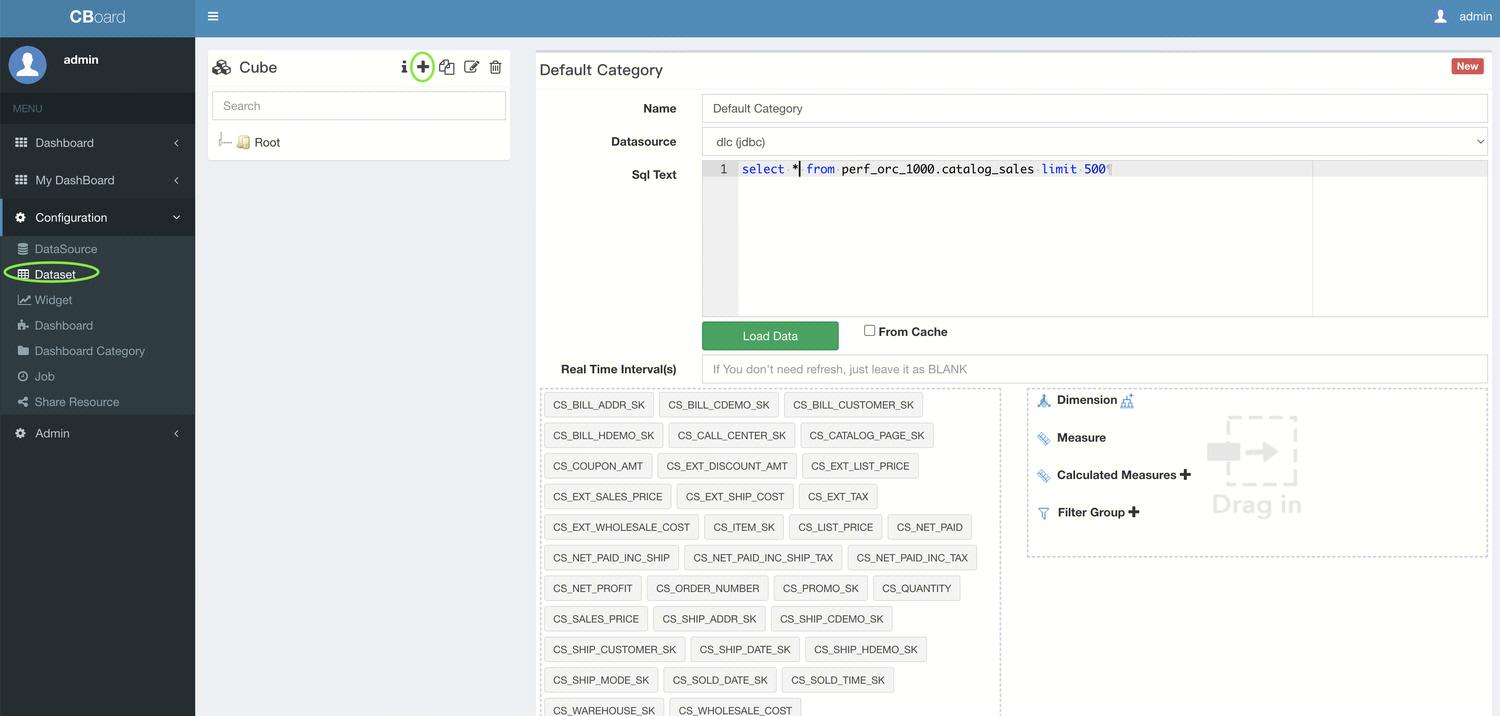
Add a DLC dataset in the Dataset section.


ヘルプとサポート

この記事はお役に立ちましたか?

フィードバック