tencent cloud
最新优惠
产品
解决方案
价格中心
合作伙伴网络
云市场
探索更多
Prev
Next
堡垒机
产品简介
产品概述
产品优势
应用场景
堡垒机版本区别
购买指南
计费概述
购买方式
升级服务
升级带宽
升级扩展包
续费说明
欠费说明
退费说明
快速入门
管理人员首次登录
管理人员操作入门
运维人员首次登录
运维人员操作入门
操作指南
管理配置手册
运维配置手册
实践教程
高危命令阻断
文件传输控制
安全事故追溯
跨 VPC 资产管理
使用内网域名访问堡垒机运维页面
故障处理
Windows 资源登录提示 Connection timed out
Windows 资源登录提示 wait active
Mac 电脑登录 Linux 提示 no matching host key type found
Mac 系统用户无法访问 Windows 资源
Mac 系统使用 iTerm 客户端运维时出现乱码
无法调用本地 Xshell 或 SecureCRT
运维用户无法收到验证码短信
运维人员登录资源无法获取到账号
Linux 资源登录提示主机不可达
Linux 资源登录失败提示密码错误
常见问题
使用相关
咨询相关
BH 政策
隐私政策
数据处理和安全协议
文档
堡垒机
操作指南
管理配置手册
用户管理
用户
重置用户
重置用户
下载
聚焦模式
字号
最后更新时间: 2025-04-18 10:43:34
操作场景
在用户忘记自己登录堡垒机密码,或者登录失败超过一定次数被锁定时,可重置用户。
注意:
重置用户密码之后,用户需要重新激活账号、并自己设置新密码,参考
运维人员首次登录
。
操作步骤
1.
登录
堡垒机控制台
。
2.
在左侧导航栏中,选择
用户管理
>
用户
。
3.
在用户页面,选择目标用户,单击
重置
。
4.
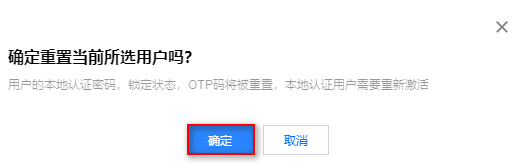
在"二次确认"弹窗中,单击
确定
,即可重置用户。
上一篇: 删除用户
下一篇: 查看用户访问权限
帮助和支持
本页内容是否解决了您的问题?
是
否
您也可以
联系销售
或
提交工单
以寻求帮助。
填写满意度调查问卷,共创更好文档体验。
点击前往
文档反馈