An IP group contains a list of IPs or CIDR IP ranges. You can reference the IP group in DDoS protection and Web protection rules to simplify configuration and maintenance.
Note:
1. IP groups support cross-site usage. After creating an IP group, you can directly reference it in other sites to ensure consistent policies across different sites.
2. Up to 100 groups can be configured under the same account, and each IP group can include up to 2,000 IPs or CIDR IP ranges. To configure IP group matching in Web protection rules, see Match Condition for related limits.
Scenario 1: Group Management of IP Information with Business Threats
Example Scenario
A large game customer has connected sites example.com and site.com. Currently, through the security intelligence library and their own business security, a blocklist of IPs with business threats has been identified. These IP addresses will change dynamically, so they need to be updated in real-time and applied to all site domain names, instantly blocking these IPs.
Directions
1. Log in to the Tencent Cloud EdgeOne console, enter Service Overview in the left menu bar, and click the site to be configured under Website Security Acceleration.
2. On the site detail page, click Security > General Settings.
3. In the IP groups tab, click Edit.
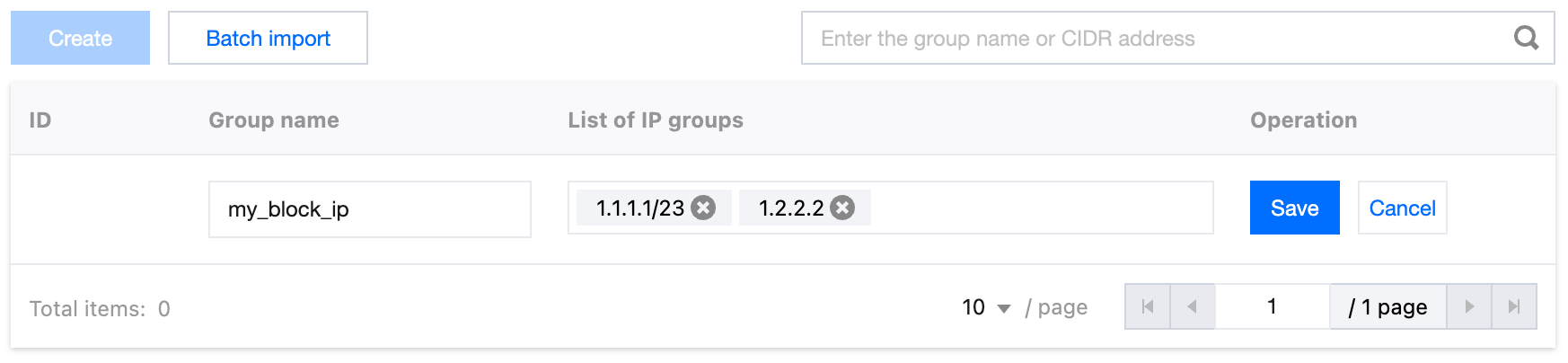
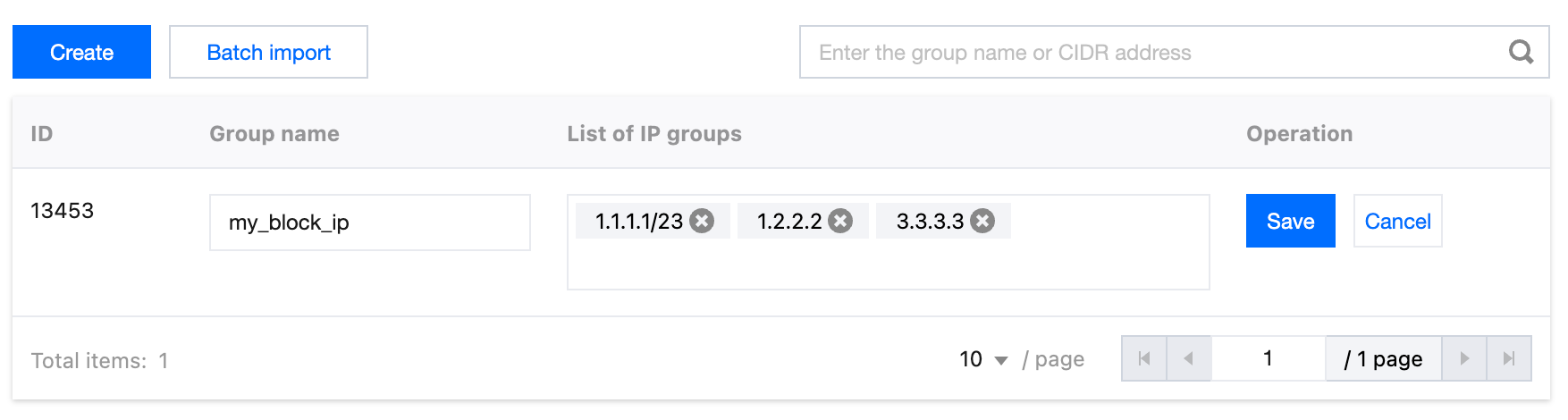
4. Click Create to create a group. Enter the group name and the IP address or IP range contained in the group, such as 1.1.1.1/23 and 1.2.2.2. Separate multiple IP addresses with carriage returns.
5. Click Save to complete the IP group creation.
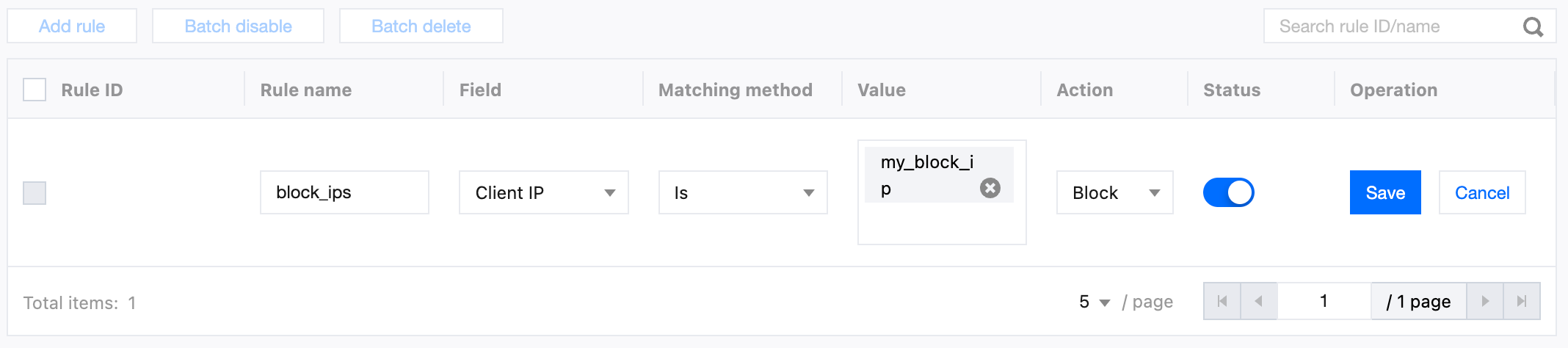
6. After creating the IP group, as an example for this scenario, you need to disable access for all IPs within the group. You can add basic access control rules on the example.com and site.com's Web Security page. When adding rules, choose Client IP equals the group name to perform Block. This will intercept all IP access within the group and dynamically update based on included IPs. For detailed configuration steps, refer to Custom Rules.
7. (Optional) After configuring the rules, if you identify new risky IPs that need to be added to the group and applied to all sites, you can follow steps 1-3 to re-enter the site where the template was created, click Edit, enter the new IP addresses, and click Save to apply the new IPs to all protection policies that use this group.
Scenario 2: Adding Automatically Expiring IPs in Batch to an Existing IP Group
Example Scenario
An e-commerce customer has configured a long-term valid custom interception rule on the site example.com, referencing the IP group named block_ip to manage blocklist IPs in a unified way. During promotional events, a batch of IPs exhibiting risk behaviors such as malicious crawling and abnormal order placement were identified through monitoring. Since these risks only exist during the activity period, the customer wants to temporarily add these IPs to block_ip and set a unified expiry date, automatically removing them at the end of activity to avoid long-term blocking of legitimate users, while keeping the existing interception rules in effect without additional maintenance of new protection policies.
Directions
1. Log in to the EdgeOne console, enter Service Overview in the left menu bar, and click the site that needs to be configured under Website Security Acceleration.
2. Click Security Protection > General Settings to enter the configuration options details page.
3. In the IP group card, locate the target IP group (such as block_ip), then click Edit.
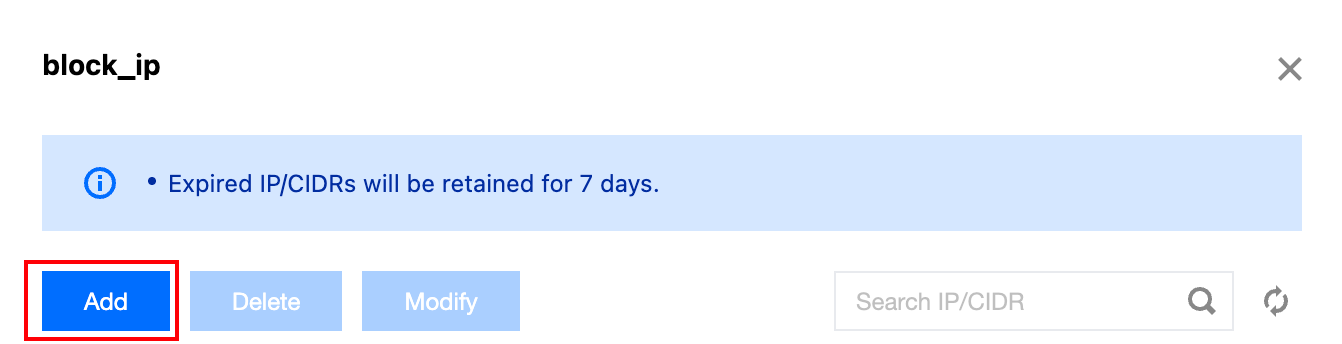
4. In the editing page, click Add.
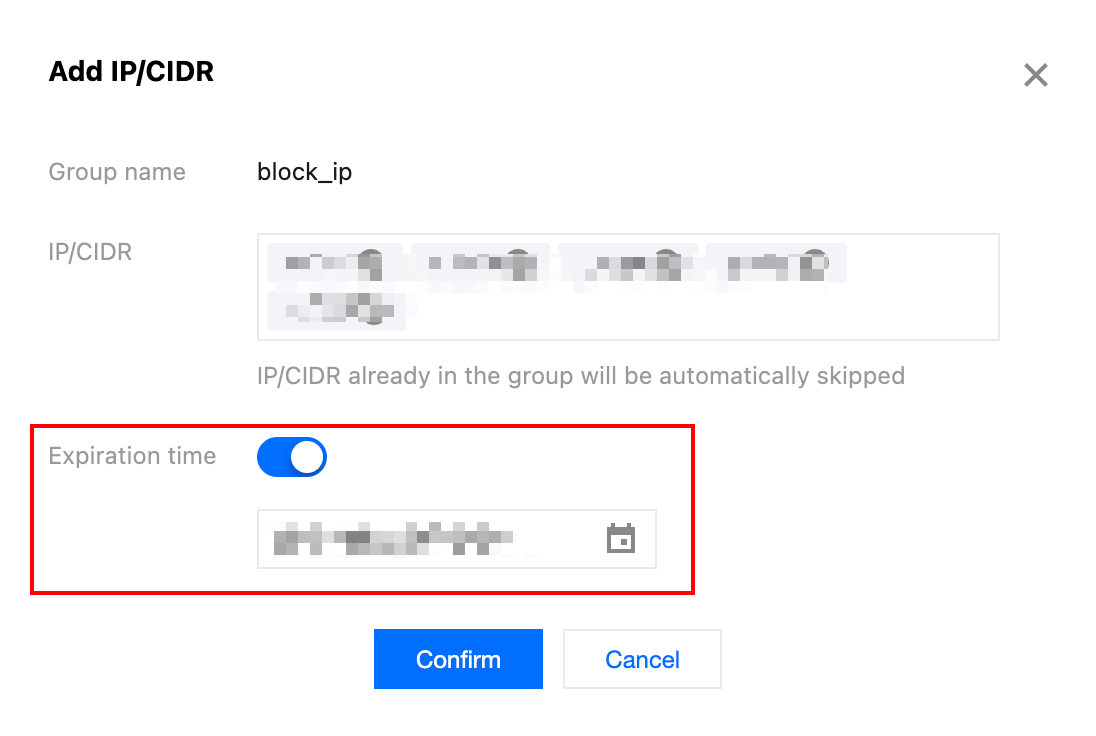
5. In the pop-up window for adding IP or ranges, input the IP address or ranges that need temporary control (bulk entry is supported, multiple addresses are separated by pressing enter). Check Expiration time and set the expiration time.
6. Click Confirm. Once saved, the temporary control IP will take effect immediately and be automatically removed from block_ip upon expiration.
Scenario 3: Adjusting the Expiry Time of IPs with Scheduled Expiration
Example Scenario
For site example.com, the block_ip IP group has set a 7-day expiry for a batch of abnormal request source IPs. Subsequent analysis detected ongoing attack behavior, requiring these IPs' expiry dates to be extended by 14 days.
Directions
1. Log in to the EdgeOne console, enter Service Overview in the left menu bar, and click the site that needs to be configured under Website Security Acceleration.
2. Click Security Protection > General Settings to enter the configuration options details page.
3. In the IP group card, locate the target IP group (such as block_ip), then click Edit.
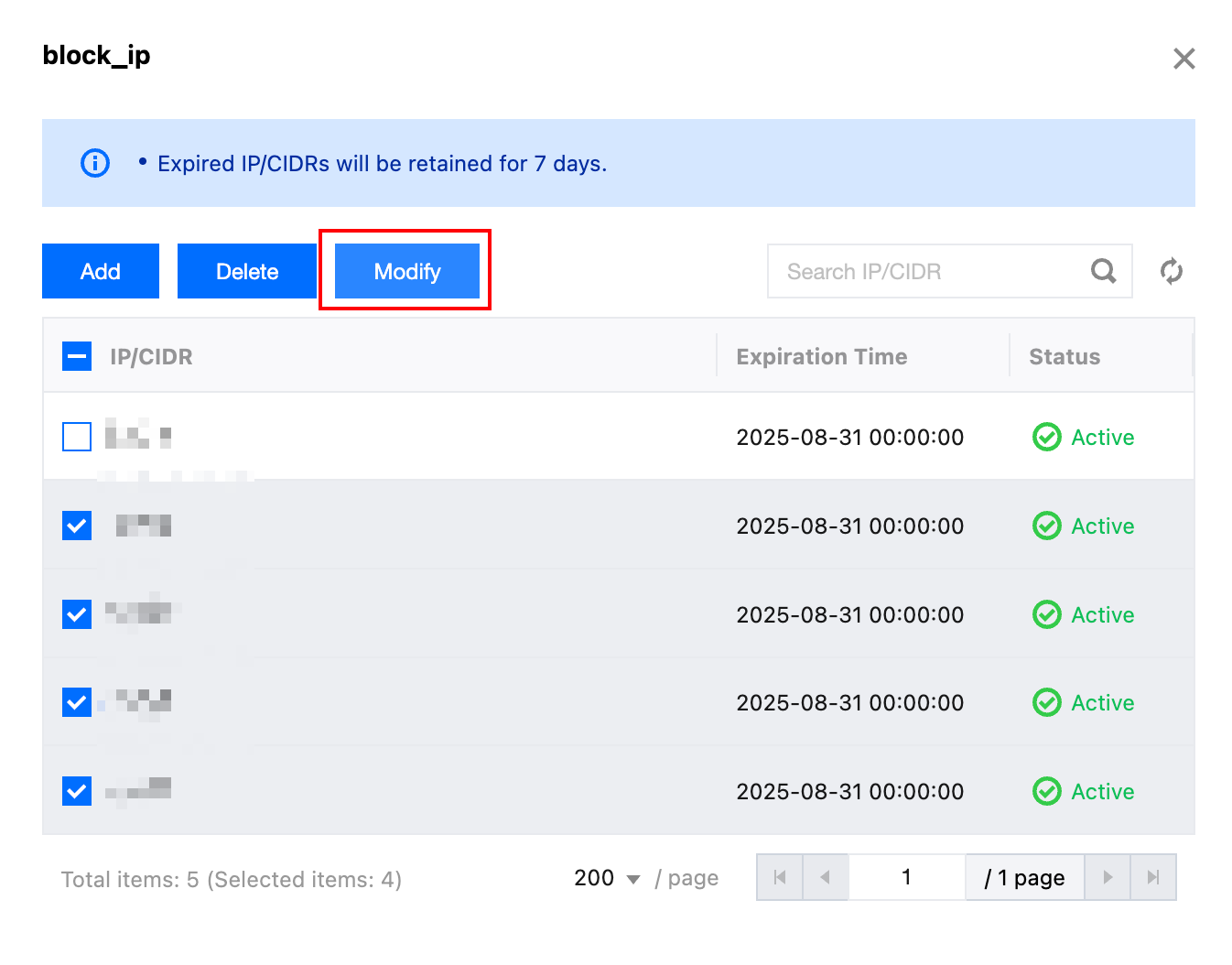
4. On the editing page, select the IP address or ranges that need expiry time adjustment, then click Modify.
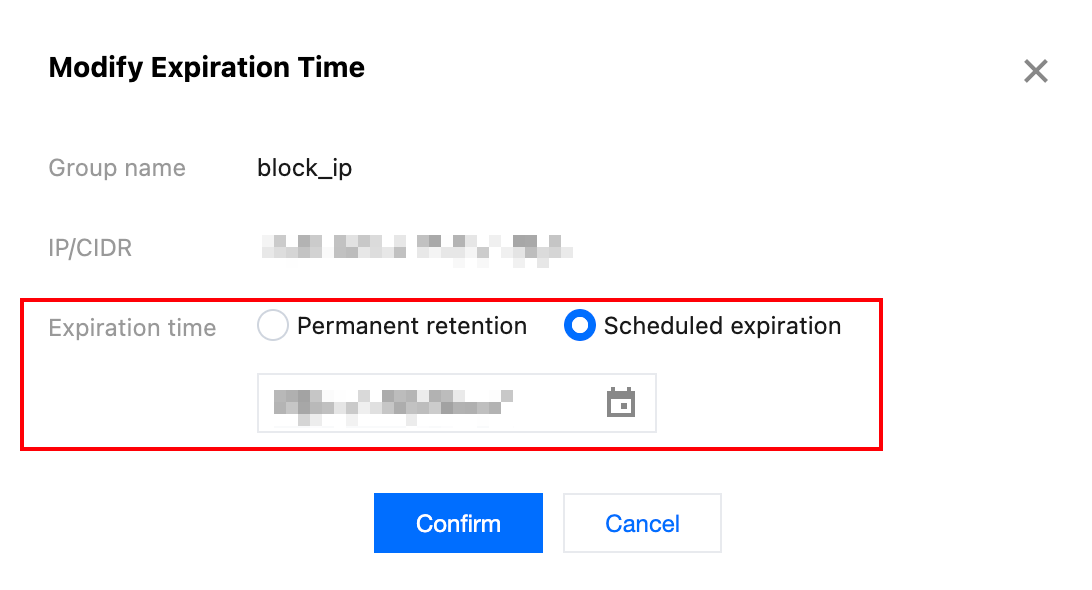
5. In the pop-up window for modifying scheduled expiration time, set a new expiry date.
6. Click Confirm. Once saved, these IPs will be automatically removed based on the latest expiry time.