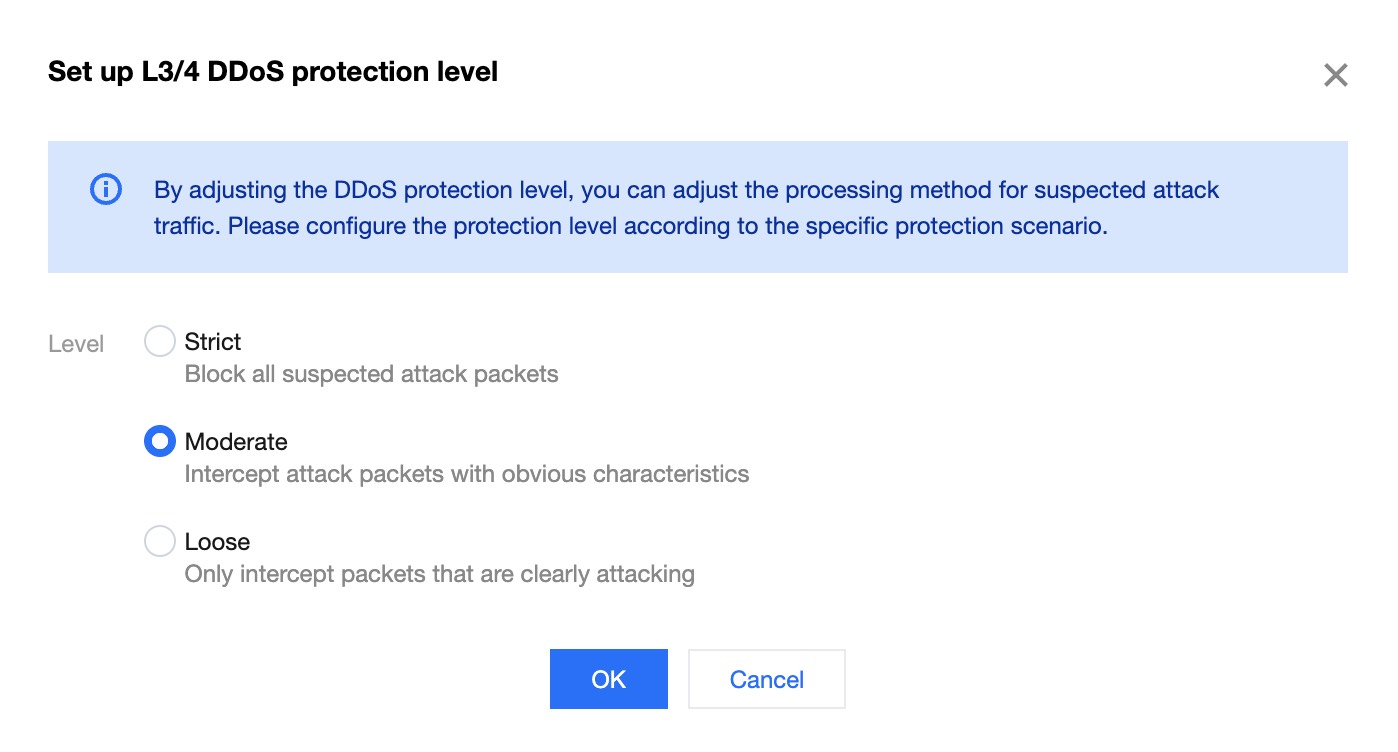
The DDoS protection level is a default protection policy template provided by EdgeOne DDoS Protection for you. DDoS Protection will automatically block traffic attacks matching the characteristics according to the protection level. The following is a description of the protection policies for each protection level:
Note:
This function is only supported when L4 proxy instance is set to Advanced Protection or Ultimate Protection, and configuration is not allowed in all other scenarios.
Protection strategies for each protection level
Comparison items
Loose
The cleansing strategy is relatively permissive and only protects against attack packets with explicit attack characteristics. It is recommended to enable this policy when false blocking is suspected, though attack leakage may occur in the event of sophisticated attacks.
Moderate (default)
The cleansing strategy is adapted to the vast majority of businesses and can effectively protect against common attacks. Moderate Mode is the default setting for DDoS Protection.
Strict
The cleaning strategy is relatively strict, and it is recommended to use when attack penetration occurs in normal mode.
Data packets with clear attack features
SYN data package
Filter
Filter
Filter
ACK data package
Filter
Filter
Filter
UDP data package
Filter
Filter
Filter
Data packets not conforming to protocol specifications
TCP data package
Filter
Filter
Filter
UDP data package
Filter
Filter
Filter
ICMP data package
Filter
Filter
Filter
Attack data packets based on threat intelligence
Not filter
Filter
Filter
Active verification of some access source IP
Not filter
Filter
Filter
ICMP attack packet
Not filter
Not filter
Filter
Adjust protection level
If your business has the following two situations, it is recommended that you adjust the protection level:
During the current business operation, if there is false interception in the Log analytics, in order to ensure the availability of the business, you can reduce the protection strategy level to Loose;
During the current business operation, if there is still attack penetration to the origin under the Moderate protection level, it is recommended that you increase the protection level to Strict.
You can follow the steps below to adjust:
1. Log in to the Tencent Cloud EdgeOne console, enter Service Overview in the left menu bar, and click the site to be configured under Website Security Acceleration.
2. On the site details page, click L4 Proxy > L4Instance List to access the L4 Proxy List page.
3. Select the L4 proxy instance to be configured and click Protection Policy Configuration.
4. Find the L3/4 DDoS Protection level card, click Set, and adjust the protection level.
5. Click OK after switching, and the settings will take effect immediately.