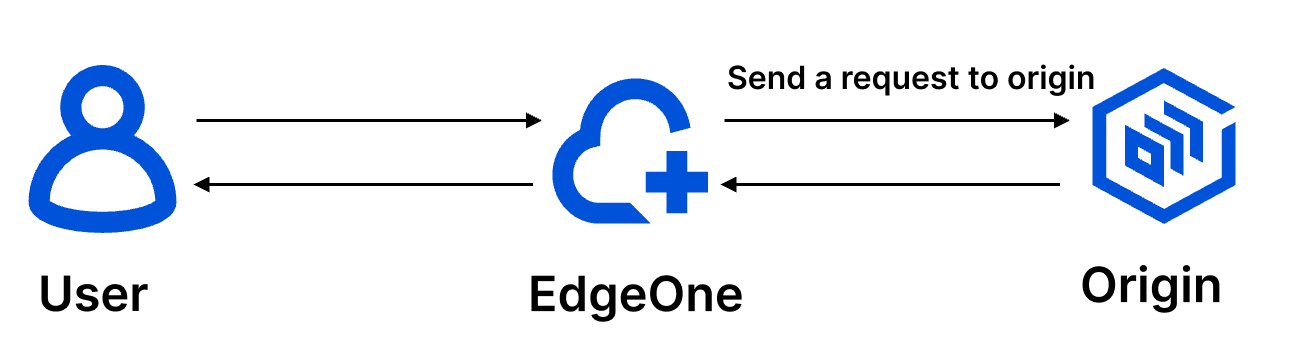
When Edgeone nodes origin-pull, if the origin needs to obtain some specific information through the HTTP request header for business logic judgment or data analysis, such as: client device type, acceleration service provider. This can be achieved by customizing/adding/deleting HTTP origin-pull request headers (node origin-pull direction), where the header value supports variables, please refer to EdgeOne preset variables for details.
Note:
EdgeOne supports carrying X-Forwarded-For and X-Forwarded-Proto by default for origin-pull, and you do not need to configure it again, please see: Default HTTP Headers of Origin-Pull Requests.
Directions
Scenario 1: Carry device type information to the origin when origin-pulling
For example: If you want the current domain name www.example.com to aggregate the User-Agent header value carried by the client request into device type-related headers and pass them to the origin when origin-pulling, you can refer to the following steps for configuration:
1. Log in to the Tencent Cloud EdgeOne console, enter Service Overview in the left menu bar, and click the site to be configured under Website Security Acceleration.
2. On the site details page, click Site Acceleration to enter the global site configuration page, then click the Rule Engine tab.
3. On the rule engine management page, click Create rule and select Add blank rule.
4. On the rule editing page, select the matching type as Host equals www.example.com.
5. Click on the Action, and in the pop-up operation list, select the operation to modify the HTTP origin-pull request header.
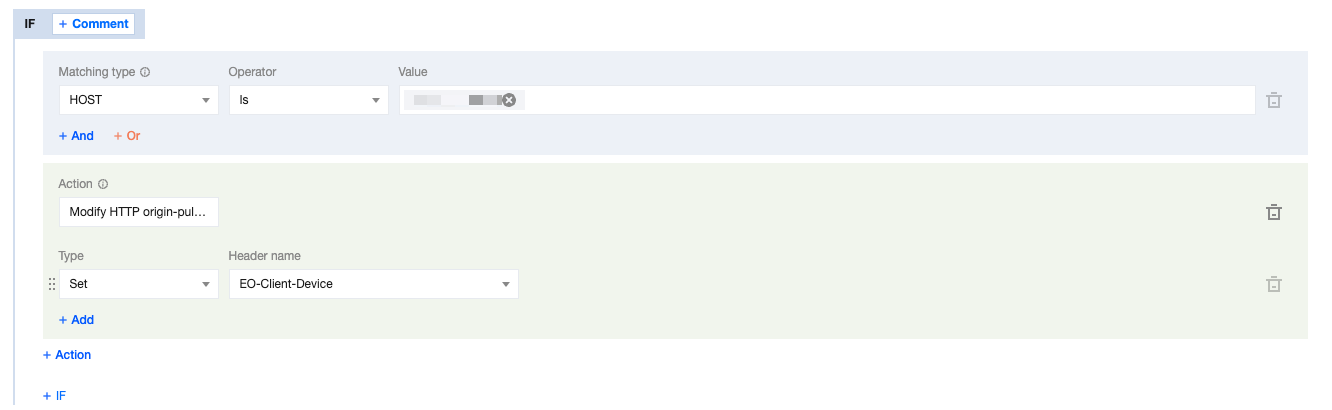
6. Select the type as Add, the preset header with the header name EO-Client-Device, and the configuration result is as follows:
7. Click Save and Publish to complete the rule configuration.
Scenario 2: Pass the acceleration domain name to the origin through a custom header when origin-pulling
For example: If your current domain name www.example.com has been configured to origin-pull Host for other domain names, and you want to pass the acceleration domain name to the origin through a custom header Tencent-Acceleration-Domain, you can refer to the following steps for configuration:
1. Log in to the Tencent Cloud EdgeOne console, enter Service Overview in the left menu bar, and click the site to be configured under Website Security Acceleration.
2. On the site details page, click Site Acceleration to enter the global site configuration page, then click the Rule Engine tab.
3. On the rule engine management page, click Create rule and select Add blank rule.
4. On the rule editing page, select the matching type as Host equals www.example.com.
5. Click on the Action, and in the pop-up operation list, select the operation to modify the HTTP origin-pull request header.
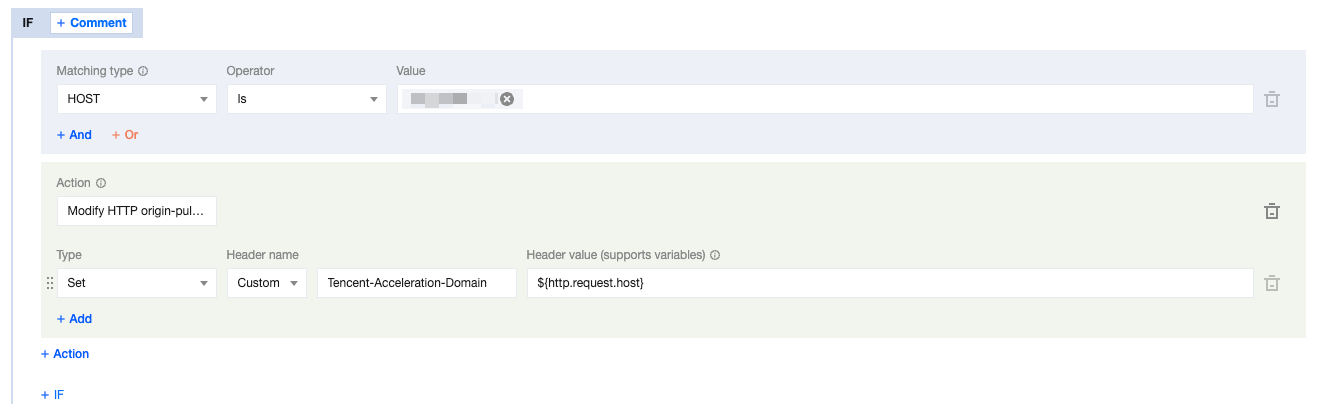
6. Select the type as Add, the header name as Tencent-Acceleration-Domain, and the header value as ${http.request.host}, and the configuration result is as follows.
7. Click Save and Publish to complete the rule configuration.
Related Reference
The types supported by modifying the HTTP origin-pull request header are described as follows:
Type
Description
Set
Change the value of the specified header parameter to the set value, and the header is unique. Note: If the specified header does not exist, the header will be added.
Add
Add the specified header. Note: If the header already exists, it will still be added and will not overwrite the existing header.
Delete
Delete the specified header.
Supported header name description:
Header Type
Description
Custom
Custom header.
Name: 1 - 100 characters, consisting of numbers 0 - 9, characters a - z, A - Z, and special symbol -.
Value: 1 - 1000 characters, Chinese not supported.
Preset Header
Headers aggregated based on client User-Agent information:
Client Device Type: EO-Client-Device
Value: Mobile, Desktop, SmartTV, Tablet or Others
Client Operating System: EO-Client-OS
Value: Android, iOS, Windows, MacOS, Linux or Others
Client Browser Type: EO-Client-Browser
Value: Chrome, Safari, Firefox, IE or Others
Limitations
In the same Modify HTTP Request Header operation, multiple different types of operations can be added, up to 30, and the execution order is from top to bottom.
Some standard headers are not supported for configuration, as follows: