Gesture Detection
ダウンロード
フォーカスモード
フォントサイズ
Overview
Input the camera's OpenGL texture and output real-time gesture detection data. You can use this data for further development.
Android Interface Description
Android Integration Guide
Integrate Tencent Effect SDK on Android, for details please refer to: Integrate Tencent Effect SDK Independently.
Android Interface Invocation
1.Turn on the gesture detection feature switch (in XmagicApi.java)
public void setFeatureEnableDisable(String featureName, boolean enable);
Fill in featureName with XmagicConstant.FeatureName.HAND_DETECT, and set enable to true.
2.Set data callback (in XmagicApi.java)
void setAIDataListener(XmagicApi.OnAIDataListener aiDataListener)public interface OnAIDataListener {void onFaceDataUpdated(List<TEFaceData> faceDataList);void onHandDataUpdated(List<TEHandData> handDataList);void onBodyDataUpdated(List<TEBodyData> bodyDataList);void onAIDataUpdated(String data);}
onAIDataUpdated returns a JSON structured string data.
iOS Interface Description
iOS Integration Guide
Integrate Tencent Effect SDK on iOS, for details please refer to: Integrate Tencent Effect SDK Independently.
iOS Interface Invocation
1.Turn on the gesture detection feature switch (in Xmagic.h)
- (void)setFeatureEnableDisable:(NSString *_Nonnull)featureName enable:(BOOL)enable;
Fill in featureName with HAND_DETECT (can be imported from TEDefine.h), and set enable to true.
2.Set data callback (in Xmagic.h)
- (void)registerSDKEventListener:(id<YTSDKEventListener> _Nullable)listener;- (void)onAIEvent:(id)event{NSDictionary *eventDict = (NSDictionary *)event;if (eventDict[@"ai_info"] != nil) {NSLog(@"ai_info %@",eventDict[@"ai_info"]);}}
eventDict[@"ai_info"] is the returned JSON structured string data.
Callback JSON Data Description
In the callback JSON data, the gesture-related data is in "hand_info", and the format is as follows:
"hand_info": { "gesture": "PAPER", "hand_point_2d": [180.71888732910156, 569.2958984375, ... , 353.8714294433594, 836.246826171875]}
The explanations of each field in hand_info are as follows:
Field | Explanation |
gesture | Gesture Type Name |
hand_point_2d | Captured gesture data information |
The following gestures are currently supported:
Order | Gesture | Type Name | Example Image |
1 | Heart | HEART |  |
2 | Gestrue with number 5(open) | PAPER | 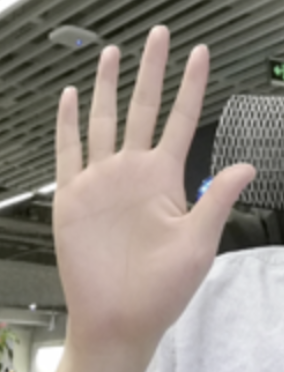 |
3 | Gesture with number 2 | SCISSOR |  |
4 | Fist | FIST |  |
5 | Gesture with number 1 | ONE |  |
6 | I love you | LOVE |  |
7 | Thumb up | LIKE |  |
8 | OK | OK |  |
9 | Rock | ROCK |  |
10 | Gesture with number 6 | SIX |  |
11 | Gesture with number 8 | EIGHT |  |
12 | Lift | LIFT | 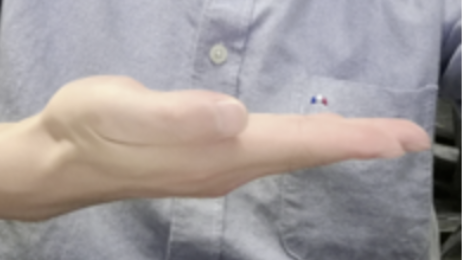 |
13 | Gesture with number 3 | THREE | 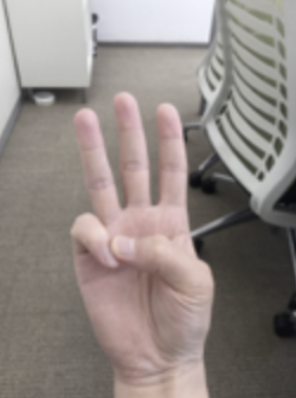 |
14 | Gesture with number 4 | FOUR |  |
If it is an undetected gesture, the gesture type name is OTHER.
フィードバック