tencent cloud

Vulnerability Scan Service

Product Introduction
Overview
Features
Strengths
Use Cases
Operation Guide
Adding IP to Allowlist
Adding Asset
Simulating Login
FAQs
VSS Policy
Privacy Policy
Data Processing And Security Agreement

Adding Asset

PDF
포커스 모드
폰트 크기
마지막 업데이트 시간: 2024-12-30 16:48:28
This document describes how to add an asset in the VSS console.

Overview

You can add assets on the asset management page to scan them for vulnerabilities. Currently, all websites accessed through domain name, IP, or WeChat Official Account, servers, and APIs can be added as assets.

Directions

1. Log in to the VSS console and click Asset Management on the left sidebar to enter the asset management page.
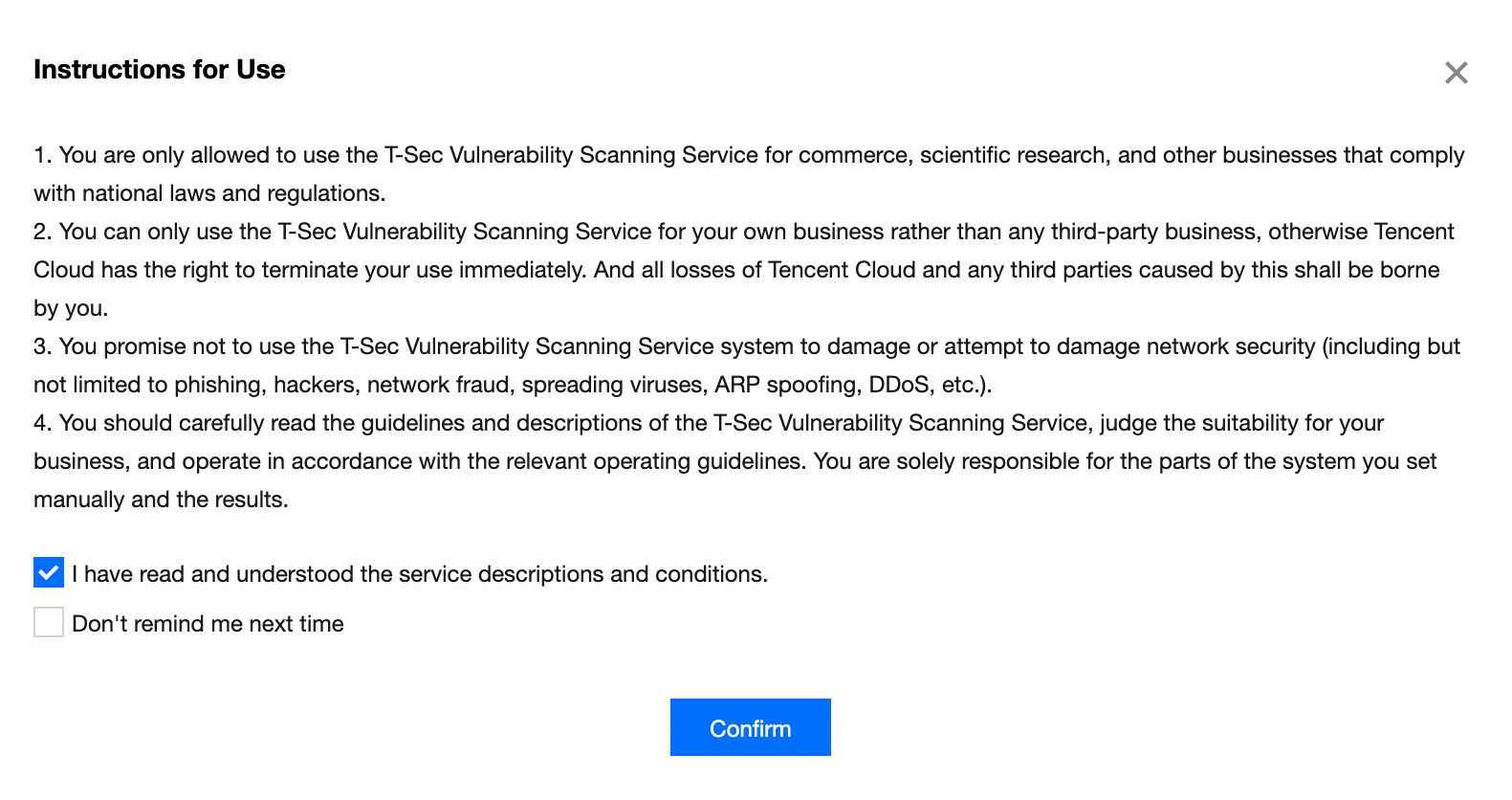
2. On the asset management page, click Add Asset, and the Use Instructions window will pop up.
3. In the Use Instructions pop-up window, read the use instructions, select I have read and understood the product's service descriptions, conditions, and restrictions, and click OK to enter the Add Asset page.

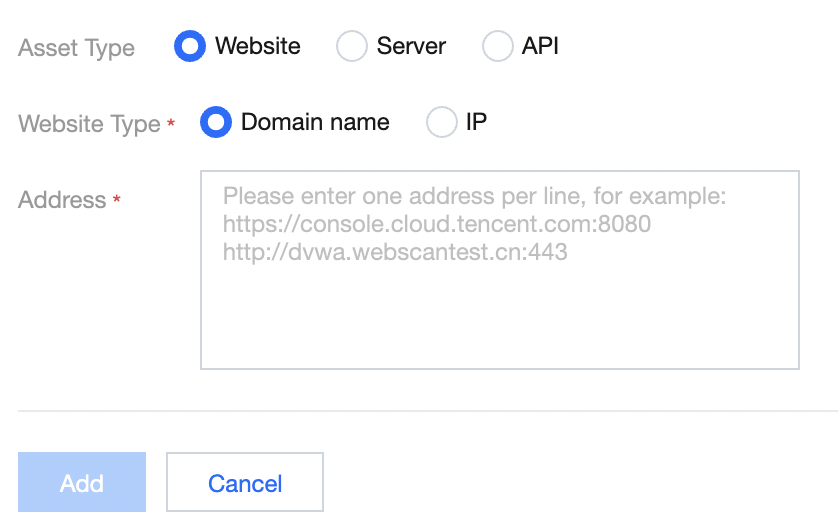
4. On the Add Asset page, select a type, enter the corresponding information, and click Add.
Note:
You can enter multiple website addresses and separate them with line break.


도움말 및 지원

문제 해결에 도움이 되었나요?

피드백