tencent cloud

HTTPDNS

Product Introduction
Overview
Scenarios
Strengths
Use Limits
Purchase Guide
Billing Overview
Payment Overdue
Getting Started
Activating HTTPDNS
Connecting to HTTPDNS
Operation Guide
Adding a Domain
DNS Statistics Description
Query Monitoring
API Documentation
Configuration Information Description
Querying with HTTP Request Methods
AES/DES Encryption/Decryption
Practical Tutorial of API Connection
SDK Documentation
SDK Quick Access
SDK for iOS
SDK for Android
Access Management
Overview
Sample Access Control Policy
FAQs
HTTPDNS Policy
Privacy Policy
Data Processing And Security Agreement
Documentation HTTPDNSOperation GuideDNS Statistics Description

DNS Statistics Description

PDF
Focus Mode
Font Size
Last updated: 2024-12-31 11:42:26


Overview

This document describes how to view the DNS statistics of a domain.

Directions

1. Log in to the HTTPDNS console.
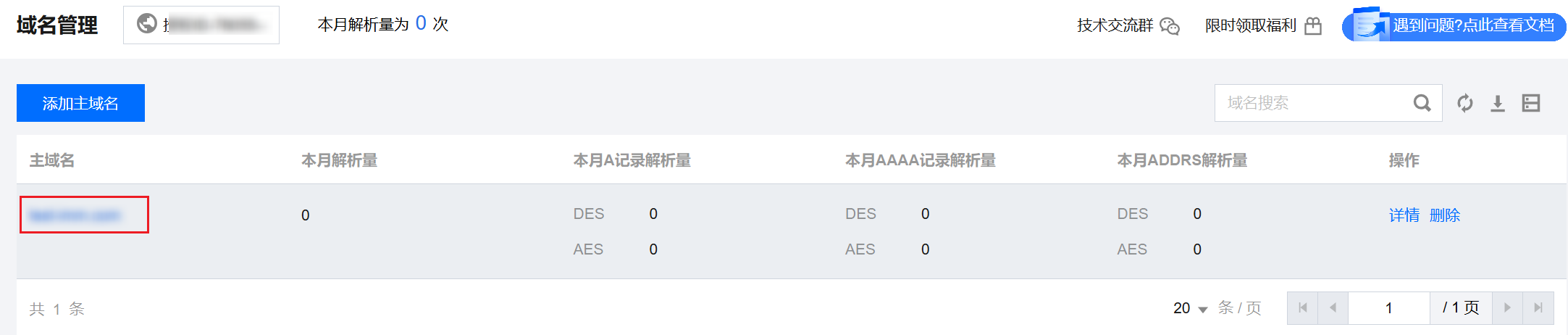
2. Click Domain Management on the left sidebar and click the target domain.

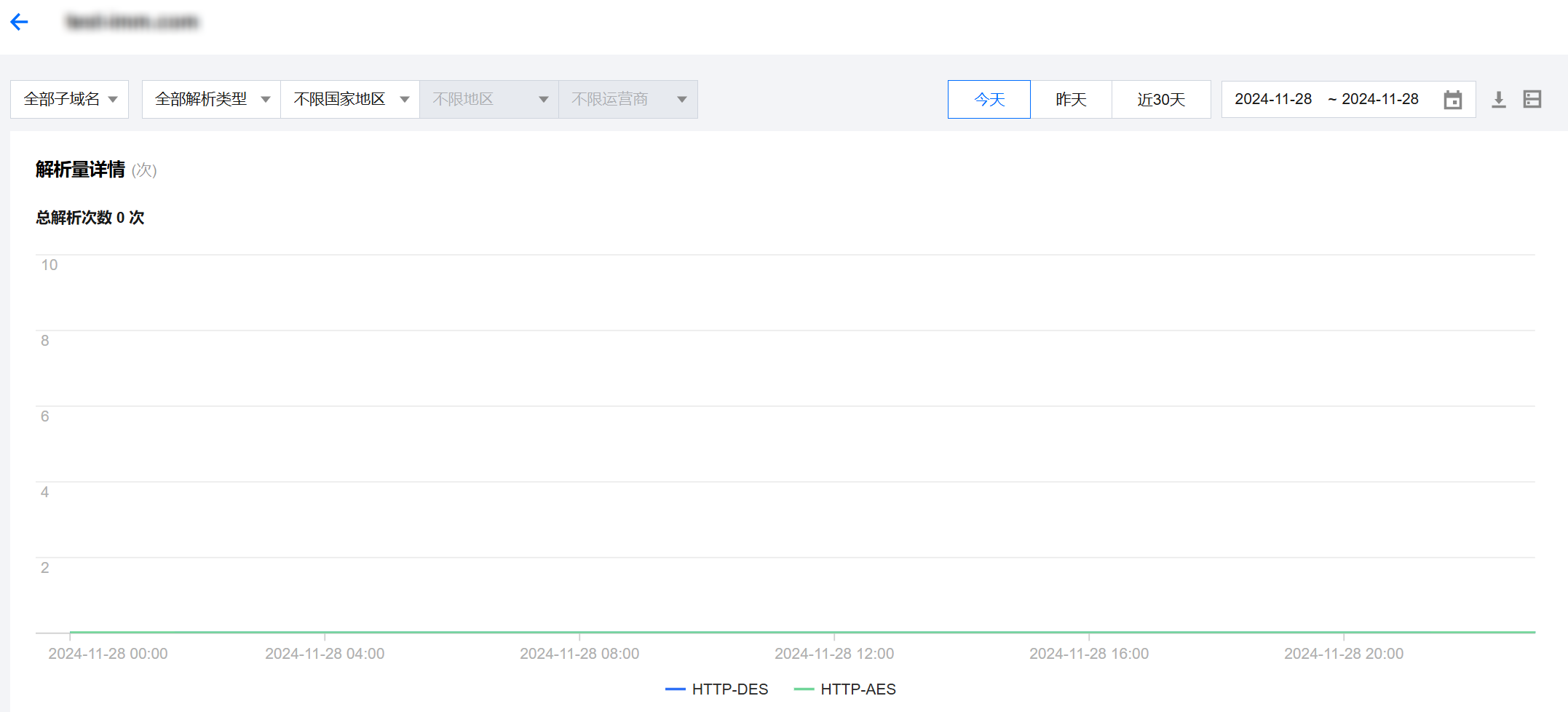
3. On the Query volume details page, you can filter data by different conditions:

Filter by subdomain: You can filter data by subdomains of the domain.
Filter by protocol: You can filter data by protocols of the domain.
Filter by time: You can select a time period to display data.

Help and Support

Was this page helpful?

Help us improve! Rate your documentation experience in 5 mins.

Feedback