After you create an HA ClickHouse cluster on Tencent Cloud, a ZooKeeper cluster will be created by default to serve the ClickHouse cluster. However, if the load of the ZooKeeper cluster is too high, the ClickHouse cluster will experience write congestion or even a crash in a severe case. Therefore, Tencent Cloud TCHouse-C offers a multi-ZooKeeper solution, where you can configure several sets of ZooKeeper clusters to serve the ClickHouse cluster by load.
Notes
1. The multi-ZooKeeper solution applies only to HA clusters.
2. You can configure up to seven sets of additional ZooKeeper clusters.
3. All Zookeeper nodes in a cluster must be in the same spec (including the spec after scale-up/scale-down).
4. Additional ZooKeeper clusters differ from the default ZooKeeper cluster only in terms of table creation.
Directions
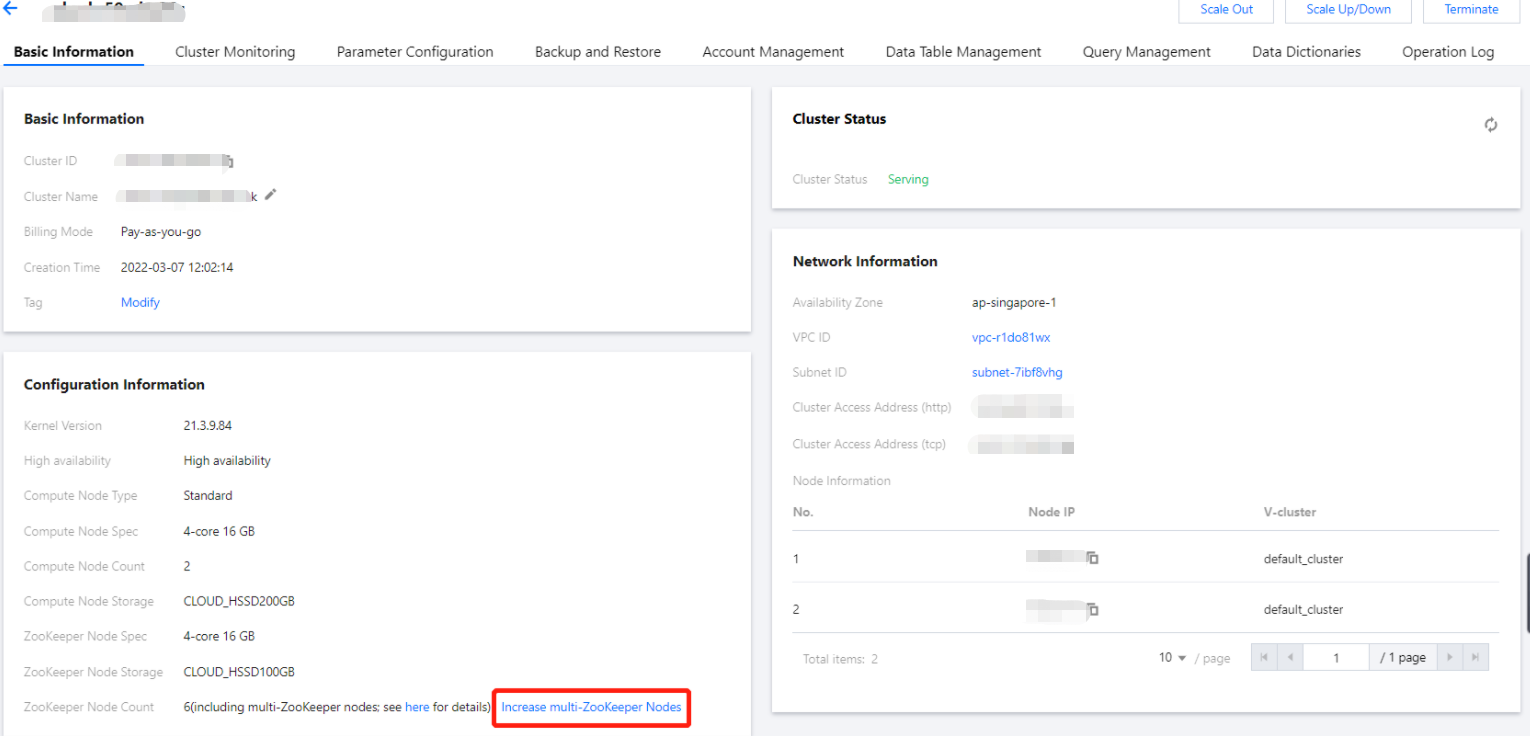
1. Log in to the Tencent Cloud TCHouse-C console, select the target cluster in Cluster List, and click Upgrade to Multi-ZooKeeper on the cluster details page.
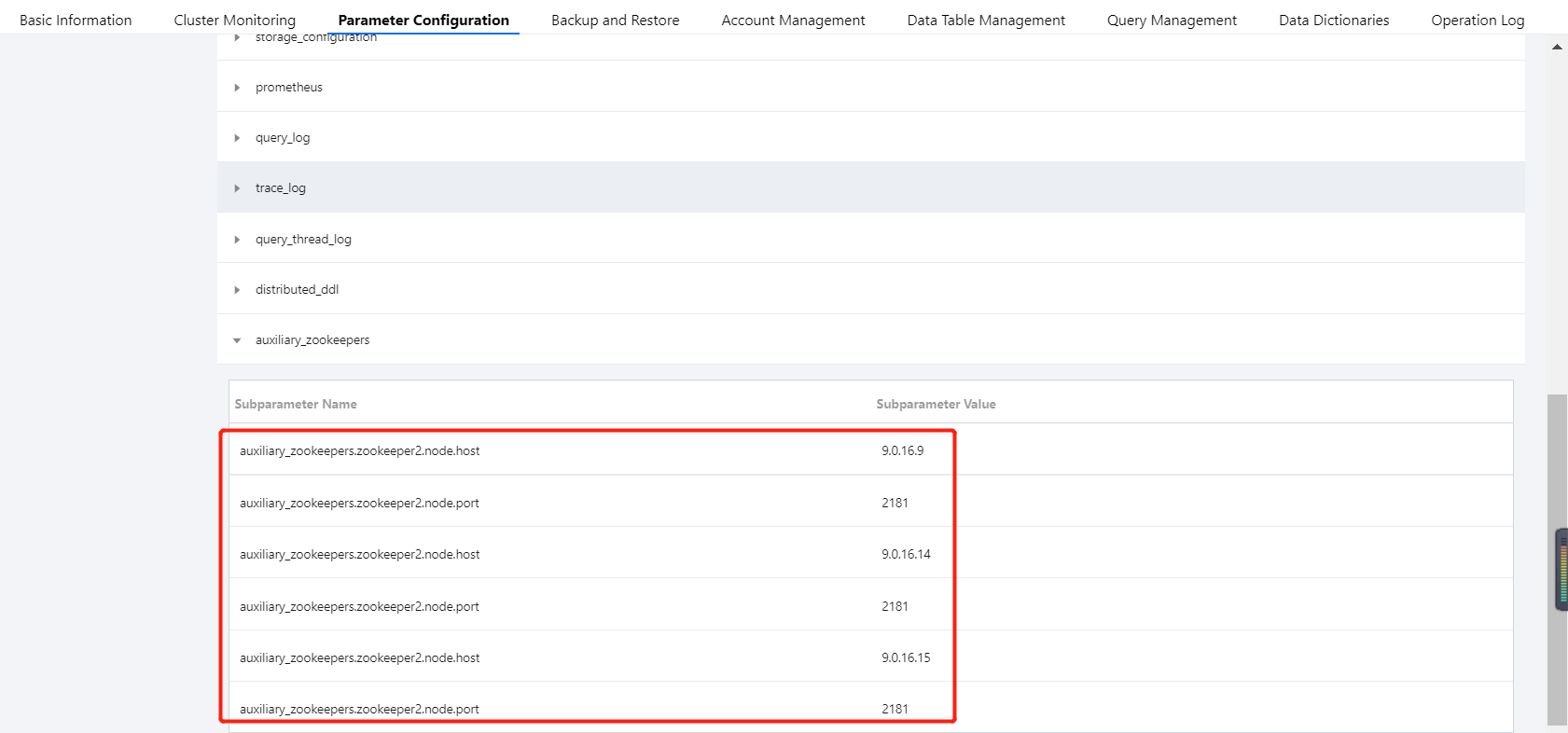
2. View the information on existing additional ZooKeeper clusters in the configuration file config.xml.
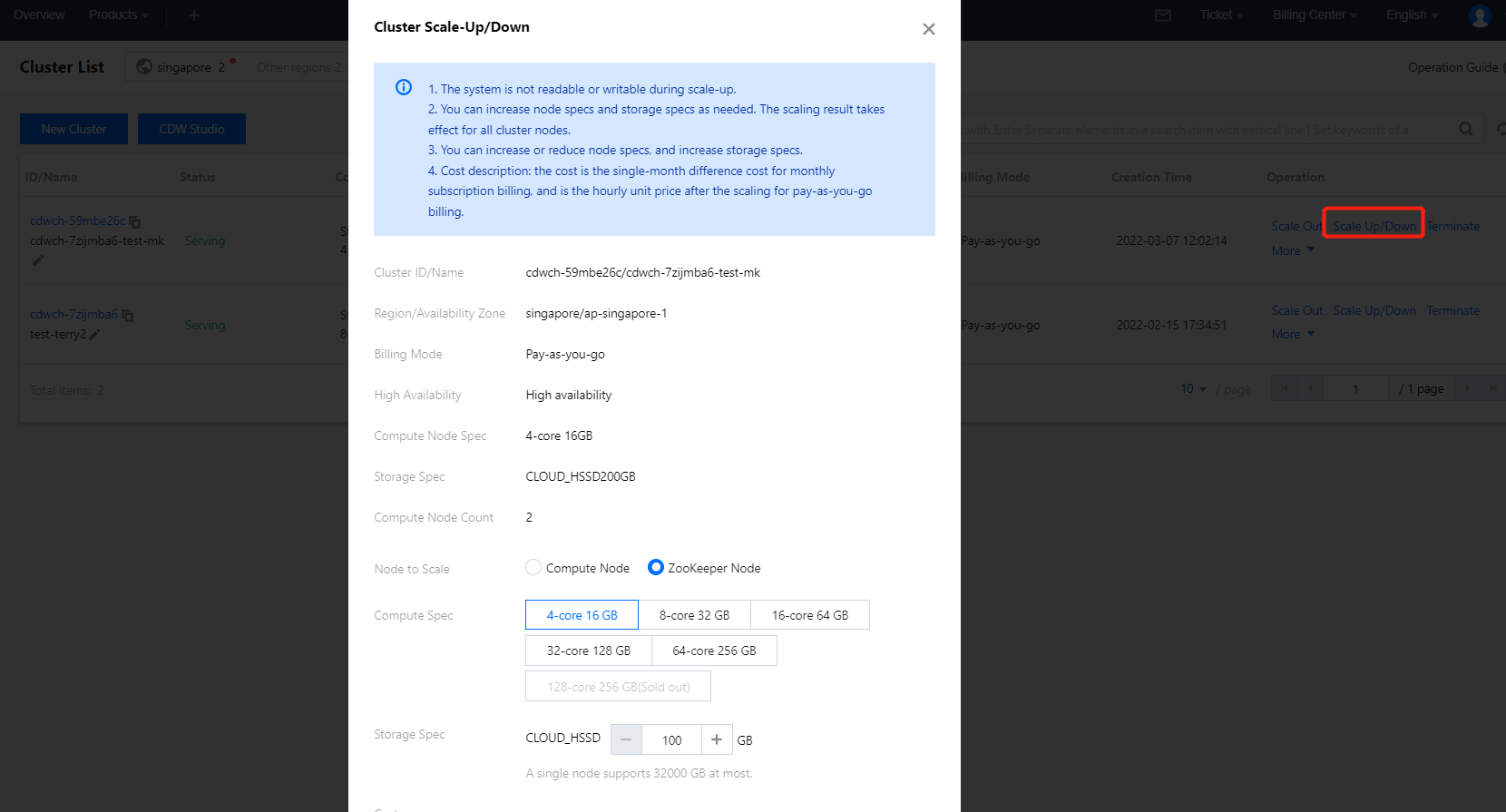
3. After you create an additional ZooKeeper cluster, you can scale up/down or expand the disk capacity of the ZooKeeper nodes in the cluster.
Using Multi-ZooKeeper
1. Create a database.
CREATE DATABASE IF NOT EXISTS testdb ON CLUSTER default_cluster;
2. Create a table that uses the default ZooKeeper cluster.
CREATE TABLE testdb.account ON CLUSTER default_cluster(accountid UInt16,name String,address String,year UInt64) ENGINE =ReplicatedMergeTree('/clickhouse/tables/{layer}-{shard}/testdb/account', '{replica}') ORDER BY (accountid);
3. Create a table that uses an additional ZooKeeper cluster.
--Prefix the path with 'zookeeper2:'for a table that uses the second set of ZooKeeper cluster, 'zookeeper3'for a table that uses the third set of the ZooKeeper cluster, etc.
CREATE TABLE testdb.account2 ON CLUSTER default_cluster(accountid UInt16,name String,address String,year UInt64) ENGINE =ReplicatedMergeTree('zookeeper2:/clickhouse/tables/{layer}-{shard}/testdb/account2', '{replica}') ORDER BY (accountid);