If you find that there is some gap between the transcription result and your expectation when using ASR, you can troubleshoot the problem according to this document.
Troubleshooting Steps
Common problems include the following:
1. The audio content is not clear or comprehensible by ordinary people. In this case, we recommend you transform the audio capture environment on the frontend, for example, changing from far field to near field for audio capture, controlling and reducing noises in the environment, using standard universal language without accent or dialect (i.e., language comprehensible by non locals), and reducing slurs caused by fast speech.
2. The audio content is comprehensible, but the recognition result is very different from what is heard. This problem is generally caused by the failure of the audio information to meet the requirements of ASR.
View detailed audio information in Cool Edit, Adobe Audition, or FFmpeg, including sample rate, number of channels, and bit depth. ASR currently only supports audios with a sample rate of 8,000 Hz or 16,000 Hz and a bit depth of 16-bit (specifically, real-time speech recognition supports only mono-channel audios). Note that if you use real-time speech recognition, the audio attributes must strictly meet the above requirements.
View the audio waveform and spectrum (in the View option in Adobe Audition) to determine the real sample rate of the audio, which should meet the requirements of ASR (8 kHz sample rate for 8 kHz phone call engine model or 16 kHz for 16 kHz non-phone call engine model).
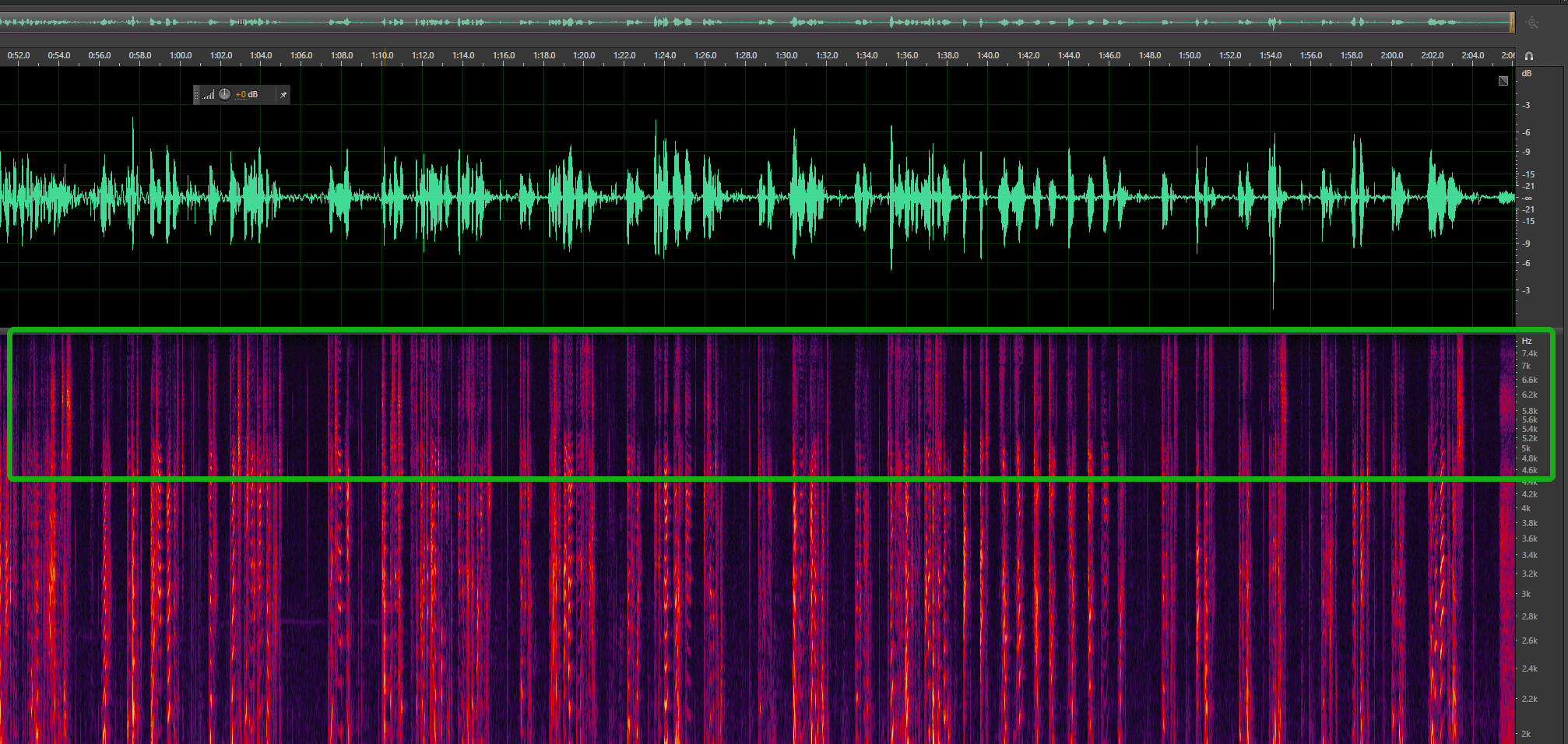
The waveform and spectrum of a true 16,000 Hz audio is as follows (true sample rate = the highest value on the right in the box * 2, i.e., 8 kHz x 2 = 16 kHz):
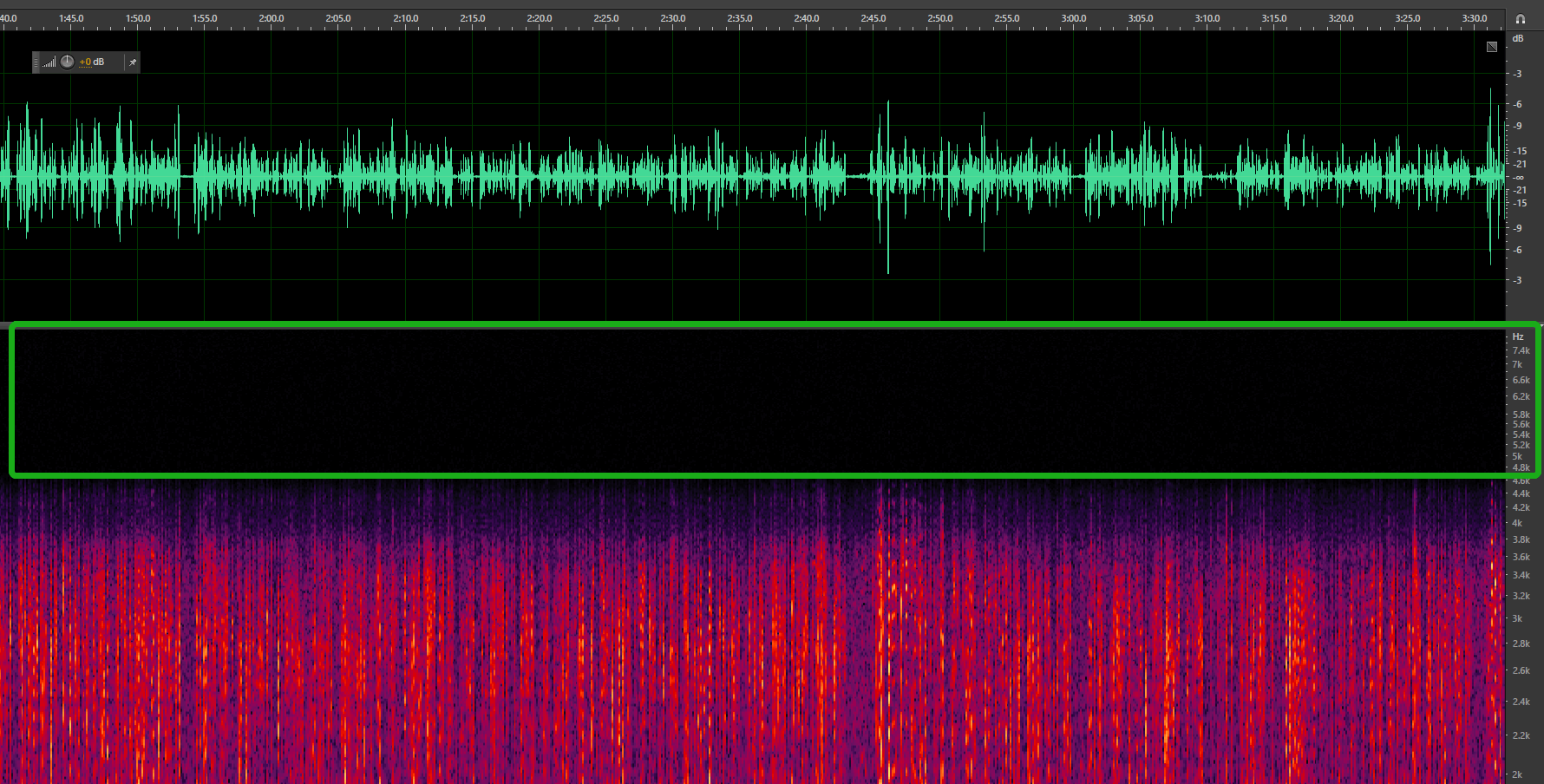
The waveform and spectrum of a fake 16,000 Hz audio is as follows (which is actually 4.6 kHz * 2 = 9.2 kHz). It can be seen that the audio information is completely missing in the 4.6k–8k frequency band.
3. The audio content is comprehensible, and the recognition result is not much different from what is heard, but some unique nouns or sentences are poorly recognized. The recognition effect can be improved as follows:
4. The audio content is comprehensible, and the recognition result is not much different from what is heard, but there are some extra words recognized. This problem is generally caused by noise. There are two types of noise: non-human noise and human noise. ASR's algorithms are optimized and adapted for non-human noise, and you can submit bad cases caused by such noise to Tencent Cloud for further analysis and optimization. If the problem is caused by human noise, it is hard to be solved, because the human speech to be recognized may be hindered by noise reduction.