When using the Tencent Managed Service for Prometheus (TMP) service, you may use resources such as Tencent Kubernetes Engine (TKE) serverless clusters, TencentCloud Managed Service for Grafana (TCMG), and Cloud Load Balancer (CLB). This document describes the use cases and billing rules of these resources.
TKE Serverless Cluster
Use cases
You need to create a TKE serverless cluster if you use a TMP-associated cluster to monitor TKE.
A TKE serverless cluster will be automatically created for data collection when you install an integration plugin in the TMP integration center.
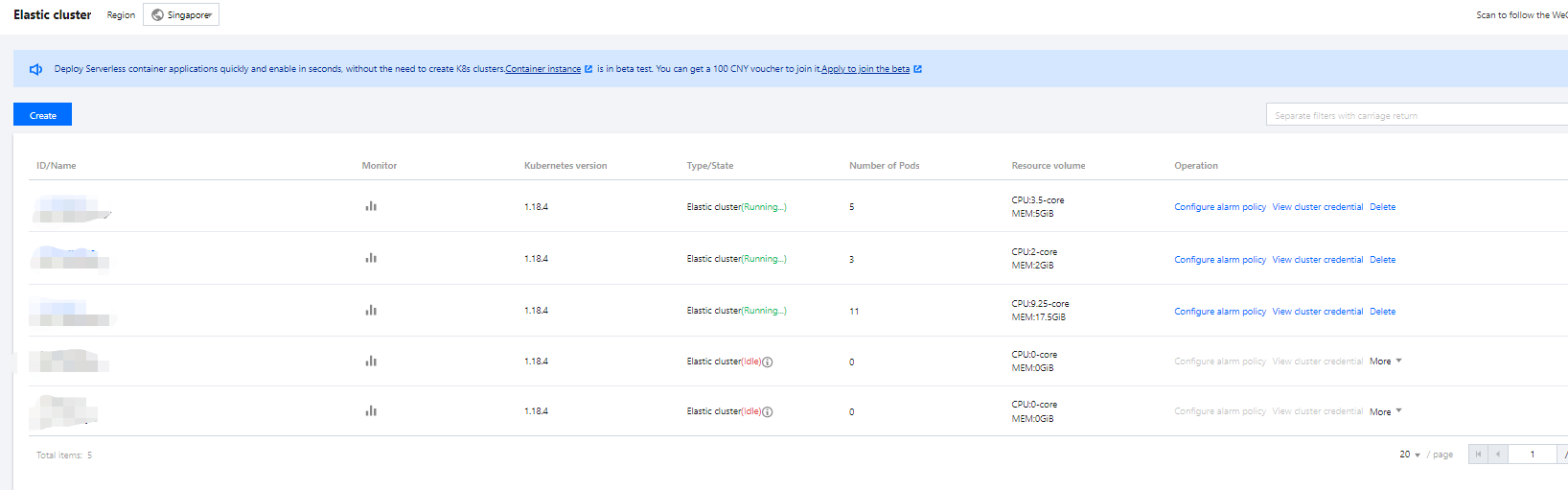
If both use cases are required for you, only one TKE serverless cluster will be created and shared. You can view the created clusters on the cluster list page.
Note
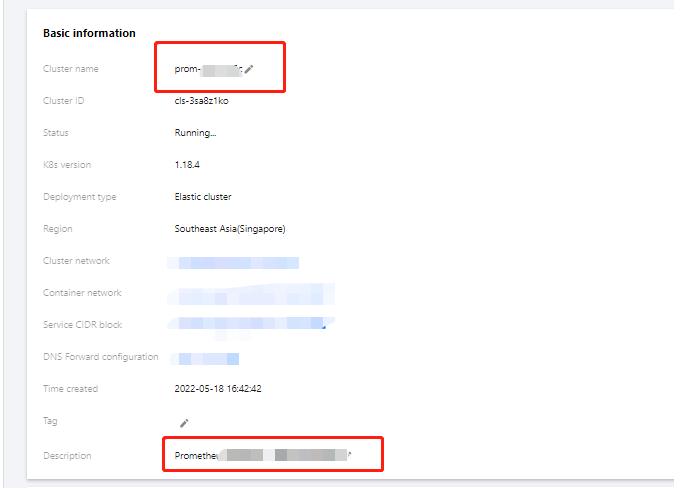
The name of the TKE serverless cluster is the TMP instance ID, and the cluster description states that For TMP use only. Do not modify or delete.
Billing overview
The billing mode is pay-as-you-go. For more information, see Product Pricing.
The TKE serverless cluster automatically scales according to the monitoring size. The relationship between the monitoring size and the TKE serverless cluster cost is shown below:
Sample TKE serverless cluster costs are as follows:
If the TKE serverless cluster used for a newly initialized TMP instance consumes 1.25 CPU cores and 1.5 GiB memory, then the estimated list price per day will be 0.0319 24 + 0.0132 24 = 1.0824 USD.
TCMG
Use cases
When creating a TMP instance, you need to associate it with a TCMG instance in the same region for the visual display of monitoring data collected by TMP. For billing information, see Billing Overview.
CLB
When you use a TMP-associated cluster to monitor TKE, a private network CLB instance will be created under your account for network connectivity between the collector and the cluster.
If you associate an edge cluster or a cluster with no network connection, a public network CLB instance will be created for network connectivity.
To access the TCMG service over the public network, you need to create a public network CLB instance.
These CLB resources will be charged. You can view the resource information of the created public network CLB instances in the CLB console.
Resources are billed based on the actual usage. For billing details, see Network Pricing.
Resource Termination
If you terminate TMP instances in the TMP console, all relevant resources will also be terminated. Tencent Cloud does not repossess TMP instances proactively. If you no longer use TMP, you need to delete the instances promptly to avoid extra charges. For instance termination directions, see Terminating Instance.