This document introduces the operations and instructions for deleting a global database (GD).
Prerequisites
Precautions
Once the GD is deleted, all clusters will be disconnected. Proceed with caution.
Once the GD is deleted, the primary cluster will become an independent cluster, having the same capabilities as a standard provisioned resource cluster. The secondary clusters will be isolated in the recycle bin. If you want to continue using them, you can restore the instance during the isolation period. Once the GD is deleted, applications that are connected to the GD will no longer be able to access the database. Update the related connection addresses of applications promptly.
Directions
2. Click GDN in the left sidebar.
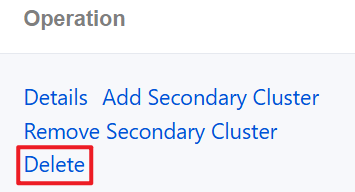
3. Find the GD that needs to be deleted in the list, and click Delete in the operation column.
4. In the pop-up window, check and confirm the cluster information, and then click OK.