When you don't need a record any longer, you can delete it. Once deleted, the record will stop taking effect.
Directions
1. Log in to the Private DNS console and click Private Domain List on the left sidebar to enter the private domain list.
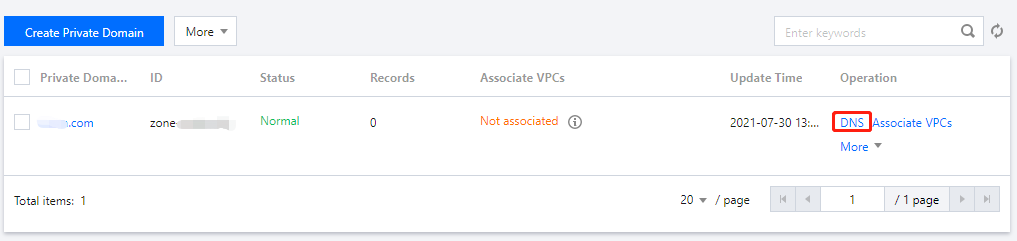
2. In the Private Domain List, select the domain for which you want to delete a record or click DNS in the Operation column to enter its DNS Records page as shown below:
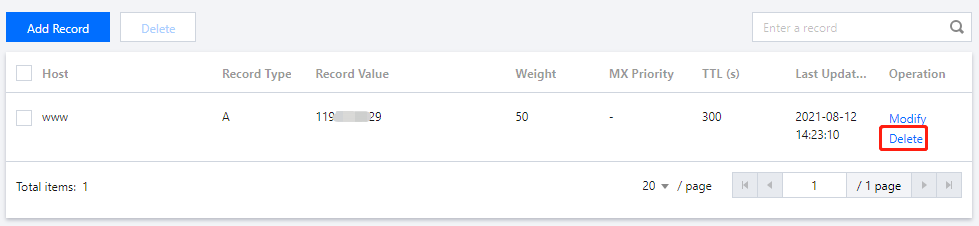
3. Select the record you need to delete and click Delete in the Operation column to delete it as shown below:
Note:
For private domains that are associated with VPCs, the VPCs should be disassociated first before you can delete records for them.