tencent cloud

Simple Email Service

News and Announcements
Release Notes
Announcement on a Newly Added Independent IP Value-Added Service
Product Introduction
Overview
Features
Strengths
Use Cases
Specifications
Purchase Guide
Pricing
Getting Started
Email Configuration
Email Sending
Reputation Level
Console Guide
Configuration
Email Sending
Statistics
Delivery Response
API Documentation
History
Introduction
API Category
Making API Requests
Domain Verification APIs
Mail APIs
Template APIs
Statistics APIs
Sender Address APIs
Blocklist APIs
Sending Status Query APIs
Batch Task APIs
Custom Blocklist APIs
Data Types
Error Codes
SMTP Documentation
SMTP Email Sending Guide
SMTP Service Address
Sample Call for Java
Sample Call for Go
Sample Call for PHP
Sample Call for Python
Sample Call for C#
Sending Email with Attachment
Error Code
Webhook Documentation
Email Event Notification
Email Sending Restrictions
Attachment Types
FAQs
Getting Started
Billing
Sending Limits
Sending Feature
Domain
Template
Identity Verification and Configuration
Independent IP Related Questions
Delivery
API Use
Callback
Spam Folder
Security
Domain Acceleration Configuration
Important Notes
Others
Contact Us

SMTP Email Sending Guide

PDF
Focus Mode
Font Size
Last updated: 2026-02-06 21:30:37

Enabling SMTP Sending Feature

Note:
Starting at 00:00 (Beijing Time) on March 2, 2026,newly activated SES accounts under individual real-name verification will no longer be able to send email via the SMTP. It is recommended to upgrade to an organization verified account or use the API/Console to send emails. Learn more.

Directions

Step 1. Go to the sender address page

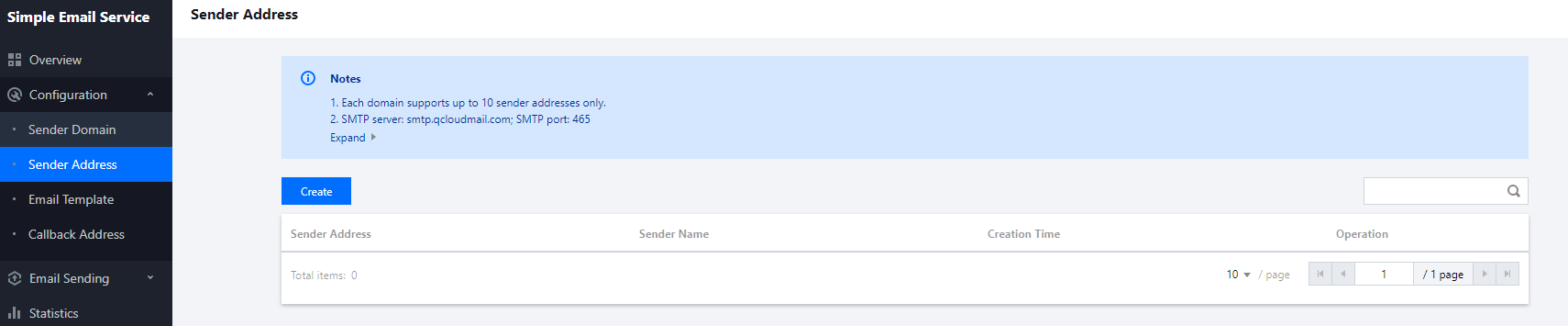
Log in to the SES console and click Configuration > Sender Address on the left sidebar to enter the sender address page.


Step 2. Configure the SMTP password

1. In the sender address list, find the one for which you want to enable SMTP sending, and click Set SMTP Password in the Operation column.
2. Enter the SMTP password in the pop-up window and click OK.

Sending Email via SMTP API

For the SMTP sample code and specific request parameters, response parameters, and error codes, see SMTP Sample Call.
Note:
Emails with attachments can be sent as instructed in Sending Email with Attachment via SMTP.

SMTP Sending Frequency

The current call rate of the SMTP API is limited to 20 times per second under the same Tencent Cloud account appId. In addition, the same sender can send up to 10 emails per hour to the same recipient.
We will deliver emails as soon as possible after receiving them. However, due to the different traffic throttling and reputation protection policies of different email systems, in order to improve your email delivery success rate, we recommend you send emails at a lower frequency.

Help and Support

Was this page helpful?

Help us improve! Rate your documentation experience in 5 mins.

Feedback