Ad Insertion Service Log Delivery
ダウンロード
フォーカスモード
フォントサイズ
StreamPackage SSAI service supports delivering logs to Cloud Log Service (CLS), enabling a comprehensive log service that covers log collection, log storage, and log retrieval.
Note:
Cloud Log Service (CLS) is an independently billed cloud product. For billing standards, see CLS Purchase Guide.
Activating CLS and Role Authorization
1. Activate CLS.
2. Enter StreamPackage Ad Insertion Configurations, select a configuration, enter Ad Insertion Configuration Details page > CLS Logs, and click Go to Authorization.
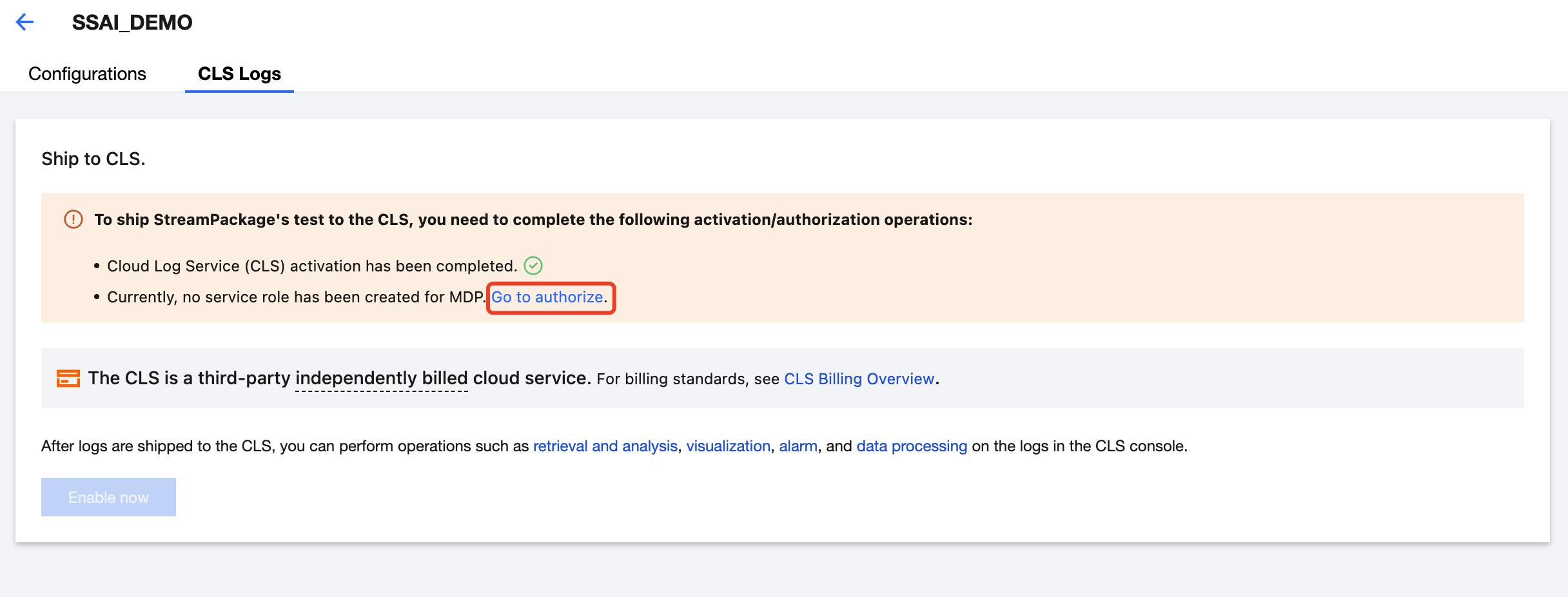
3. In the Service Authorization pop-up window, click Grant to complete the authorization operation.
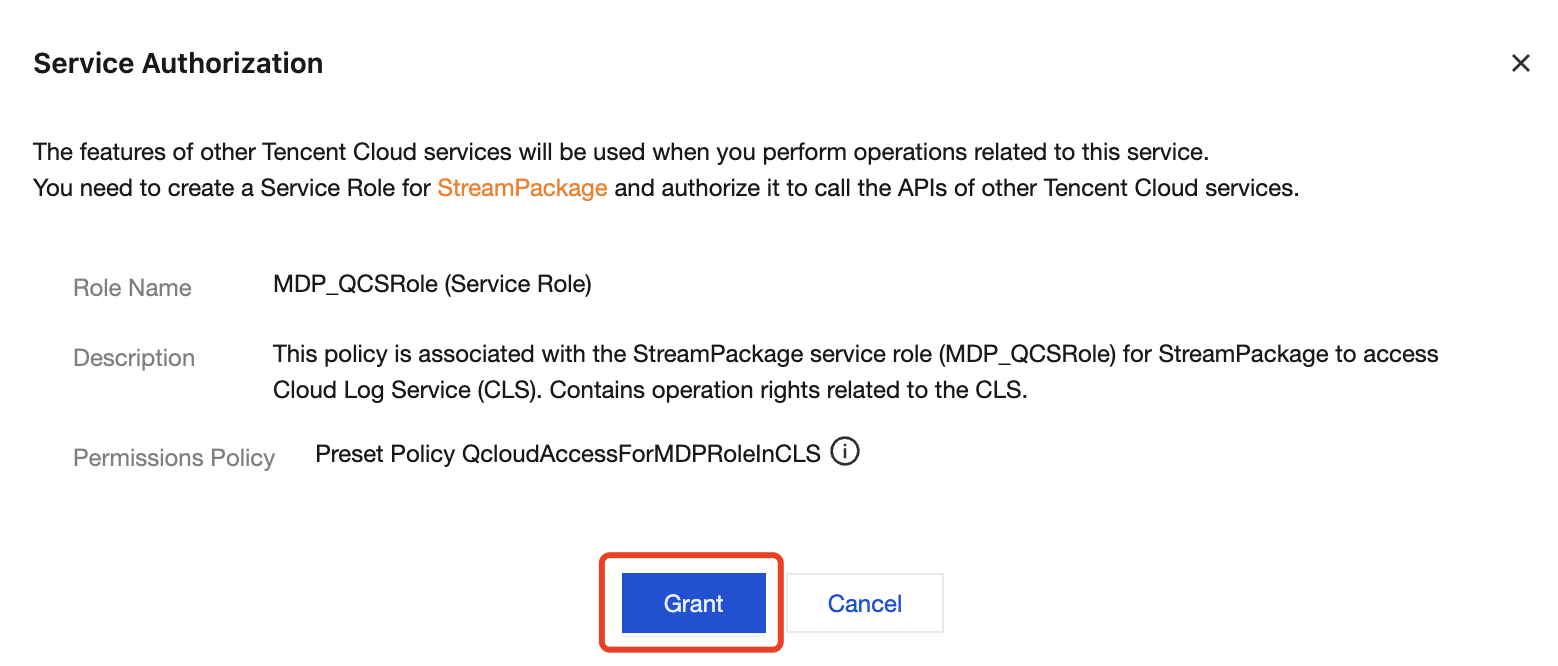
4. After the operation is completed, CLS can be used.
Definition of StreamPackage SSAI Logs
Field Value | Description |
SESSION_INITIALIZED | Trigger: When the session object is created (stream playback). |
ADS_REQUEST | Trigger: Before sending a request to the ADS. |
ADS_RESPONSE | Trigger: After receiving a response from the ADS. |
AVAIL_FILLED | Trigger: When the ad slot is filled. |
AVAIL_FILL_FAILED | Trigger: When the ADS request fails or no ad is returned. |
BEACON_FIRED | Trigger: When sending an ad tracking beacon (impression, start, 1/4, etc.). |
AD_TRANSCODE_PROCESS | Trigger: When MPS processes ad materials. |
Enabling CLS
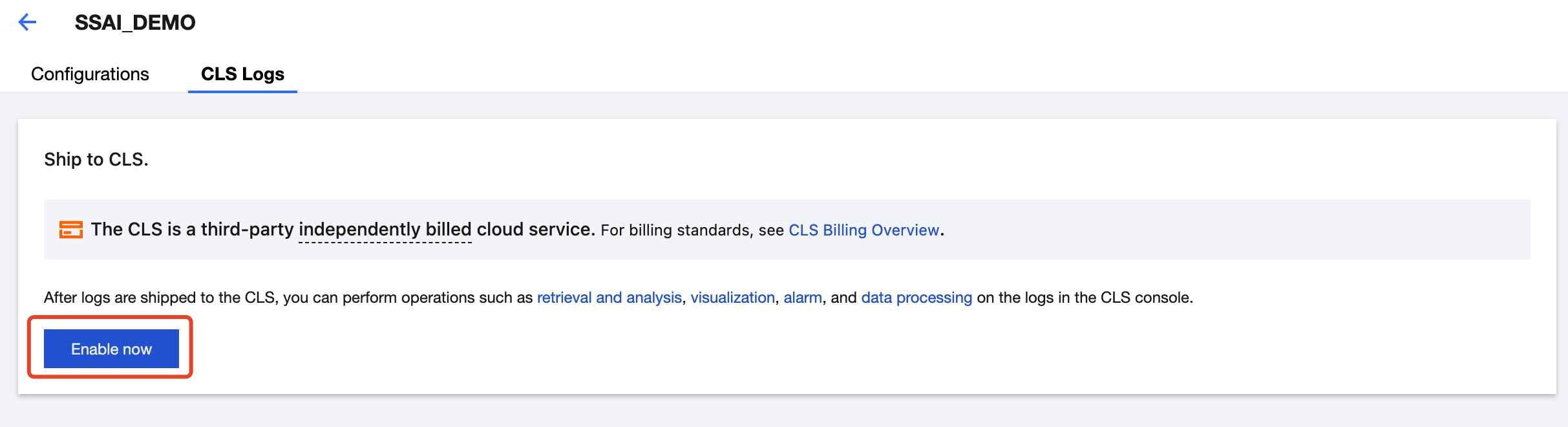
1. In StreamPackage Ad Insertion Configurations, select a configuration, go to Ad Insertion Configuration Details page > CLS Logs, and click Enable Now to ship logs to CLS.
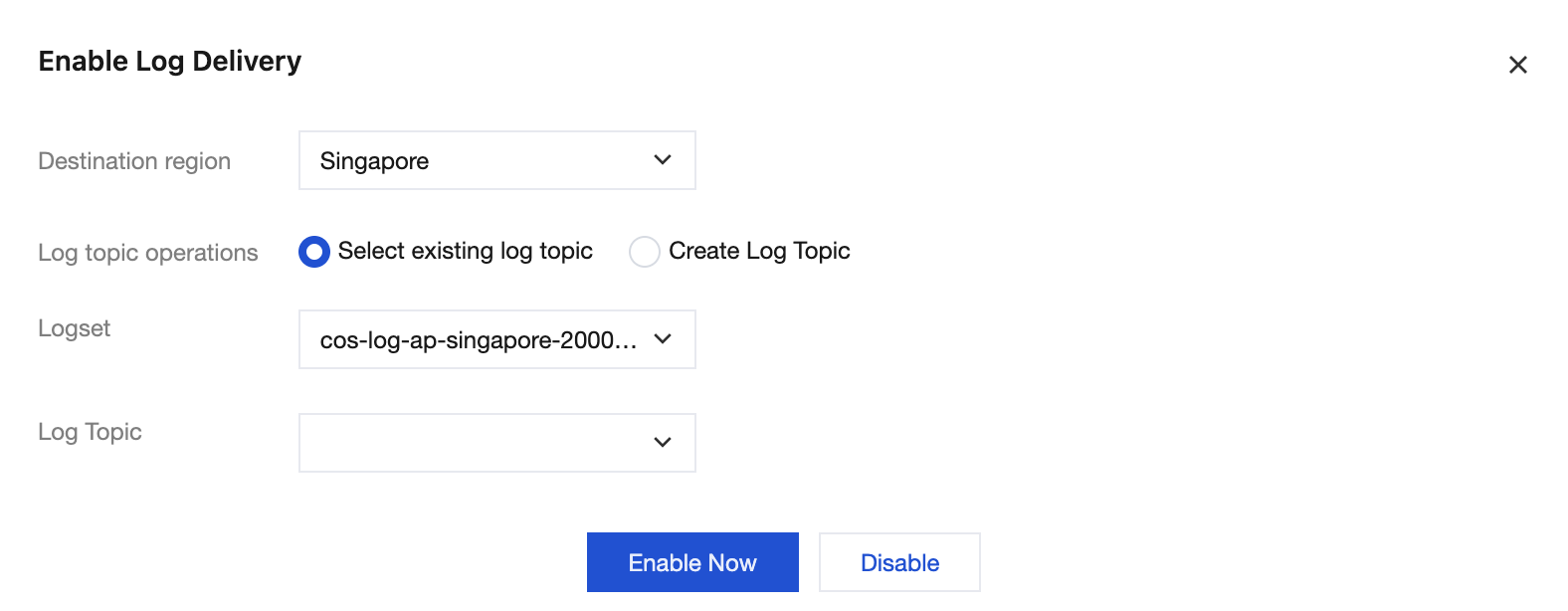
2. In the Enable Log Delivery pop-up window, select the target region, logset, log topic, and other configurations.
Parameter | Description |
Destination region | Select the region for log shipping. |
Log topic operations | Log topic is the fundamental cell for log data collection, storage, search and analysis. Selecting an existing log topic or creating a topic is supported. |
Log topic | Select existing log topic: You can filter log topics under the selected logset in the search box. Create log topic: Create a log topic under the selected logset. Note: |
Logset operation | A logset is a categorization of log topics, making it easier to manage log topics. Selecting an existing logset or creating a logset is supported. This option is available only when the log topic operation is set to Create a Log Topic. |
Logset | Select the existing logset: You can filter the existing logset in the search box. Create a logset: This option is available only when the log topic operation is set to Create a Log Topic. |
3. After the parameter configuration is selected, click Enable Now.
Search and Analysis
1. After enabling CLS, you can click Search and Analysis to navigate to the CLS console.

2. In the CLS console, Search and Analysis support filtering, searching, and statistical analysis of log data. For details, see Search and Analysis.
Disable Delivery
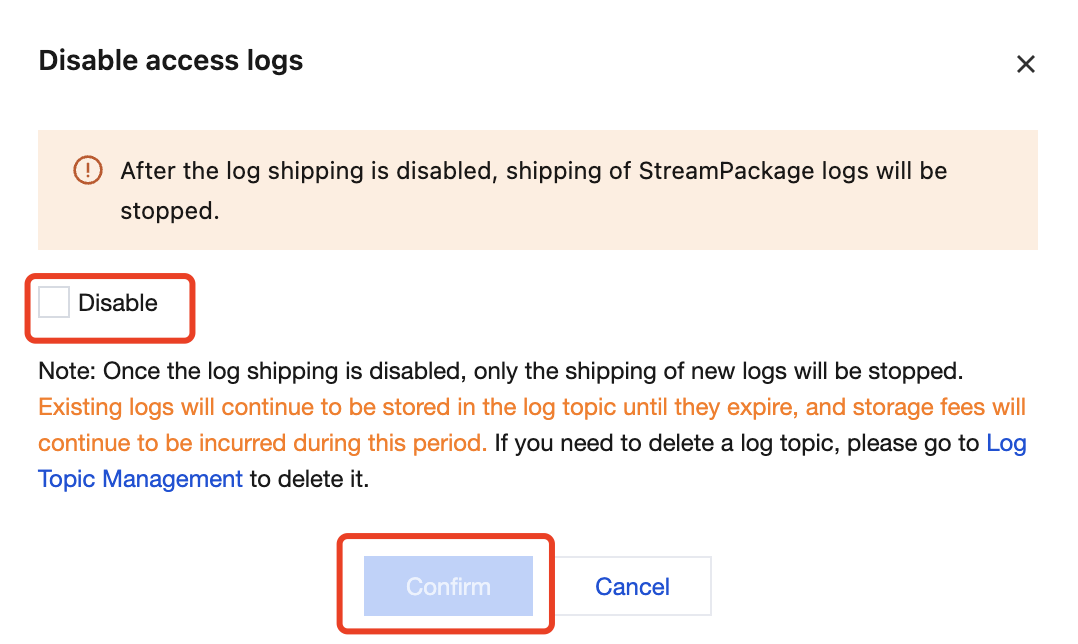
1. If you want to disable the log delivery feature for a specific ad insertion configuration, enter its details page and click Disable Shipping in CLS Logs.

2. In the pop-up window for disabling access logs, read the notes and check Disable, then click Confirm.
Note:
After log shipping is disabled, the delivery logs for this ad insertion configuration will stop.
After log shipping is disabled, only the shipping of new logs will be stopped. The existing logs will continue to be stored in the log topic until they expire, and storage fees will continue to be incurred during this period. If you want to delete a log topic, go to Log Topic Management to do so.
フィードバック