Organizing Meetings
ダウンロード
フォーカスモード
フォントサイズ
Organizing Meetings
Role: Organizer/Host
Scheduling a Meeting
Follow the steps to schedule a meeting:
1. Click Schedule after logging in.
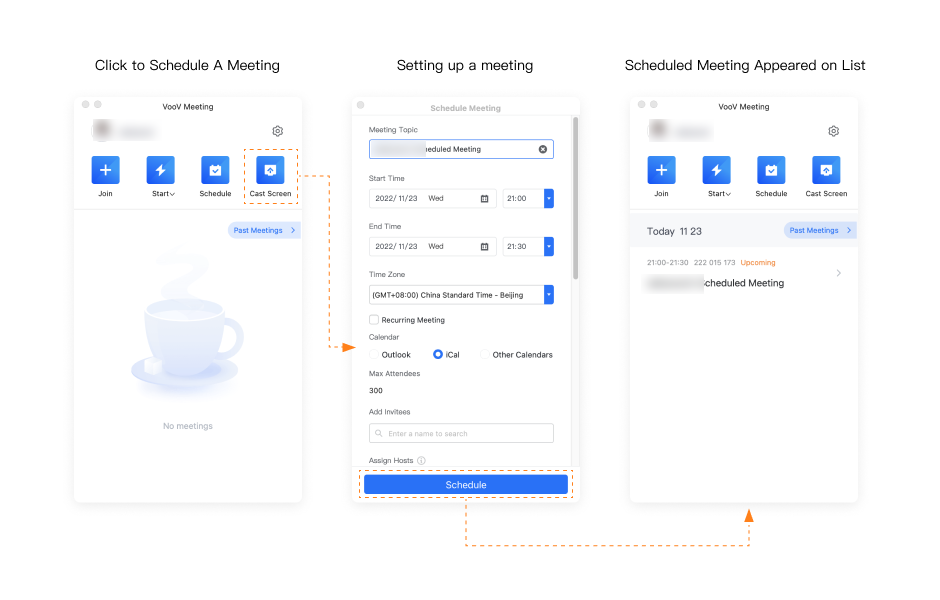
2. Enter the meeting topic and set the Start time and End time.
3. Enable Mute Attendees upon Entry
4. Enable Screen Sharing Watermark to ensure data security.
5. Once a meeting is scheduled successfully, it will appear on your meeting list.
6. Click the meeting entry on the list to enter the meeting.
Set Up a Meeting Co-host
Co-hosts can mute, unmute, and rename attendees. They can also help hosts manage attendees for large-scale online conferences.
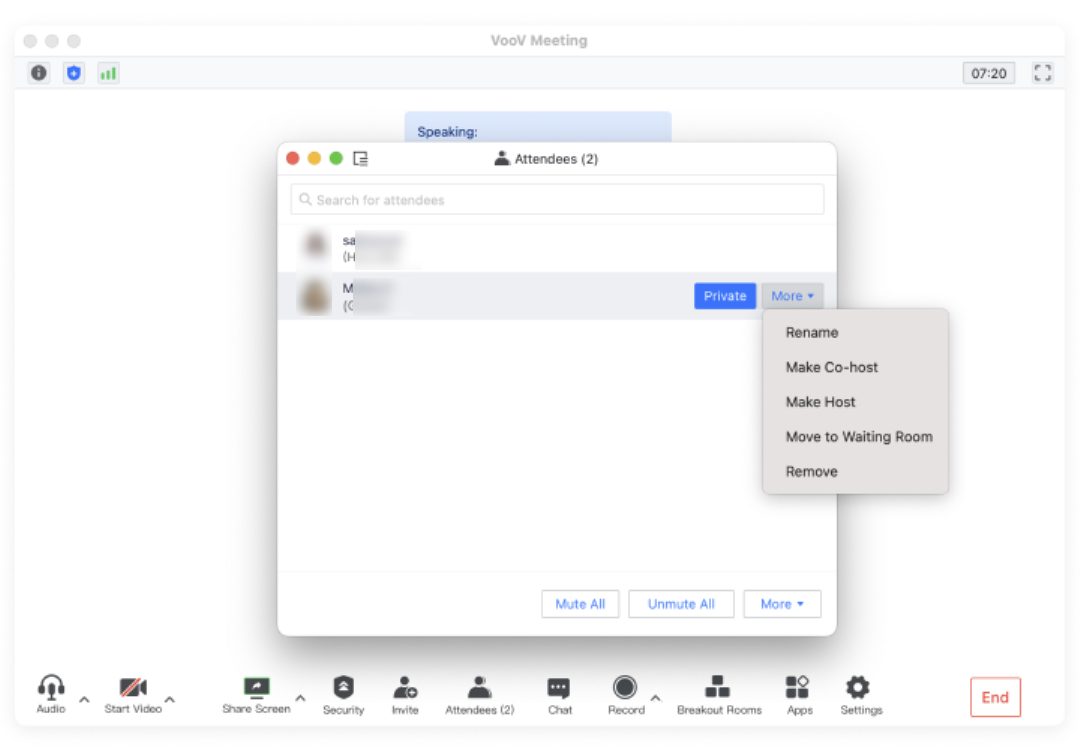
1. Click Attendees and select the attendee you want to set as a co-host.
2. Click More and select Make Co-host.
フィードバック