ConversationActions
下载
聚焦模式
字号
ConversationActions 组件负责对于单条会话进行操作,默认支持会话删除、会话置顶/取消置顶、会话免打扰/取消免打扰功能。基础使用
当在
ConversationList 使用 ConversationActions 时,您可以通过 ConversationList 顶层 actionsConfig 参数直接进行自定义,actionsConfig 支持对于默认会话操作功能开关、事件响应、新增自定义操作项、基础 UI 定制等。如您需要更高阶的定制,您可以通过
ConversationActions 自定义新的组件。使用 actionsConfig 基础定制
import { UIKitProvider, ConversationList } from "@tencentcloud/chat-uikit-react";const App = () => {return (<UIKitProvider><ConversationListactionsConfig={{enablePin: false,onConversationDelete: (conversation) => { console.log('Delete conversation success'); },customConversationActions: {'custom-actions-1': {label: 'custom-actions',onClick: (conversation) => { console.log(conversation); },},},}}/></UIKitProvider>);}
自定义 ConversationActions 组件
import { UIKitProvider, ConversationList, ConversationActions } from "@tencentcloud/chat-uikit-react";type ConversationActionsProps = Parameters<typeof ConversationActions>[0];function CustomConversationActions(props: ConversationActionsProps) {return <ConversationActions {...props} enableDelete={false} />;}const App = () => {return (<UIKitProvider><ConversationListstyle={{ maxWidth: '300px', height: '600px' }}ConversationActions={CustomConversationActions}/></UIKitProvider>);}
Props
ConversationActions 组件的接口类型 ConversationActionsProps 基于 ConversationActionsConfig 接口进行扩展。ConversationActionsProps
参数名 | 类型 | 默认值 | 说明 |
conversation(Required) | ConversationInfo | - | 必选参数,表示当前渲染会话操作对应的会话。 |
className | String | - | 自定义根元素的类名。 |
style | React.CSSProperties | - | 自定义根元素的样式。 |
ConversationActionsConfig
参数名 | 类型 | 默认值 | 说明 |
enablePin | Boolean | true | 是否显示置顶功能按钮。 |
enableMute | Boolean | true | 是否显示免打扰功能按钮。 |
enableDelete | Boolean | true | 是否显示删除功能按钮。 |
onConversationPin | (conversation: ConversationInfo, e?: React.MouseEvent) => void | - | 自定义置顶/取消置顶会话的行为。 |
onConversationMute | (conversation: ConversationInfo, e?: React.MouseEvent) => void | - | 自定义免打扰/取消免打扰会话的行为。 |
onConversationDelete | (conversation: ConversationInfo, e?: React.MouseEvent) => void | - | 自定义删除会话的行为。 |
customConversationActions | - | 自定义会话操作项。 | |
onClick | (e: React.MouseEvent, key?: string, conversation?: ConversationInfo) => void | - | 点击动作项时的回调函数。 |
自定义组件
基础功能开关
通过设置
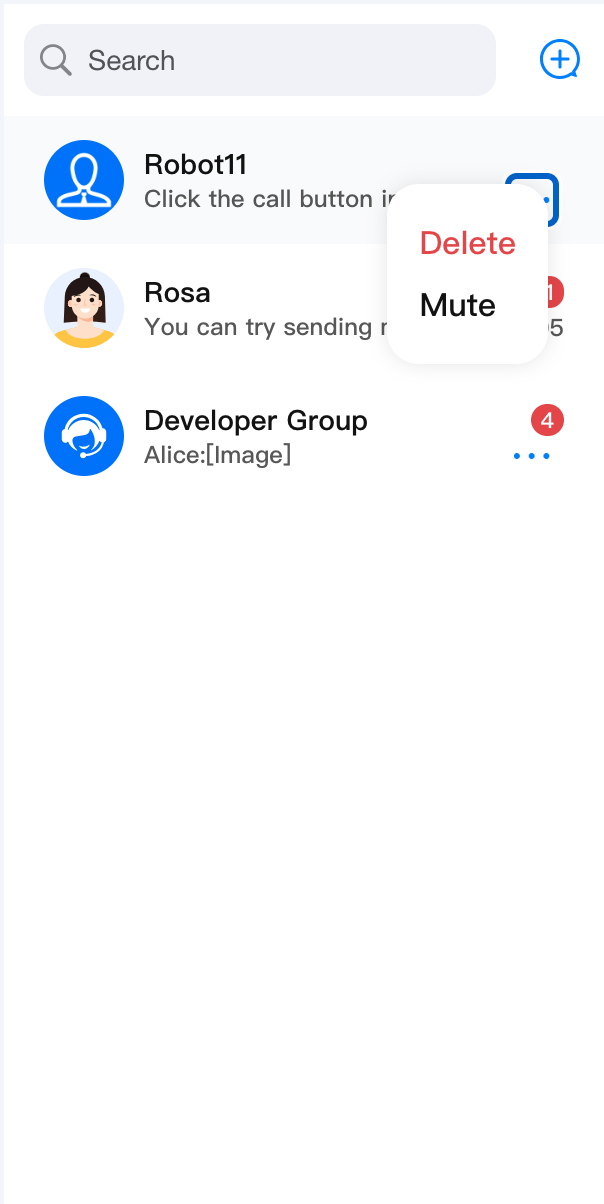
enablePin, enableDelete 和 enableMute 参数,您可以灵活地控制 ConversationActions 中的会话置顶、会话免打扰和会话删除的显示。<ConversationActions enablePin={false} />
<ConversationActionsenableDelete={false} />
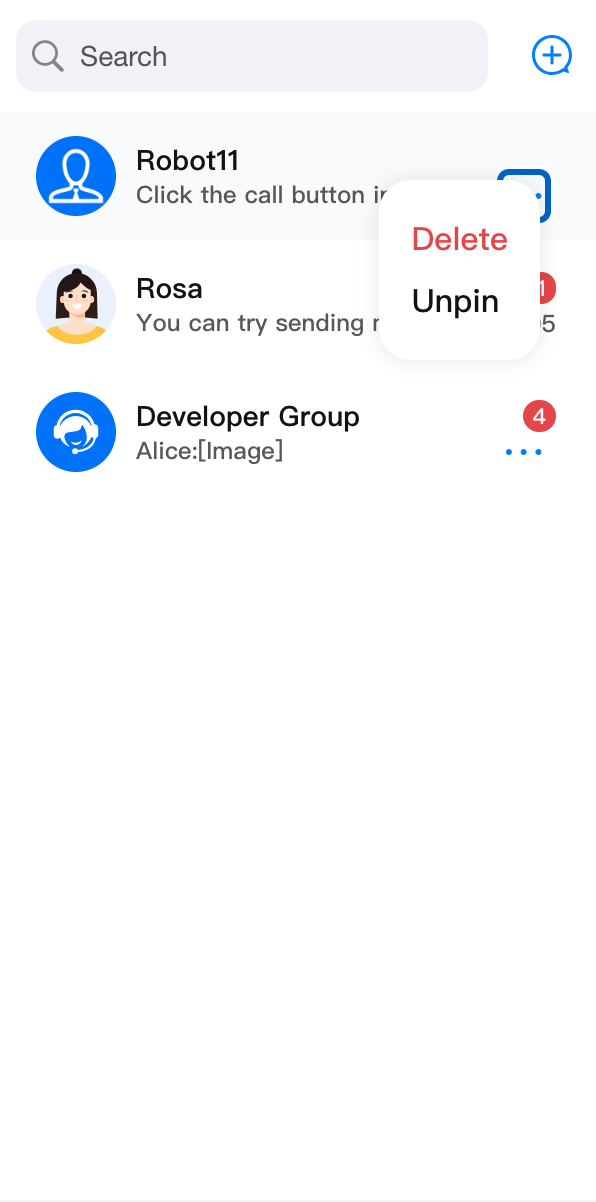
<ConversationActionsenableMute={false} />
enablePin={false} | enableDelete={false} | enableMute={false} |
 |  |  |
事件响应
ConversationActions 组件默认支持会话删除、会话置顶/取消置顶、会话免打扰/取消免打扰功能,如已有功能的事件响应不符合您的需求,您可以自定义事件响应处理函数并进行覆盖; 除了支持对于功能事件响应的自定义外,您还可以通过 onClick 获取基础点击事件响应。import { ConversationList, ConversationActions, useChatContext } from '@tencentcloud/chat-uikit-react';import { Toast } from 'third-party-lib';type ConversationActionsProps = Parameters<typeof ConversationActions>[0];const CustomConversationActions = (props: ConversationActionsProps) => {const {deleteConversation} = useChatContext();return (<ConversationActions{...props}onConversationDelete={(conversation) => {deleteConversation(conversation.conversationID).then(() => {Toast({ text: 'delete conversation successfully!', type: 'info' });}).catch(() => {Toast({ text: 'delete conversation failed!', type: 'error' });});}}/>);};<ConversationList ConversationActions={CustomConversationActions} />
customConversationActions
customConversationActions 用于在 ConversationActions 上新增自定义操作项列表。ConversationActionItem
参数名 | 类型 | 默认值 | 说明 |
enable | Boolean | true | 是否启用自定义操作项。 |
label | String | - | 自定义操作项的展示内容。 |
onClick | (conversation: ConversationInfo, e?: React.MouseEvent) => void | - | 点击自定义操作项时的回调函数。 |
以下是使用
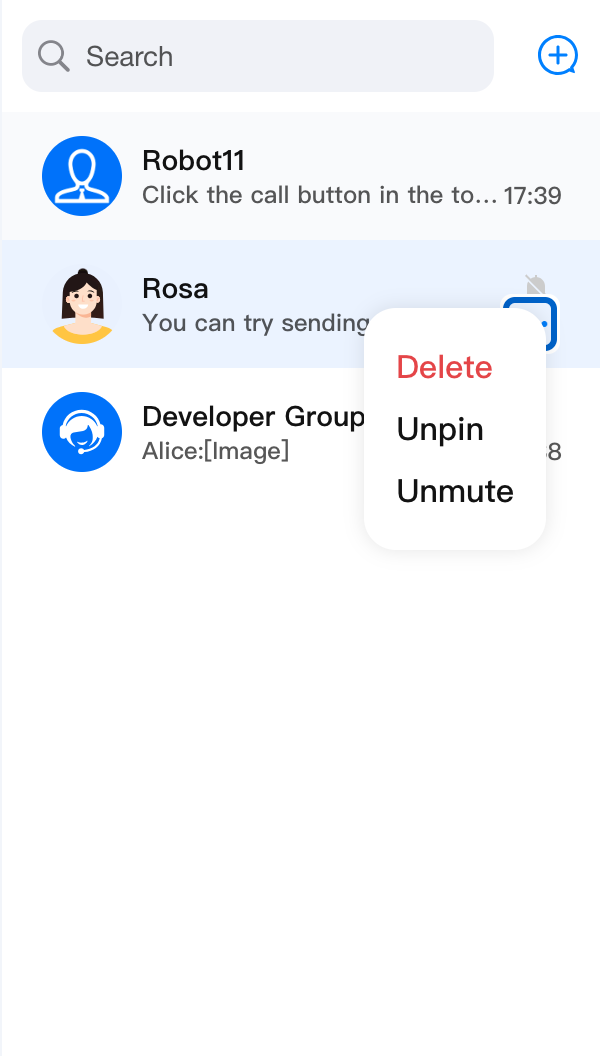
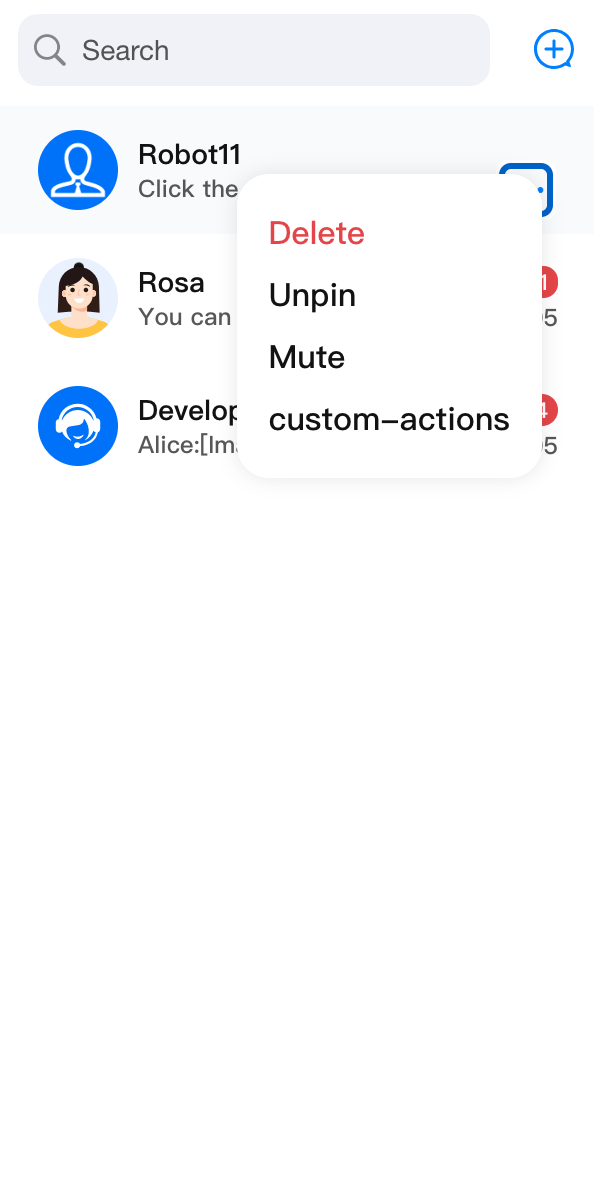
customConversationActions 新增自定义操作项的示例:import { ConversationList, ConversationActions } from '@tencentcloud/chat-uikit-react';import type { ConversationInfo } from '@tencentcloud/chat-uikit-react';type ConversationActionsProps = Parameters<typeof ConversationActions>[0];const CustomConversationActions = (props: ConversationActionsProps) => {return (<ConversationActions{...props}customConversationActions={{'custom-actions-1': {label: 'custom-actions',onClick: (conversation: ConversationInfo) => { console.log(conversation); },},}}/>);};<ConversationList ConversationActions={CustomConversationActions} />
修改前 | 修改后 |
 |  |
UI 界面定制
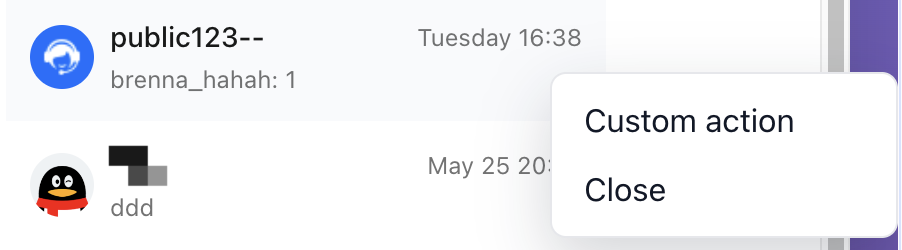
您可以完全使用第三方的内容实现一个自己的会话菜单
import { ConversationList, ConversationActions } from '@tencentcloud/chat-uikit-react';type ConversationActionsProps = Parameters<typeof ConversationActions>[0];function CustomConversationActions(props: ConversationActionsProps) {const [menuPosition, setMenuPosition] = useState<MenuPosition | null>(null);const handleContextMenu = (event: MouseEvent<HTMLDivElement>) => {event.preventDefault();setMenuPosition({x: event.clientX,y: event.clientY,});};const handleActionClick = () => {console.log('Custom conversation action:', props.conversation);setMenuPosition(null);};return (<divclassName="conversation-actions-basic-demo__trigger"onContextMenu={handleContextMenu}>{props.children}{menuPosition && (<divclassName="conversation-actions-basic-demo__menu"style={{ left: menuPosition.x, top: menuPosition.y }}><button onClick={handleActionClick} type="button">Custom action</button><button onClick={() => setMenuPosition(null)} type="button">Close</button></div>)}</div>);}<ConversationList ConversationActions={CustomConversationActions} />
修改前 | 修改后 |
 |  |
文档反馈