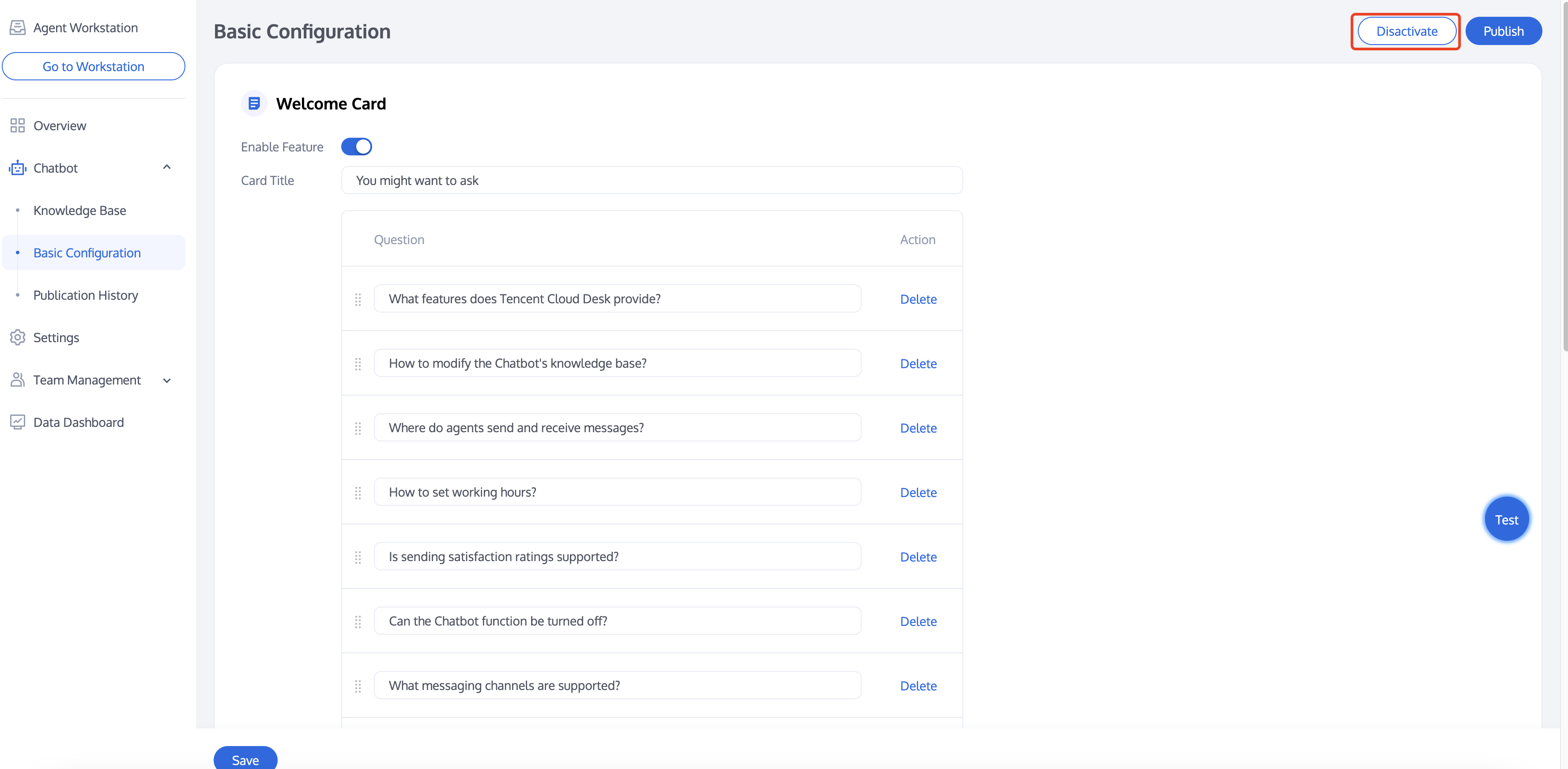
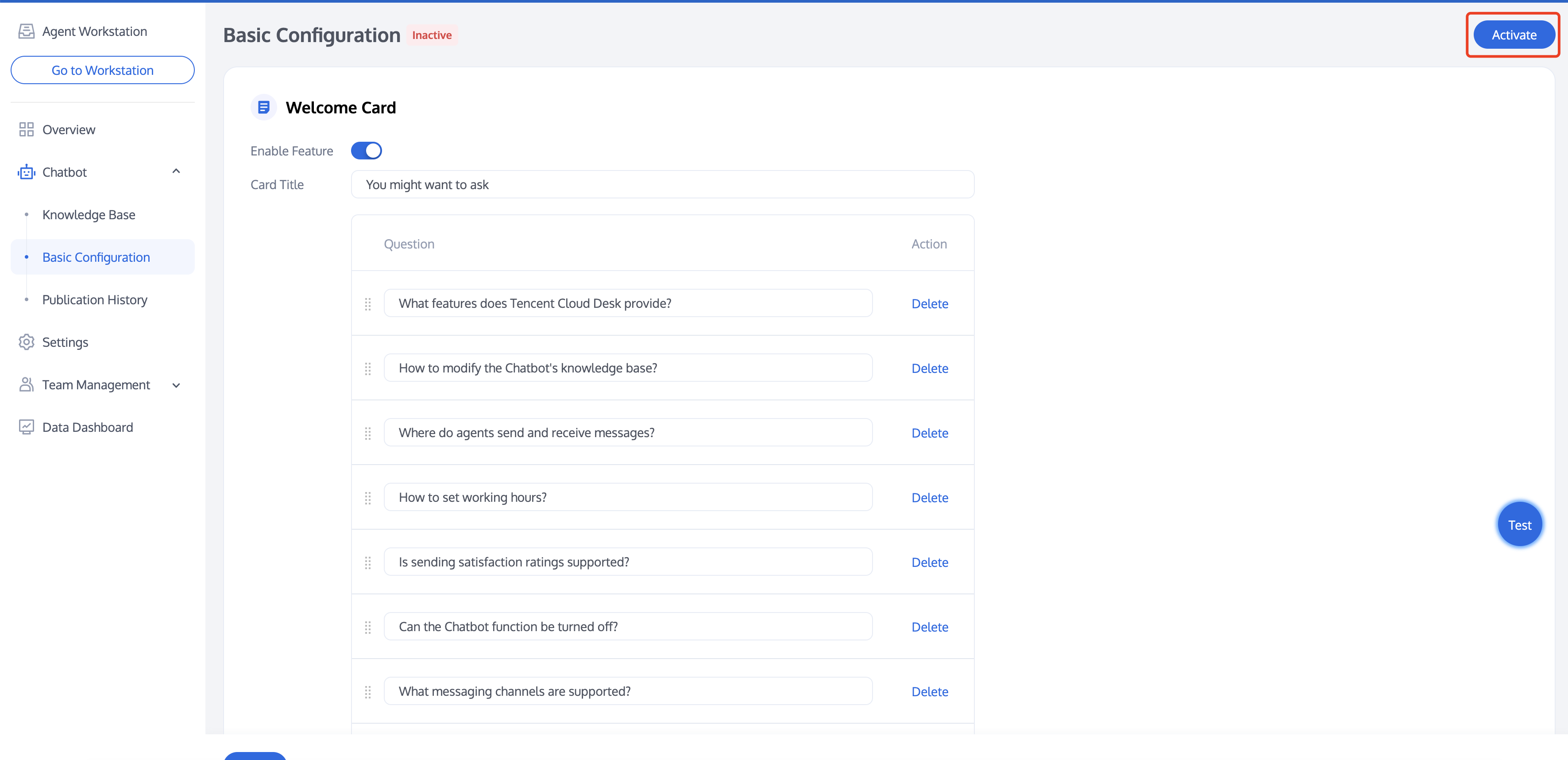
Access the Administrator Panel and click on Chatbot > Basic Configuration to enter the Chatbot basic configuration page.
Deactivating/Activating the Chatbot
After configuration, the Chatbot feature in Desk is enabled by default. To disable it, click "Disactivate" in the upper right corner of the page.
If you need to activate the Chatbot after it has been disactivated, click "Activate" in the upper right corner.
Chatbot Status
The Chatbot's status can be directly viewed on any page under Basic Configuration or Chatbot categories.
Status when the Chatbot is activated:
Status when the Chatbot is disactivated:
Welcome Card Settings
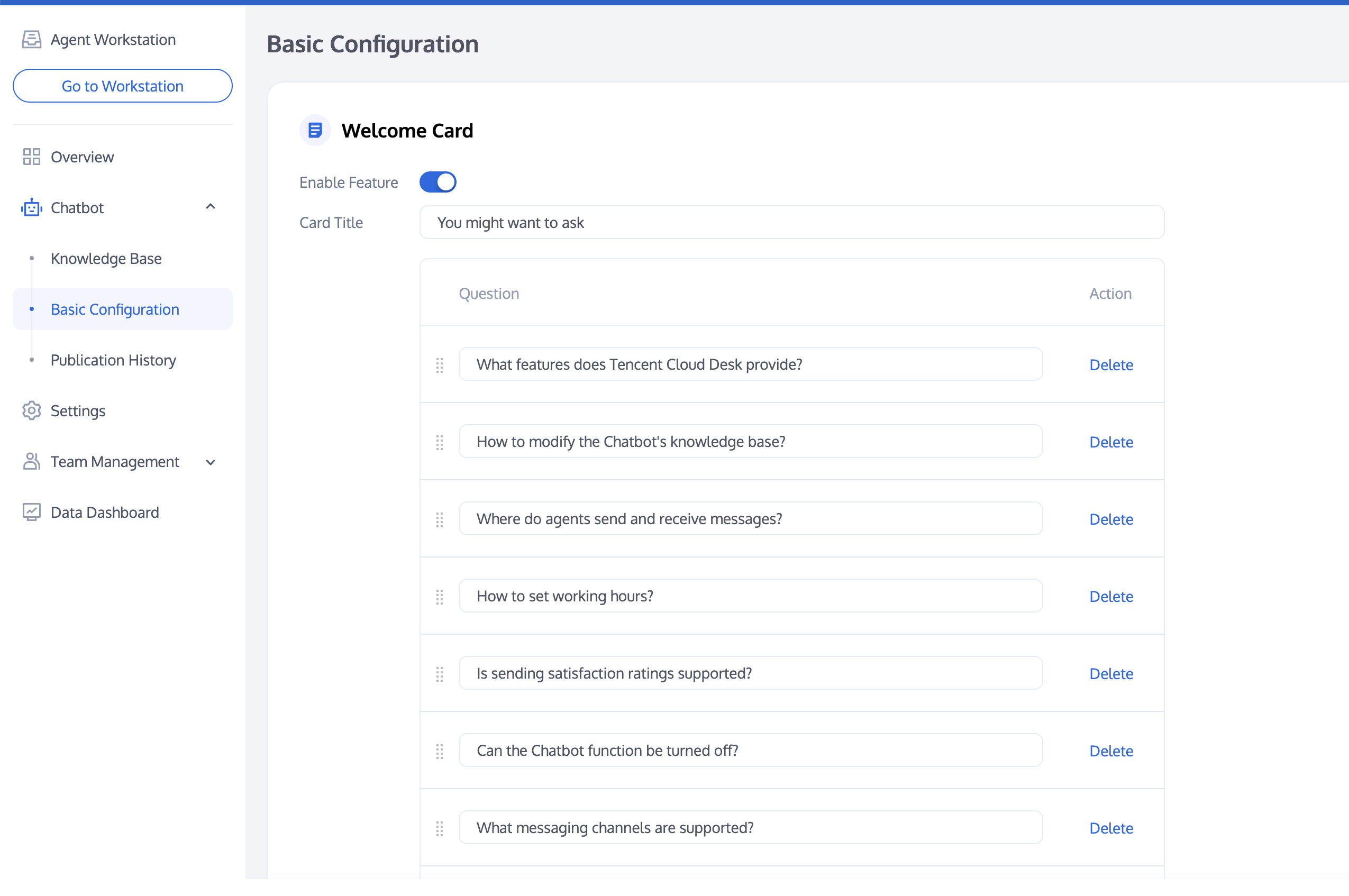
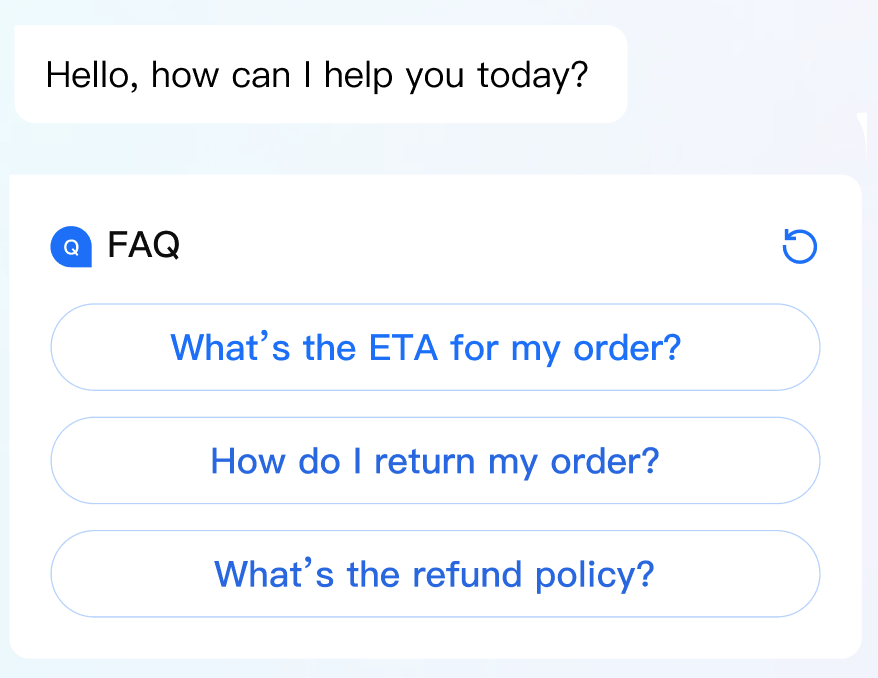
Upon entering a conversation, the Chatbot automatically pushes a card displaying the configured question, which can be used to showcase frequently asked questions.
You can configure the title and questions of the welcome card, with support for up to 20 questions.
Questions can be reordered using the sorting button on the left side of the question. The Chatbot by default prioritizes questions that are higher in the order.
Configurating Welcome Card
Example of Welcome Card
Q&A Strategy Settings
We offer the following Q&A strategies, with "Direct Answering" as the default strategy. Additionally, you can choose to enable the chitchat strategy and prompt questions based on your business needs.
Function
Description
Direct Answering
The chatbot directly answers user's questions. When a user's question reaches the set threshold of similarity to the Q&A database, the chatbot will directly respond with the answer corresponding to the most similar question.F
Chitchat Strategy
The chatbot responds to casual greetings from users. Once enabled, if a user's question does not meet the direct answering threshold but reaches the chitchat database's set threshold, the chatbot will reply with the answer corresponding to the most similar casual greeting.
Question Clarifying
The chatbot asks the user for clarification on their questions. If a user's question does not meet the direct answering threshold or the chitchat threshold but exceeds the threshold for clarifying questions, the chatbot will return several of the most similar questions.
Fallback Response Rule
If a user's question does not hit any entries in the Q&A or chitchat databases, the chatbot triggers a fallback response. The following fallback modes are supported:
Fixed Fallback: When a fallback response is triggered, the chatbot replies with a pre-configured fallback message.