tencent cloud

Media Processing Service

Release Notes and Announcements
Release Notes
Announcements
Product Introduction
Overview
Features
Strengths
Use Cases
Purchase Guide
Billing Overview
Purchase Instructions
Top Up and Purchase
Overdue Payments
Refund
Getting Started
Console Guide
Overview
Creating Tasks
Tasks
Orchestrations
Templates
Resource Packs
Video Evaluation
AIGC Content Generation
Terminal SDK
Subtitle Editing Tool
Usage Statistics
Cloud Access Management Sample
Integration Tutorials
Audio/Video Transcoding Integration
Audio/Video Enhancement Integration
Audio Separation Integration
Integration of Digital and Visible Watermarks
Media AI Integration Tutorial
Media Quality Inspection Integration
Terminal SDK integration
MPS Live Stream Recording integration
DRM integration
Other tutorials
Application Scenario and Practical Tutorial
Image Quality Improvement Scenario
Audio/Video Cost Optimization Scenario
Short Drama Translation Scenario
AI-Generated Content Scenario
Online Education Scenarios
API Documentation
History
Introduction
API Category
Making API Requests
Processing Task Initiation APIs
Task Management APIs
Transcoding and Enhancement Template APIs
Watermark Template APIs
Screenshot Template APIs
Media AI Template APIs
Media AI—Hotword Lexicon APIs
Media AI—Sample Management APIs
Media Quality Inspection Template APIs
Live Streaming Recording Template APIs
Orchestration Management APIs
Data Statistics APIs
StreamLink—Security Group Management APIs
Other APIs
Image Processing Template APIs
AI Generation APIs
Other APIs
Data Types
Error Codes
Other Documents
WebSocket Protocol for Recognition
FAQs
Basics
Account Authorization
Task Configuration
Task Initiation
Task Result Viewing
Related Agreement
Service Level Agreement
Privacy Policy
Data Processing And Security Agreement
Contact Us
Glossary

AIGC Task Management

PDF
Focus Mode
Font Size
Last updated: 2025-12-25 16:41:41

Scenarios

After you initiate an AIGC task through the console or through calling the API, the information about the task you initiate can be viewed and managed in AIGC Task Management.

Viewing a Generation Task

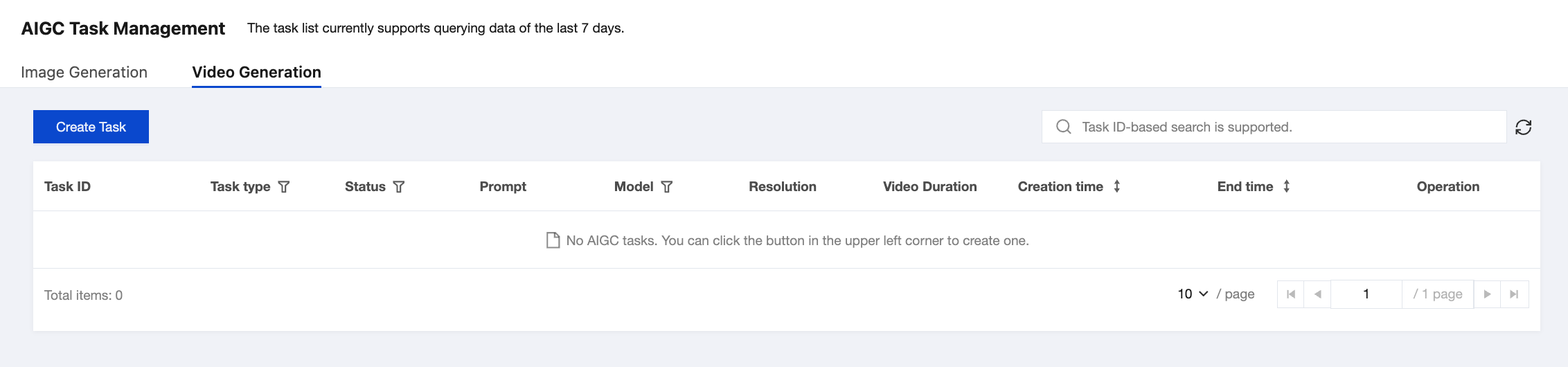
1. The AIGC Task List includes two separate lists: "Image Generation" and "Video Generation".
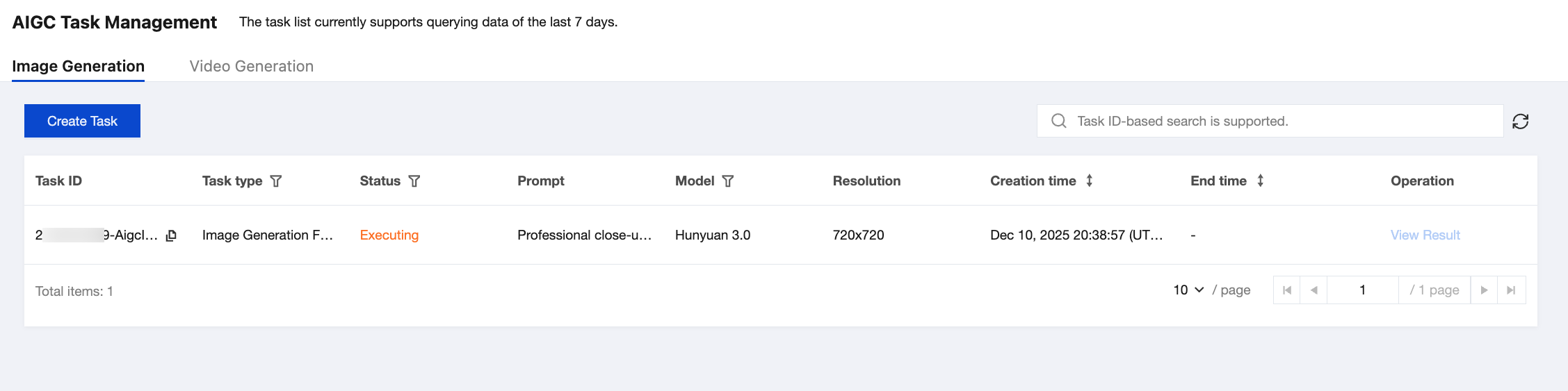

See the following table for descriptions of the list fields:
Column Name
Description
Task ID
ID of the initiated task.
Task Type
Task type corresponding to the task ID. Specifically,
Image generation: includes text-to-image generation and image-to-image generation.
Video generation: includes text-to-video generation and image-to-video generation.
Task Status
Includes:
Waiting: The task is in the queue waiting to be processed.
Executing: The task has entered the execution phase.
Successful: The task execution has been completed. You can view the task result.
Failed: The task execution failed, and the possible cause is timeout.
Prompt
Prompt information passed in when the request is sent.
Model
Requested model parameters.
Resolution
Actual resolution of the generated video.
Video Duration
Duration of the generated video (this field is not available in the image task list).
Creation Time
Time point when the task is initiated.
End Time
Time point when the task ends.
Operation
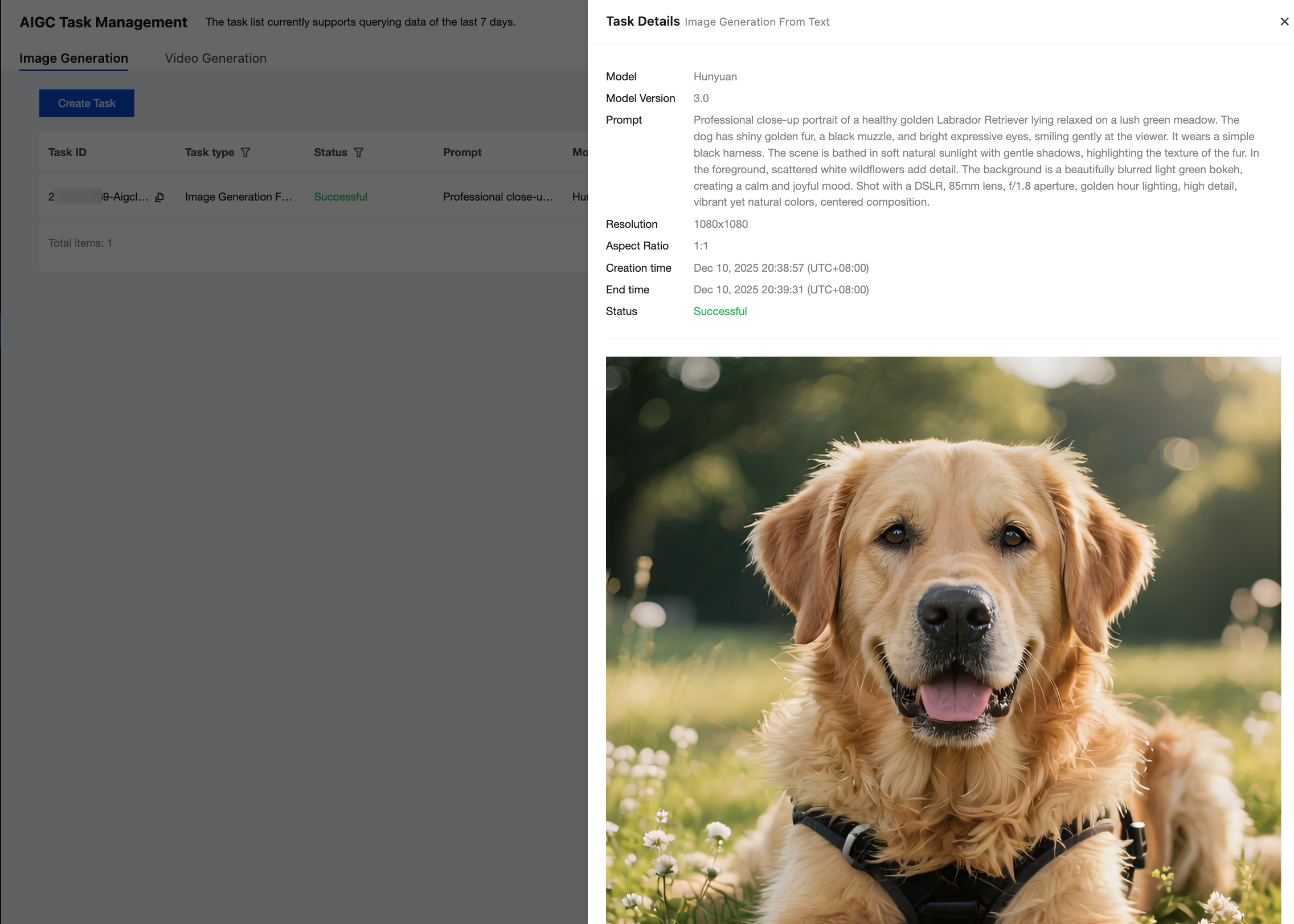
Results of the successfully created tasks can be viewed or downloaded on the result viewing page.
2. Click View Result to view more task information.


Help and Support

Was this page helpful?

Help us improve! Rate your documentation experience in 5 mins.

Feedback